xaspx/hermes-control-interface
A self-hosted web dashboard for the Hermes AI agent stack. Provides a browser-based terminal, file explorer, session overview, cron management, system metrics, and an agent status panel — all behind a single password gate.
Hermes Control Interface is a self-hosted web dashboard designed to centralize the management of the Hermes AI agent stack. It utilizes a Node.js and Express backend with a Vanilla JS frontend to provide a unified interface for agent orchestration and system monitoring. The platform includes specialized tools for MCP server control, token analytics, and a multi-panel swarm monitor for tracking agent pipelines. It also implements role-based access control to isolate agent profiles across different user teams.
- Real-time chat with streaming and tool call visualization
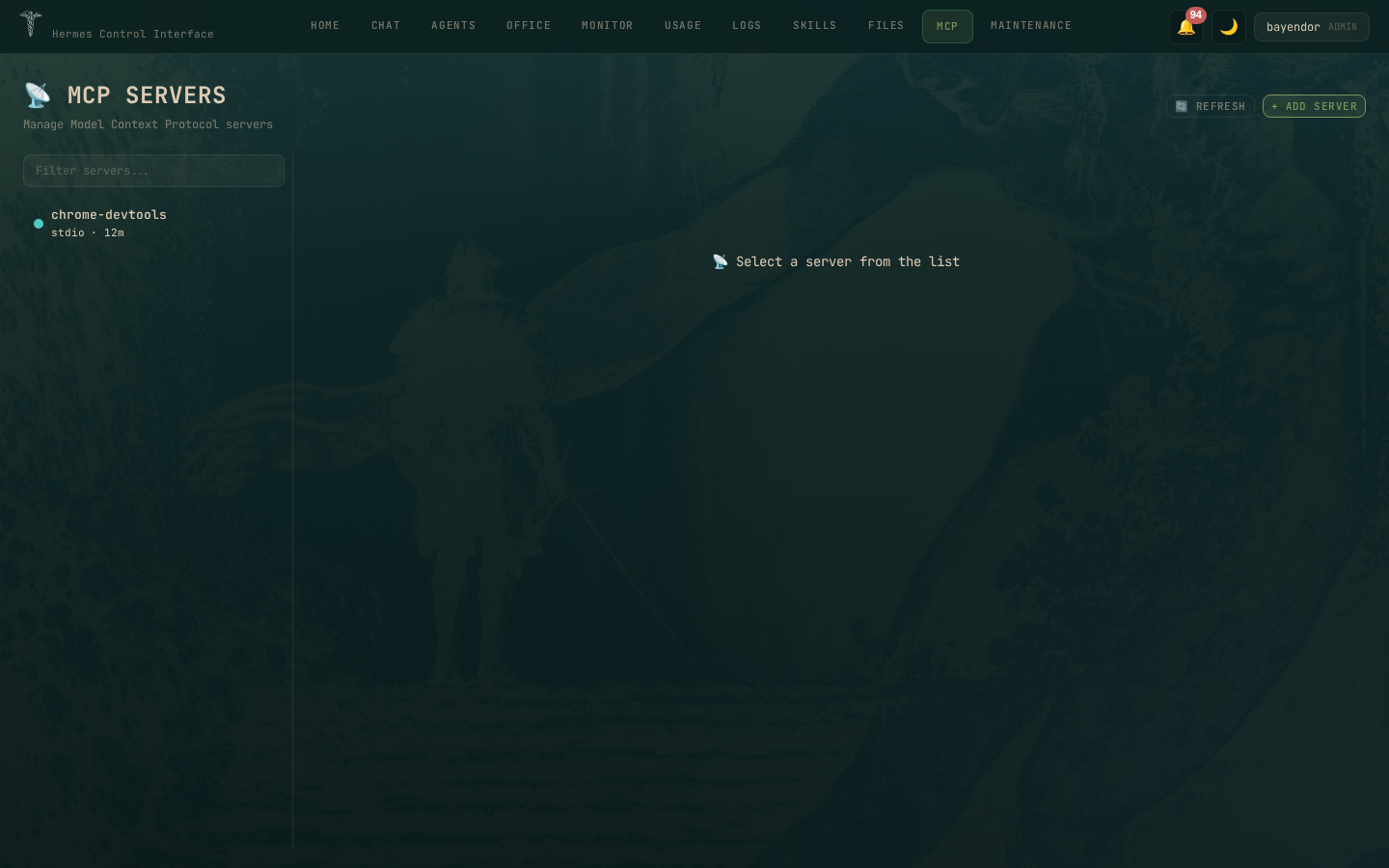
- MCP server control plane for managing server lifecycles
- ZOO Swarm Monitor for tracking agent health and kanban pipelines
full readme from github
Hermes Control Interface
A self-hosted web dashboard for the Hermes AI agent stack. Manage agents, chat, terminals, files, cron, token analytics, MCP servers, and swarm pipelines — behind a password gate.
Stack: Vanilla JS + Vite · Node.js · Express · WebSocket · xterm.js · Chart.js · better-sqlite3
Version: 3.6.1 · License: MIT
Quick Start
git clone https://github.com/xaspx/hermes-control-interface.git
cd hermes-control-interface
cp .env.example .env     # set HERMES_CONTROL_PASSWORD + HERMES_CONTROL_SECRET
npm install && npm run build
node server.js            # → http://localhost:10274
See docs/INSTALL.md for production setup, nginx, and systemd.
Overview
| Page | What |
|---|---|
| Home | System health, agent overview, gateway status, token usage |
| Chat | Real-time streaming, tool call cards, multi-profile |
| Workspace | Browse, edit files and chat with Hermes scoped to a project directory |
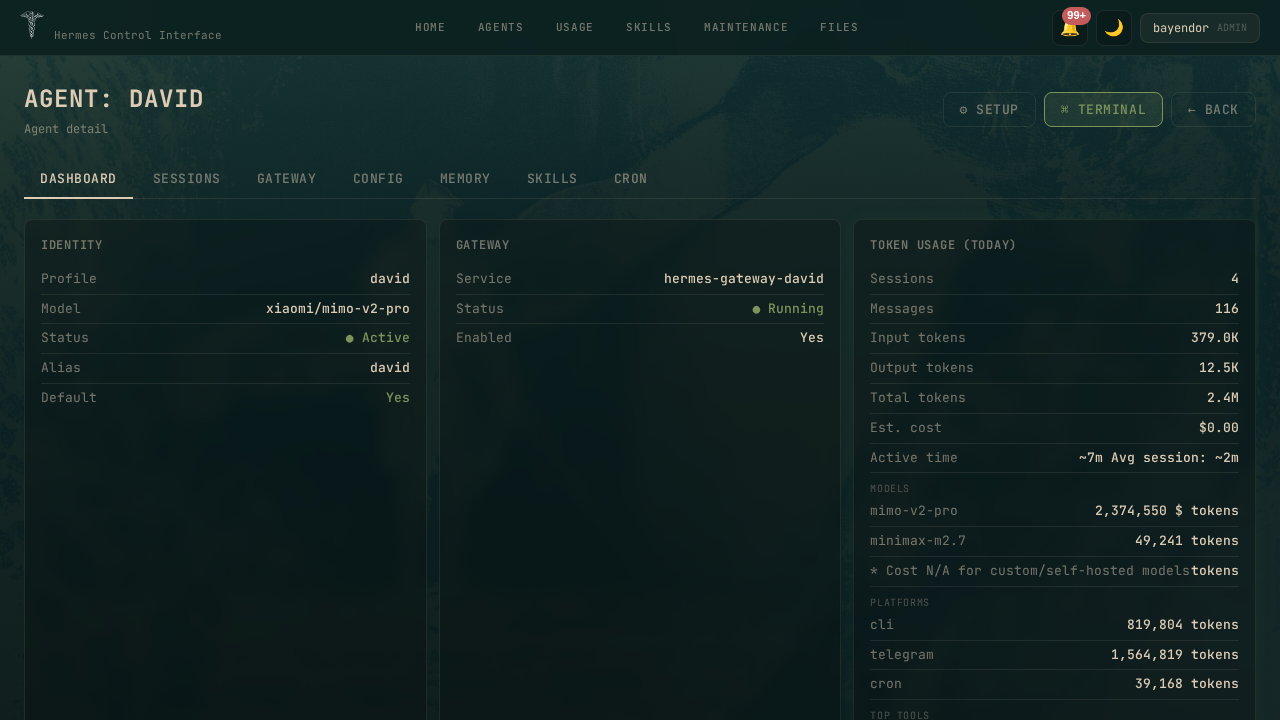
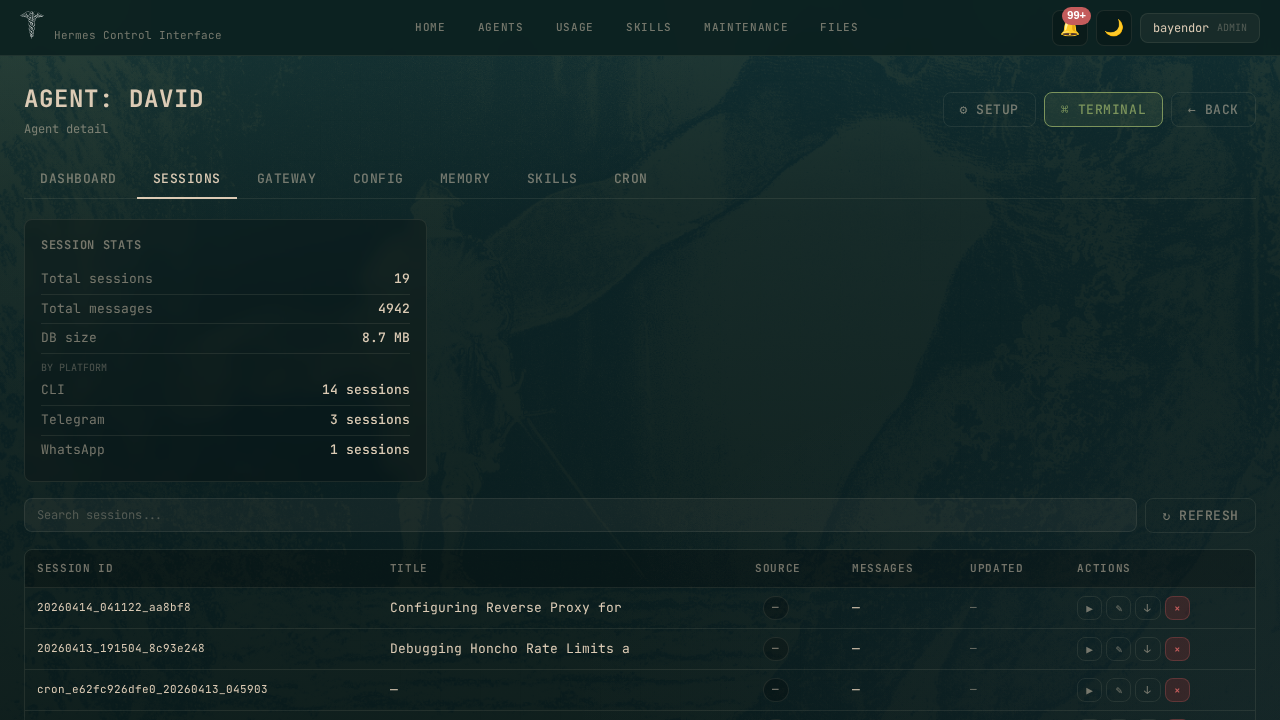
| Agents | Profile CRUD, gateway lifecycle, per-agent dashboard/sessions/cron |
| Office | 3-panel swarm monitor — agent health, kanban pipeline, live feed |
| Monitor | Gateway logs, CPU/RAM metrics, live process view |
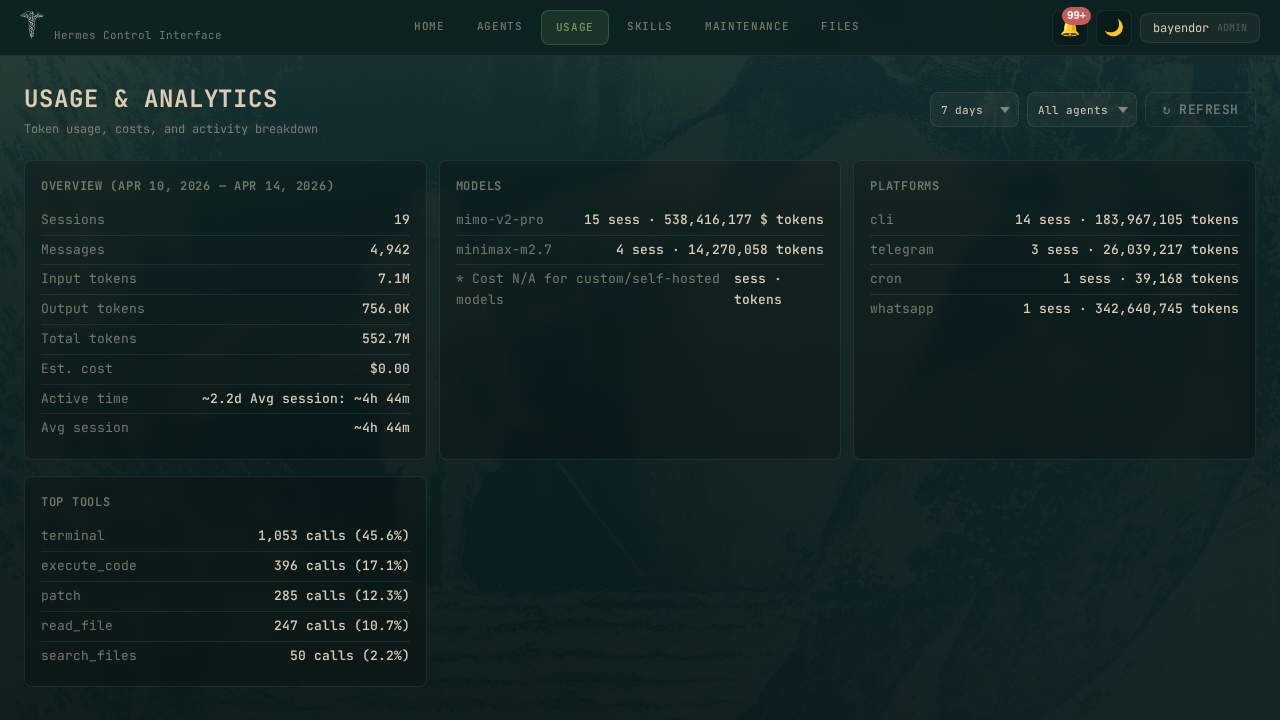
| Usage | Token analytics, daily trends, cost projections, budget alerts |
| Logs | Agent, error, and gateway logs with level filter |
| Skills | Browse, install, and remove Hermes skills |
| Files | Browse and edit files on the server |
| MCP | MCP server control plane — start, stop, restart, log tail, config editor |
| Maintenance | Backup, restore, HCI update, system doctor |
Screenshots
Core Pages · Dark Mode
| Home | Chat | Office |
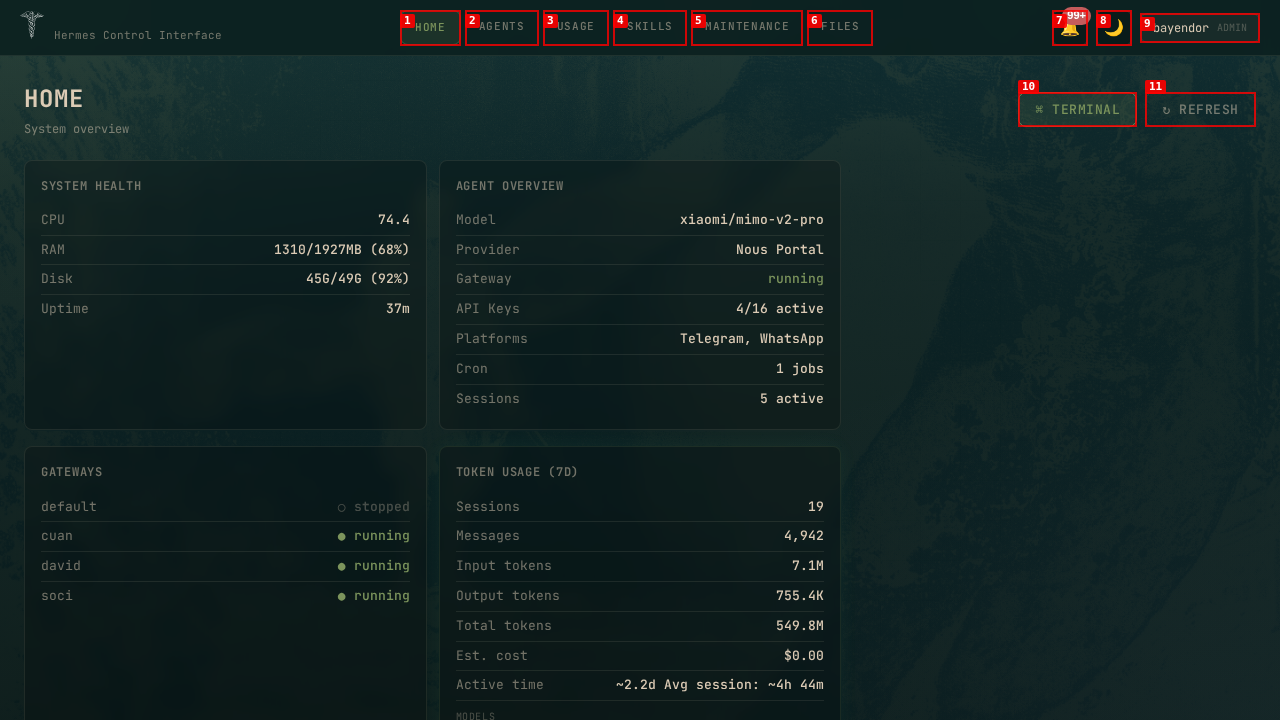 |
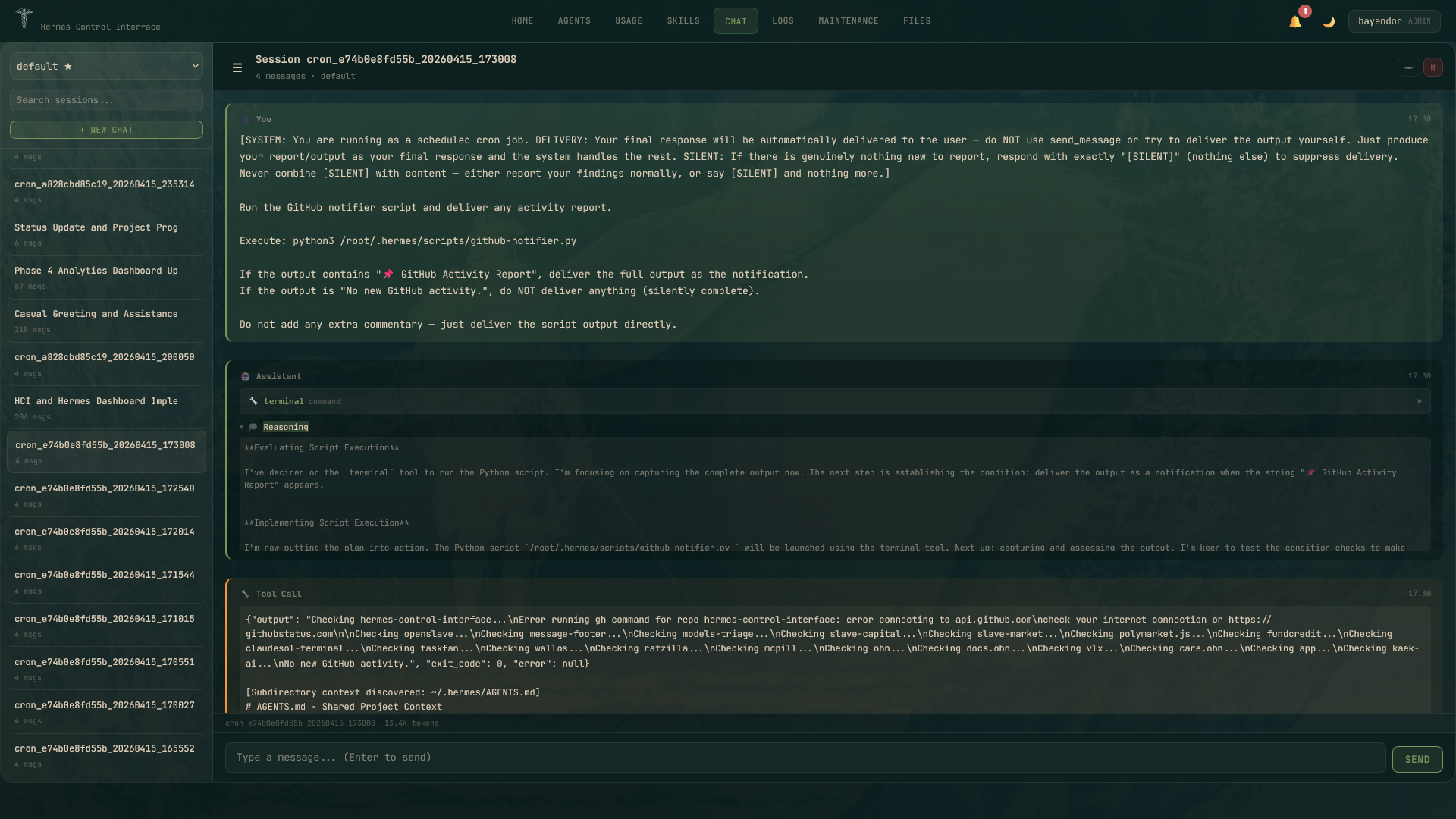 |
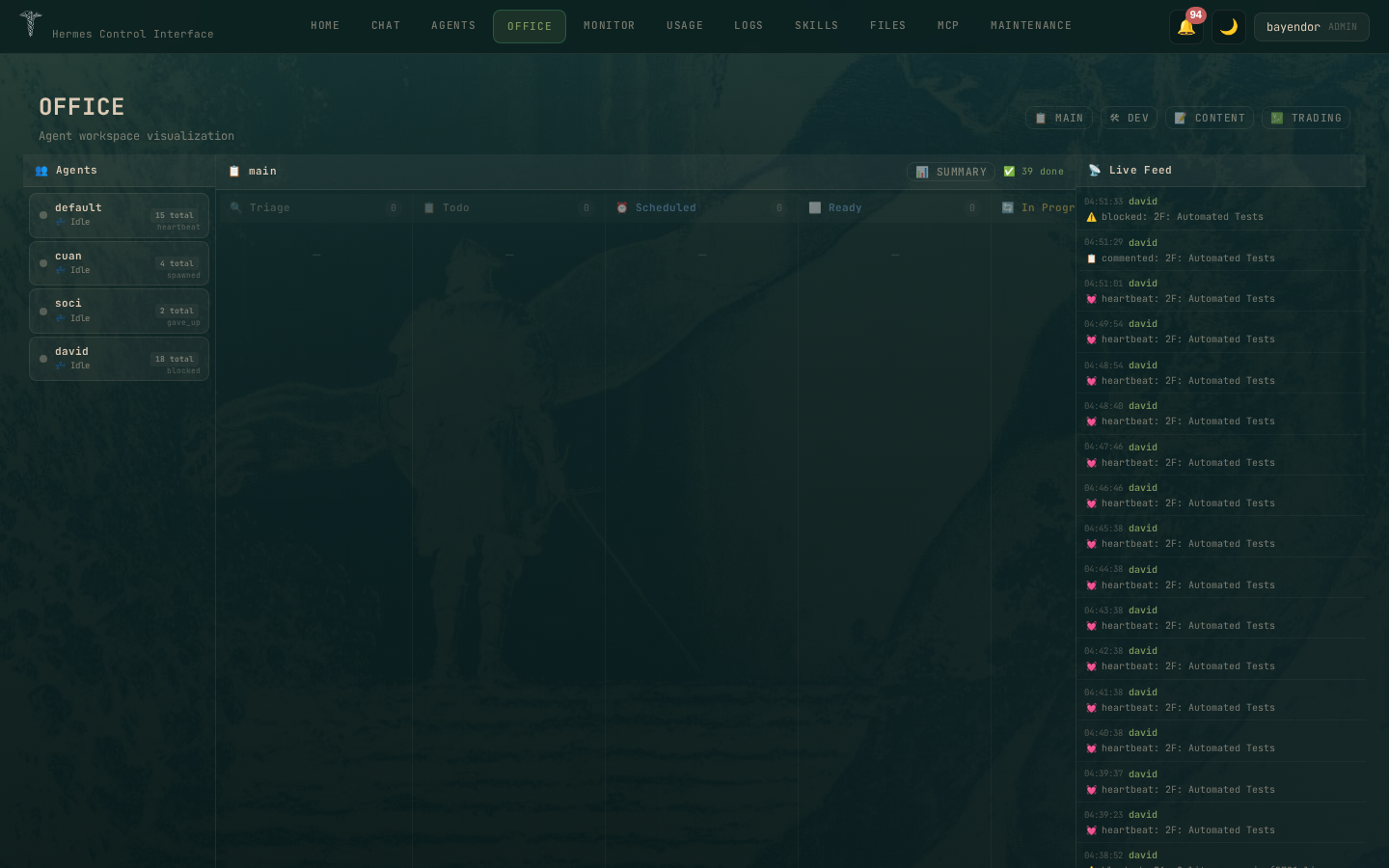 |
| Agents | MCP Manager | Usage |
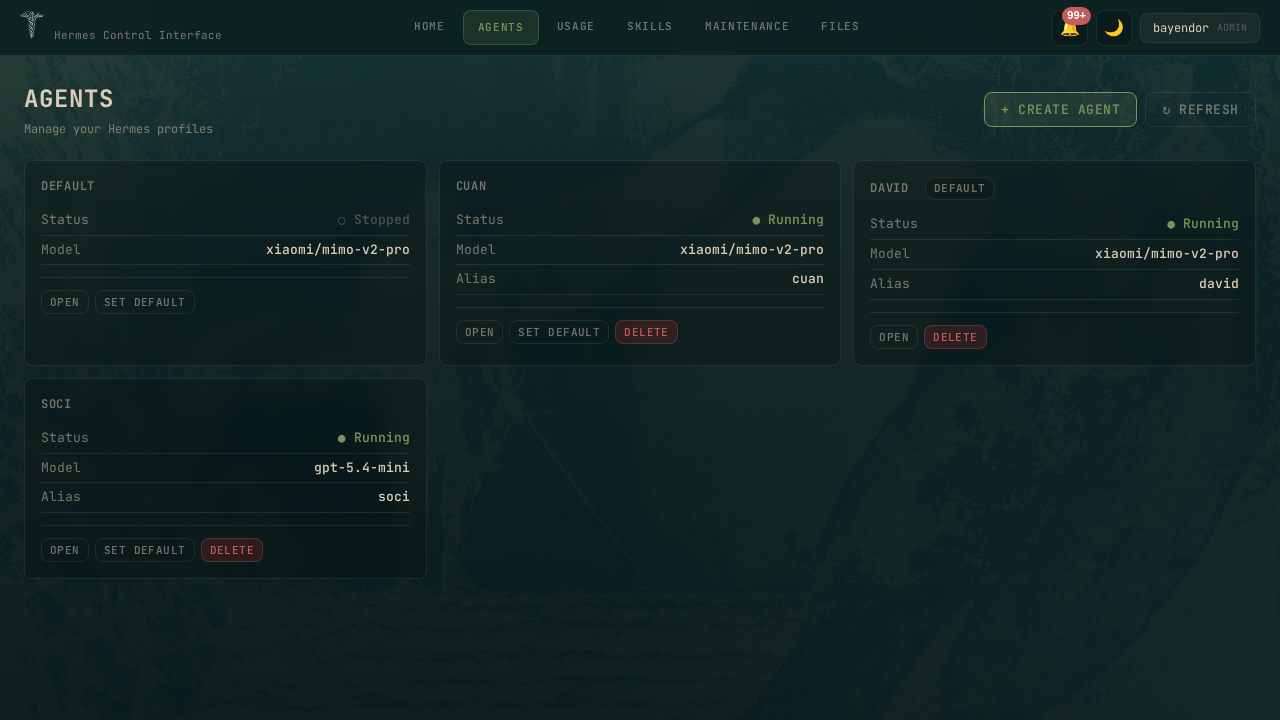 |
 |
 |
Agent Detail Pages
| Dashboard | Sessions | Gateway |
 |
 |
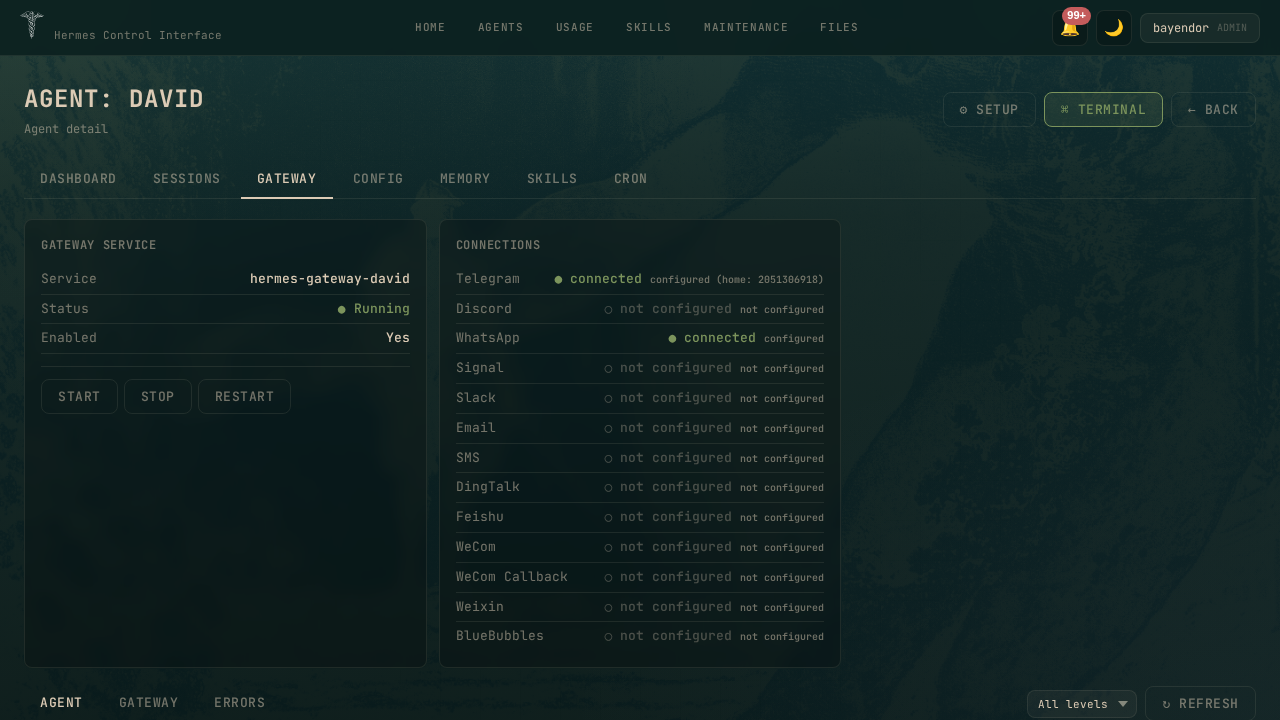 |
| Config | Memory | Skills |
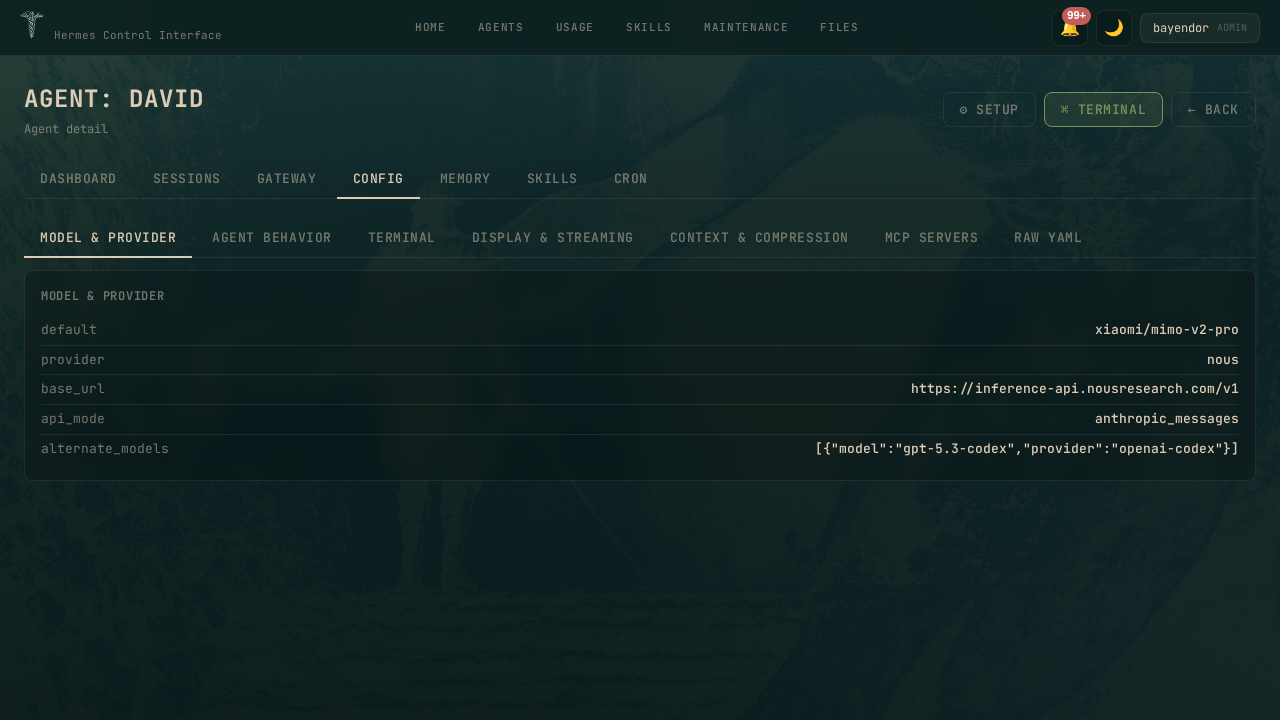 |
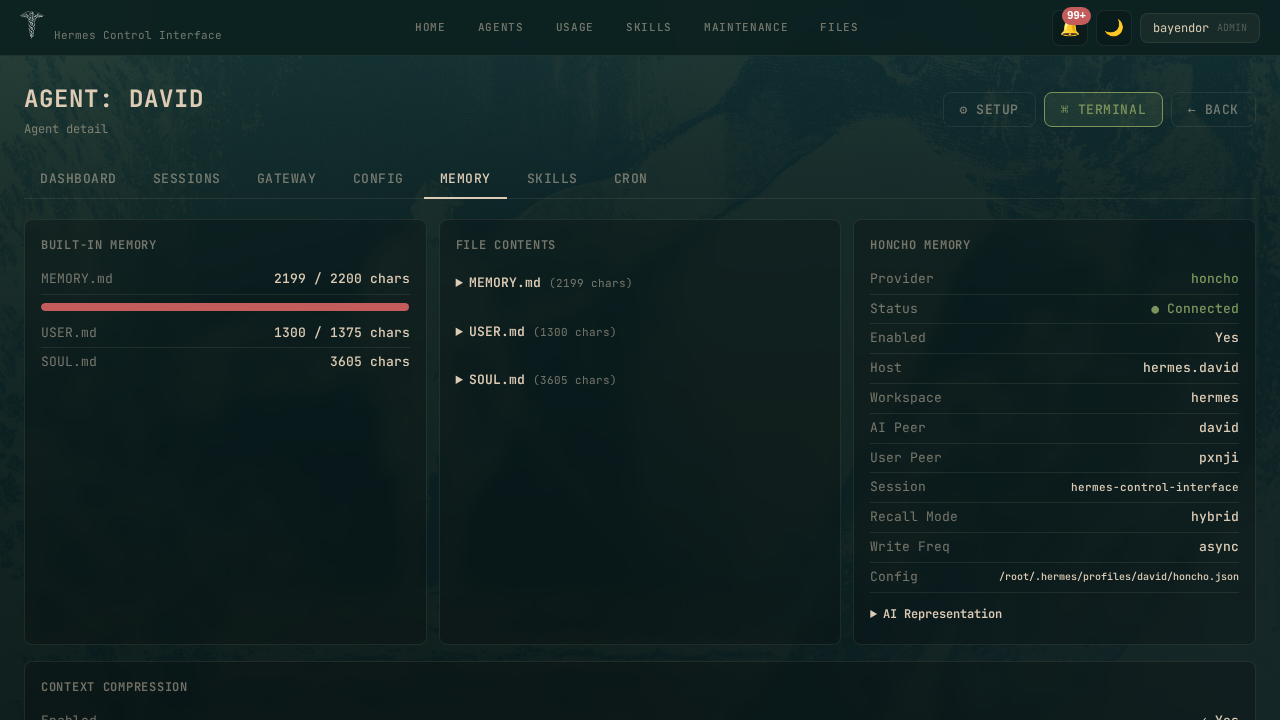 |
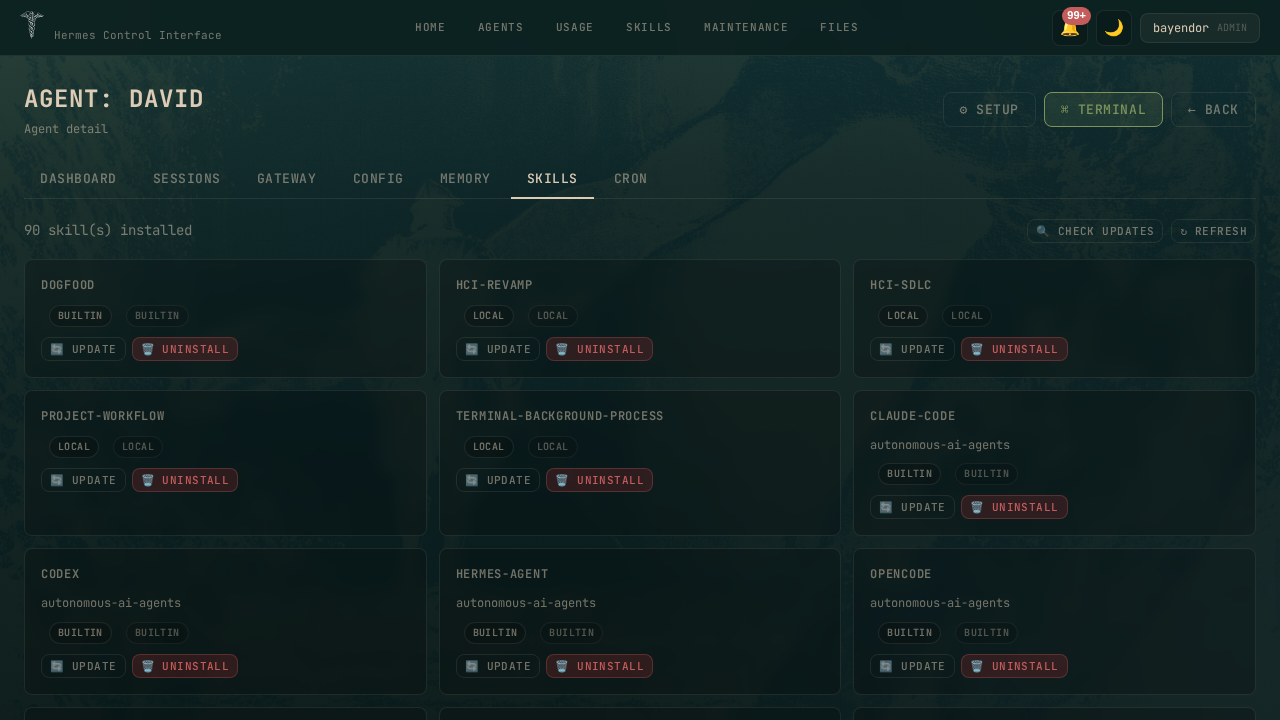 |
Features
Office v3 — ZOO Swarm Monitor
Three-panel dashboard with zero-subprocess agent states (~100ms vs 3000ms):
- Agents Panel — health grid via config.yaml + kanban.db
- Kanban Panel — 8 status lanes (triage→done), dependency arrows, board switcher
- Live Feed — 50 events from gateway logs, agent filter dropdown, keyword search
- Task Popup — expandable run history, workspace file browser, event enrichment, timeline, load-more
Chat
- Real-time streaming via WebSocket gateway API
- Multi-profile support with profile switcher
- Tool call cards with collapsible JSON viewer
- Stop button, session resume, fork from message
MCP Manager
Full operational control plane — list, start, stop, restart MCP servers. Live log tail and config editor from the browser. 11 REST API routes.
Security
- CSP without
unsafe-eval, CSRF on all mutating endpoints - Rate limiting (global + chat), WebSocket RBAC
- Path traversal prevention, XSS protection
- 20 permissions across 3 roles (admin, viewer, custom)
- Profile-based access isolation — restrict users to specific agent profiles
Profile-Based Access Control
Multi-agent teams can restrict which profiles (agents) each user can see and manage:
// User creation with profile restriction
createUser('cx-team', 'password', 'custom', ['jorah']);     // only sees Jorah
createUser('influencer-team', 'password', 'custom', ['varys']); // only sees Varys
createUser('admin', 'password', 'admin', ['*']);             // sees all agents
allowed_profilesfield on each user (["*"]= full access,["jorah", "varys"]= specific agents)- Filters
/api/profiles,/api/office/agent-states, and all:profileendpoints requireProfileAccessmiddleware on gateway, config, and keys routes- Profile selection UI in the Create User form (checkboxes for available agents)
- Nav tabs hidden based on user permissions (Files, Maintenance = admin only)
PWA
Installable to homescreen. Service worker with offline caching. Auto-update on new version.
Architecture
Browser (11 pages, SPA)
       │
   HTTPS :10274
       │
   Express Server (server.js — monolithic, ~6K+ lines)
       ├── Auth (bcrypt, sessions, CSRF)
       ├── RBAC (20 permissions, 3 roles)
       ├── REST API (30+ routes)
       ├── WebSocket (real-time)
       │
       ├── Hermes CLI (agent states, gateway control)
       ├── SQLite (kanban.db — task pipeline)
       ├── Filesystem (config.yaml, logs, skills)
       └── External (MCP servers, token pricing)
Full architecture: docs/ARCHITECTURE.md
API
| Endpoint | Auth | Description |
|---|---|---|
GET /api/office/kanban?board= |
Login | Kanban board with tasks + links |
GET /api/office/kanban/:id?board= |
Login | Task detail with runs, events, comments |
GET /api/office/kanban/:id/workspace-file?board=&path= |
Login | Read workspace files (code, logs) |
POST /api/office/kanban/:id/action?board= |
Login+CSRF | Quick actions (done, start, reopen, etc.) |
GET /api/office/agent-states |
Login | Agent health grid |
GET /api/office/events |
Admin | Live feed from gateway logs |
GET /api/office/summary?board= |
Login | Board stats + recommendations |
Full API: docs/API.md
Configuration
| Variable | Default | Description |
|---|---|---|
HERMES_CONTROL_PASSWORD |
— | Login password (bcrypt hashed) |
HERMES_CONTROL_SECRET |
— | Session secret (random string) |
PORT |
10274 |
Server port |
HERMES_CONTROL_HOME |
~/.hermes |
Hermes state directory |
HERMES_PROJECTS_ROOT |
parent of repo | Projects directory |
Full config: docs/CONFIG.md
Requirements
- Node.js 20+
- Hermes Agent installed on the same machine
hermesCLI available on PATH
Updating
git pull upstream main
npm install
npm run build
# Restart your HCI service (adjust service name):
systemctl restart hci-staging
See docs/DEPLOY.md for zero-downtime deploys.
Documentation
| Doc | Content |
|---|---|
| INSTALL.md | Full setup — nginx, systemd, Cloudflare |
| CONFIG.md | All environment variables |
| API.md | REST API reference |
| ARCHITECTURE.md | Design decisions, data flow |
| SECURITY.md | CSP, CSRF, auth, hardening |
| DEPLOY.md | Production deployment patterns |
| TROUBLESHOOTING.md | Common issues and fixes |
Built for the Hermes Agent ecosystem.
GitHub
❓ Frequently Asked Questions
General
Q: What is Hermes Control Interface (HCI)?
HCI is a self-hosted web dashboard for the Hermes AI agent stack. Manage agents, chat, terminals, files, cron, token analytics, MCP servers, and swarm pipelines — all behind a password gate.
Q: What can I manage with HCI?
| Page | Capabilities | |---|---|---| | Home | System health, agent overview, gateway status, token usage | | Chat | Real-time streaming, tool call cards, multi-profile | | Workspace | Browse, edit files and chat with Hermes scoped to a project directory | | Agents | Profile CRUD, gateway lifecycle, dashboard/sessions/cron | | Office | 3-panel swarm monitor — agent health, kanban, live feed | | Monitor | Gateway logs, CPU/RAM metrics, live process view | | Usage | Token analytics, daily trends, cost projections, alerts | | Logs | Agent/error/gateway logs with level filter | | Skills | Browse, install, remove Hermes skills | | Files | Browse and edit server files | | MCP | Start, stop, restart MCP servers, log tail, config editor | | Maintenance | Backup, restore, HCI update, system doctor |
Features
Q: What is Office v3 — ZOO Swarm Monitor?
Three-panel dashboard with zero-subprocess agent states (~100ms vs 3000ms):
- Agents Panel — health grid via config.yaml + kanban.db
- Kanban Panel — 8 status lanes (triage→done), dependency arrows
- Live Feed — 50 events from gateway logs, agent filter, keyword search
- Task Popup — run history, workspace file browser, event enrichment
Q: What chat features are available?
| Feature | Description |
|---|---|
| Real-time streaming | WebSocket gateway API |
| Multi-profile | Profile switcher for different agents |
| Tool call cards | Collapsible JSON viewer |
| Stop button | Pause streaming mid-conversation |
| Session resume | Continue previous conversation |
| Fork from message | Branch conversation from any point |
Q: What is MCP Manager?
Full operational control plane for MCP servers:
- List, start, stop, restart servers
- Live log tail from browser
- Config editor (JSON/YAML)
- 11 REST API routes
Installation
Q: How do I install HCI?
git clone https://github.com/xaspx/hermes-control-interface.git
cd hermes-control-interface
cp .env.example .env     # set HERMES_CONTROL_PASSWORD + HERMES_CONTROL_SECRET
npm install && npm run build
node server.js            # → http://localhost:10274
See docs/INSTALL.md for full setup.
Q: What are the requirements?
- Node.js 20+
- Hermes Agent installed on same machine
hermesCLI available on PATH
Q: How do I update HCI?
git pull upstream main
npm install
npm run build
# Restart your HCI service (adjust service name):
systemctl restart hci-staging
Tech Stack
Q: What technologies does HCI use?
| Layer | Technology |
|---|---|
| Frontend | Vanilla JS + Vite |
| Backend | Node.js + Express + WebSocket |
| Terminal | xterm.js |
| Charts | Chart.js |
| Database | better-sqlite3 |
| Version | 3.6.1 |
Security
Q: What security features are included?
| Feature | Implementation |
|---|---|
| CSP | No unsafe-eval |
| CSRF | All mutating endpoints |
| Rate limiting | Global + chat |
| WebSocket RBAC | Role-based access |
| Path traversal | Prevention |
| XSS | Protection |
| Permissions | 20 across 3 roles (admin, viewer, custom) |
PWA
Q: Can I install HCI as a PWA?
Yes!
- Installable to homescreen
- Service worker with offline caching
- Auto-update on new version
Configuration
Q: What environment variables are required?
| Variable | Default | Description |
|---|---|---|
HERMES_CONTROL_PASSWORD |
— | Login password (bcrypt) |
HERMES_CONTROL_SECRET |
— | Session secret |
PORT |
10274 |
Server port |
HERMES_CONTROL_HOME |
~/.hermes |
Hermes state directory |
HERMES_PROJECTS_ROOT |
parent of repo | Projects directory |
See docs/CONFIG.md for full list.
API
Q: What REST API endpoints are available?
| Endpoint | Auth | Description |
|---|---|---|
GET /api/office/kanban?board= |
Login | Kanban board |
GET /api/office/kanban/:id?board= |
Login | Task detail |
GET /api/office/kanban/:id/workspace-file |
Login | Read workspace files |
POST /api/office/kanban/:id/action |
Login+CSRF | Quick actions |
GET /api/office/agent-states |
Login | Agent health grid |
GET /api/office/events |
Admin | Live feed |
GET /api/office/summary?board= |
Login | Board stats |
See docs/API.md for full reference.
Architecture
Q: What is the HCI architecture?
Browser (11 pages, SPA)
       │
   HTTPS :10274
       │
   Express Server (server.js — monolithic, ~6K+ lines)
       ├── Auth (bcrypt, sessions, CSRF)
       ├── RBAC (20 permissions, 3 roles)
       ├── REST API (30+ routes)
       ├── WebSocket (real-time)
       │
       ├── Hermes CLI (agent states, gateway control)
       ├── SQLite (kanban.db — task pipeline)
       ├── Filesystem (config.yaml, logs, skills)
       └── External (MCP servers, token pricing)
See docs/ARCHITECTURE.md for details.
Documentation
Q: Where can I find more documentation?
| Doc | Content |
|---|---|
| INSTALL.md | nginx, systemd, Cloudflare |
| CONFIG.md | All environment variables |
| API.md | REST API reference |
| ARCHITECTURE.md | Design decisions, data flow |
| SECURITY.md | CSP, CSRF, auth, hardening |
| DEPLOY.md | Zero-downtime deploys |
| TROUBLESHOOTING.md | Common issues and fixes |
Community & Support
| Resource | Link | |
|---|---|---|
| GitHub Issues | github.com/xaspx/hermes-control-interface/issues | |
| GitHub | xaspx/hermes-control-interface | |
| Hermes Agent | NousResearch/hermes-agent |
License
Q: Is Hermes Control Interface free and open source?
Yes! MIT License - see LICENSE. Self-host for free, manage your Hermes agent stack with a beautiful web UI.