sanchomuzax/hermes-webui
Process monitoring and configuration dashboard for Hermes Agent
Hermes WebUI is a graphical dashboard designed to monitor and manage the Hermes Agent ecosystem. It utilizes a FastAPI backend and a React frontend to interface with the agent's existing data files via a WebSocket-based polling bridge. This approach allows for real-time visibility into sessions, costs, and scheduled jobs without requiring modifications to the core agent code. Users can inspect conversation histories, manage skills, and view system configurations through a responsive interface.
- Real-time dashboard for session activity and cost tracking
- Full inspection of conversation histories and skill source code
- Read-only monitoring of configuration and environment variables
full readme from github
Hermes WebUI
Process monitoring and configuration dashboard for Hermes Agent.
Features
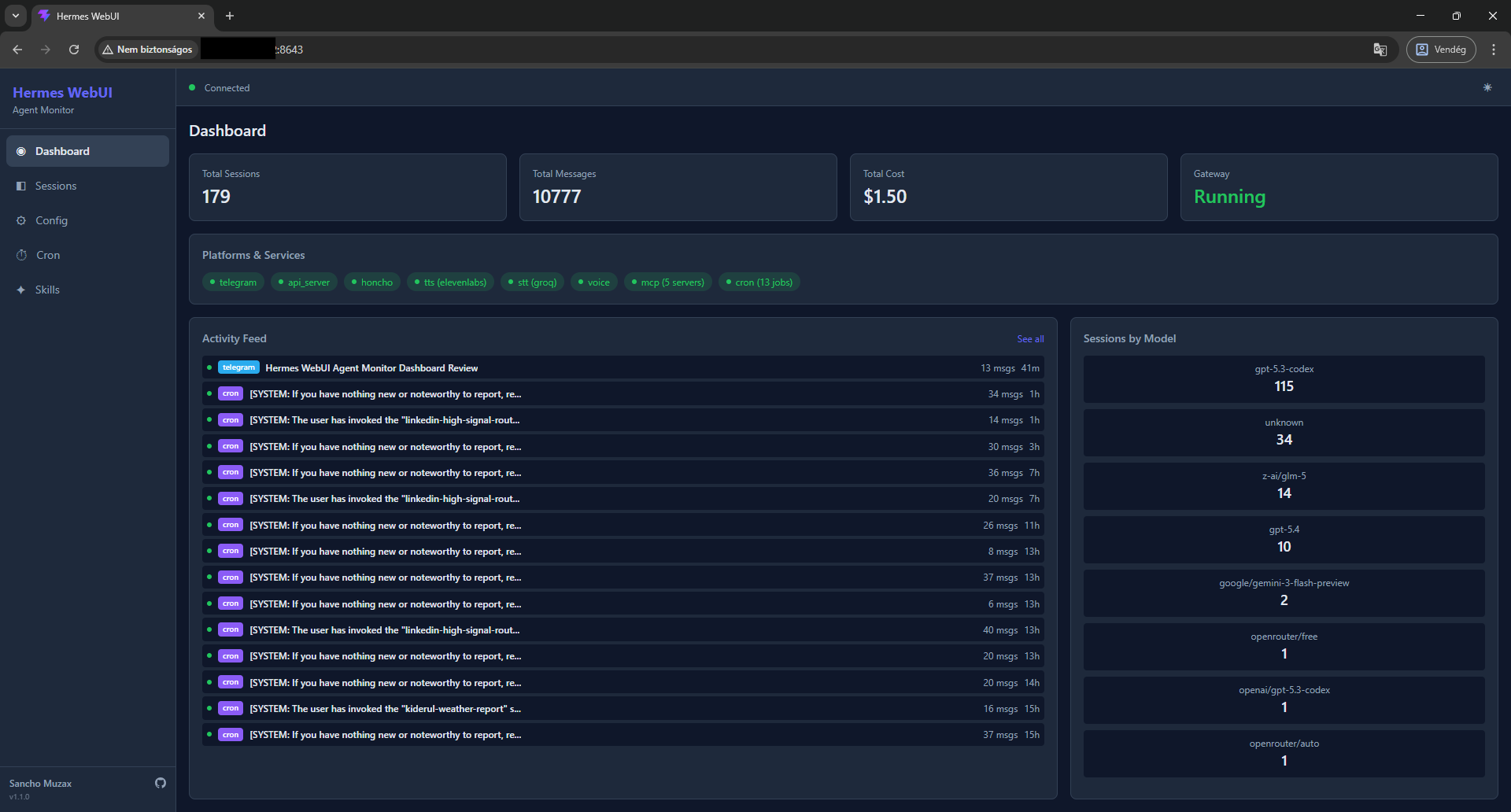
- Dashboard — Real-time activity feed with session list, gateway status, platform/service health, cost tracking, and model distribution
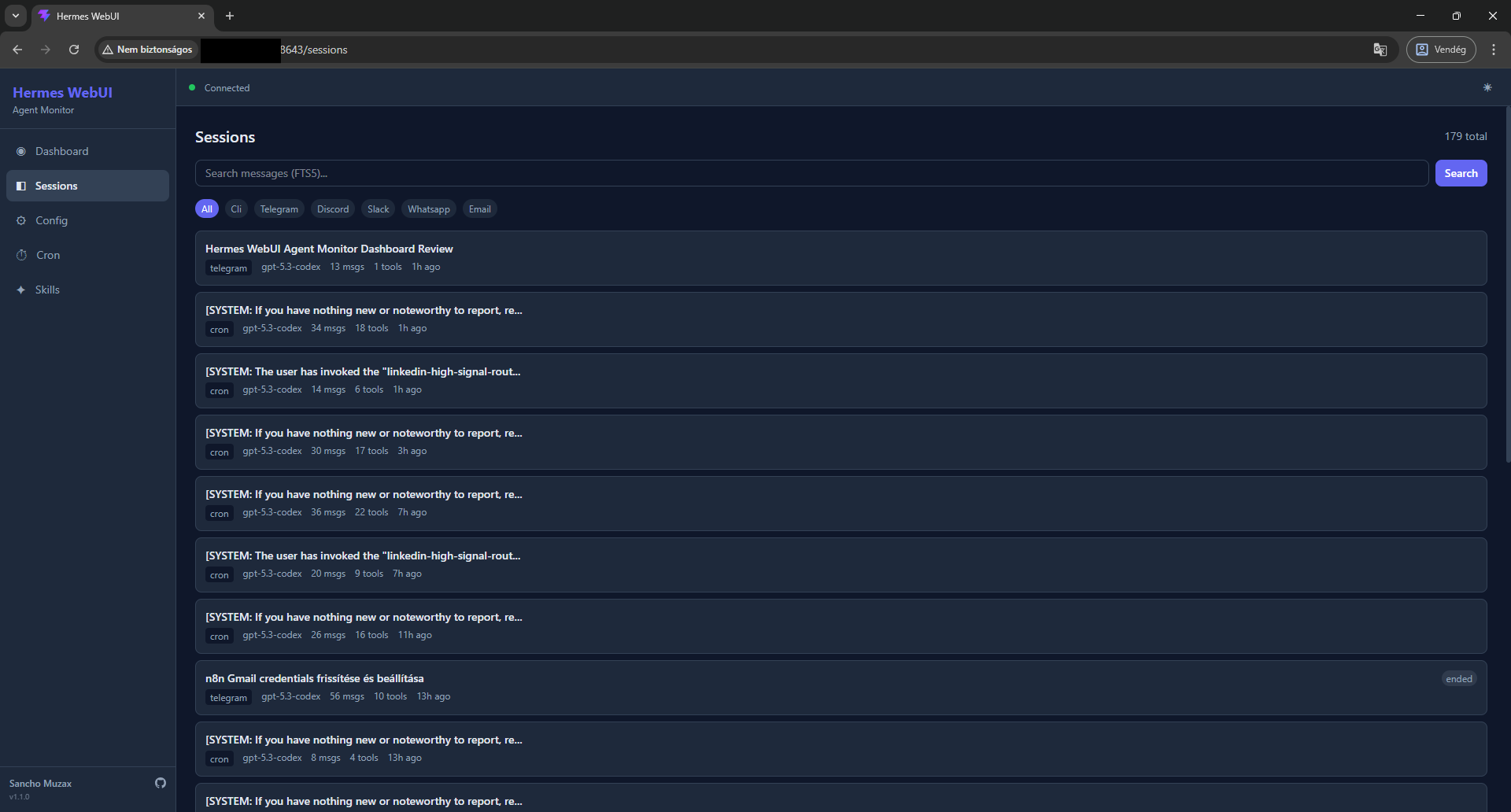
- Sessions — Browse, search (FTS5), and inspect full conversation histories with message-level detail
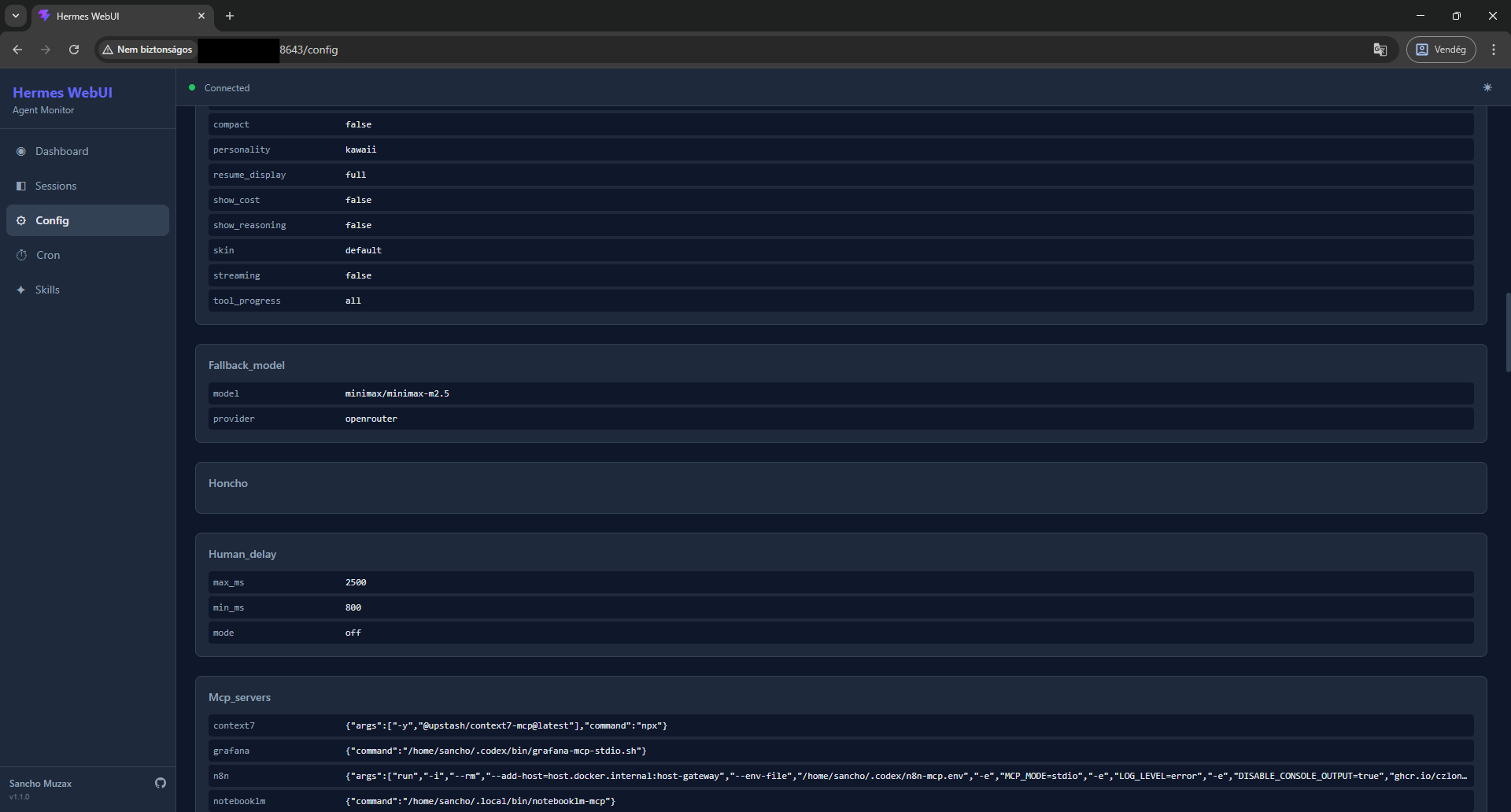
- Config — View
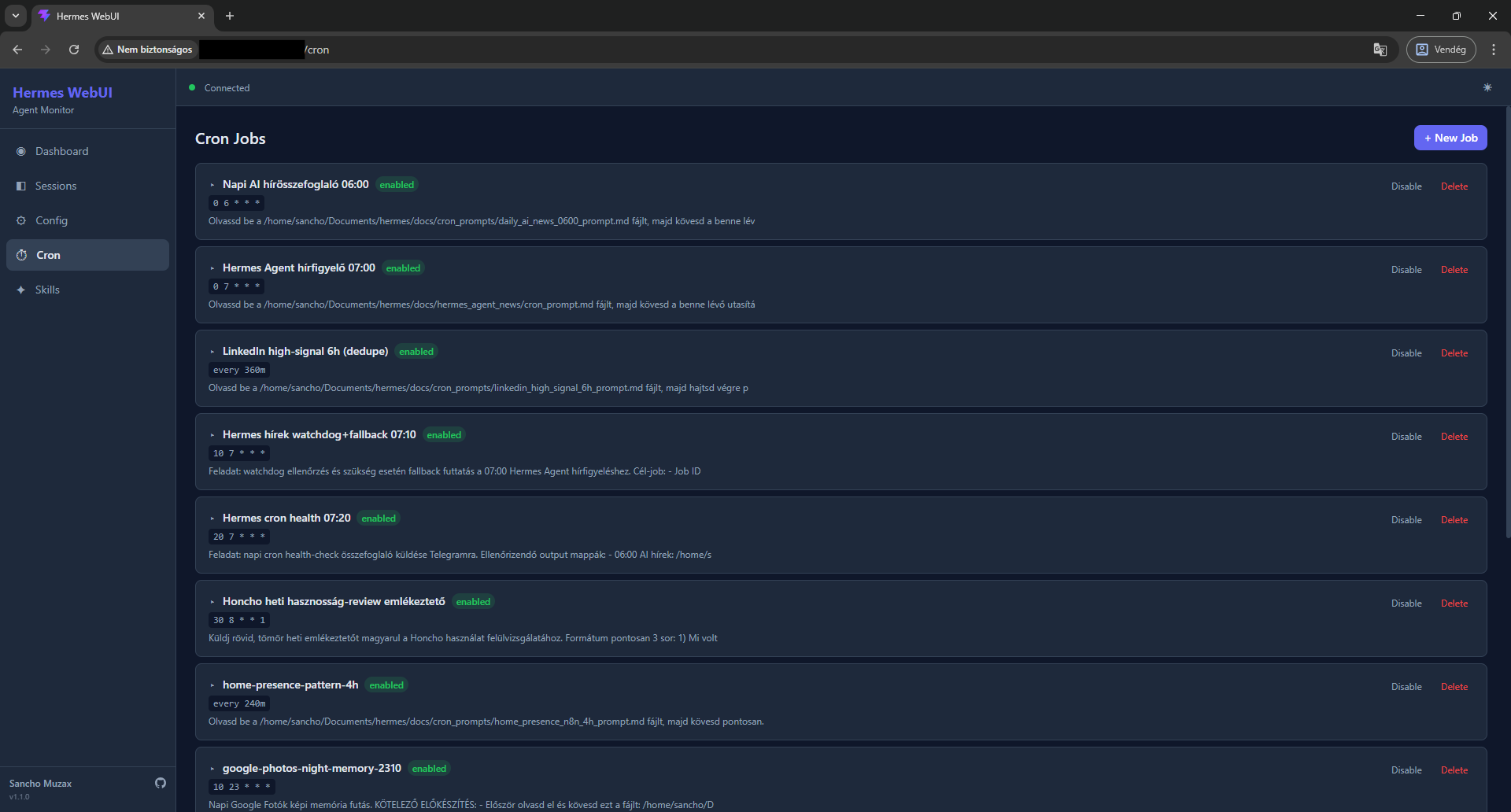
config.yamland environment variables (read-only for safety) - Cron — View and manage scheduled agent jobs
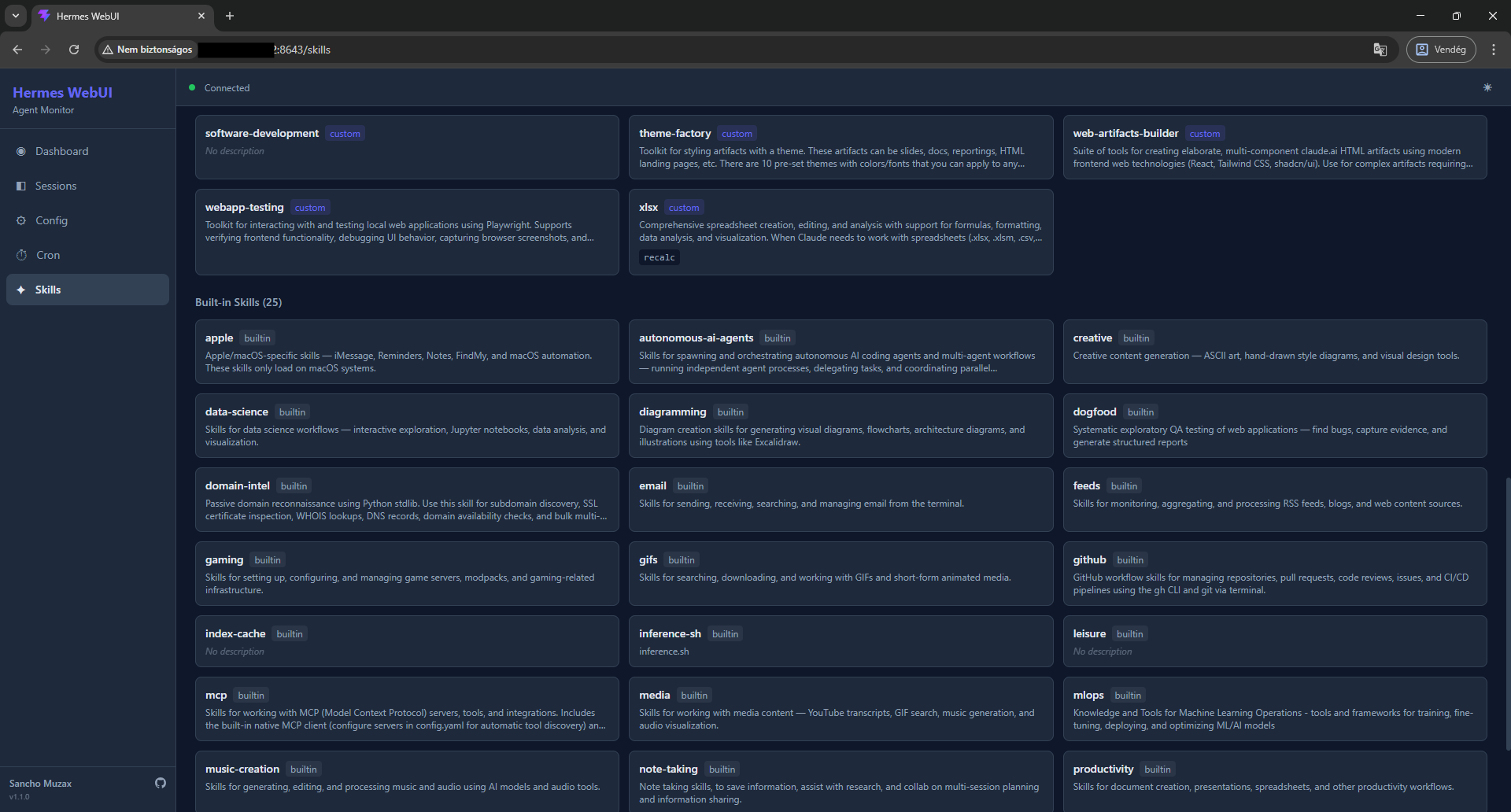
- Skills — Browse built-in and custom skills with full source inspection
- Responsive — Mobile-friendly layout with hamburger menu
- Dark/Light theme — Toggle between themes
- Real-time updates — WebSocket-based polling bridge, no agent code modification needed
Screenshots
| Dashboard | Sessions |
|---|---|
|
 |
| Config | Cron Jobs |
|---|---|
 |
 |
| Skills |
|---|
 |
Requirements
- Python 3.11+
- Node.js 18+ (for frontend build only)
- A running Hermes Agent installation at
~/.hermes/
Installation
1. Clone the repository
git clone https://github.com/sanchomuzax/hermes-webui.git
cd hermes-webui
2. Set up Python environment
python3 -m venv venv
source venv/bin/activate
pip install -e .
3. Build the frontend
cd frontend
npm install
npx vite build
cd ..
4. Run
hermes-webui
Or directly:
python -m webui
Output:
Starting Hermes WebUI at http://0.0.0.0:8643
Auth token: <your-auth-token>
5. Log in
Open http://<your-host>:8643 in a browser and paste the auth token shown in the console output.
The token is generated once and stored in ~/.hermes/auth.json. To retrieve it later:
python3 -c "import json; print(json.load(open('$HOME/.hermes/auth.json'))['webui_token'])"
Configuration
| Environment Variable | Default | Description |
|---|---|---|
HERMES_HOME |
~/.hermes |
Hermes Agent installation directory |
HERMES_WEBUI_HOST |
0.0.0.0 |
Bind address |
HERMES_WEBUI_PORT |
8643 |
Port |
CLI flags
| Flag | Description |
|---|---|
--localhost |
Bind to 127.0.0.1 only (not accessible from LAN) |
--port PORT |
Override the default port |
Running as a systemd service
Create /etc/systemd/system/hermes-webui.service:
[Unit]
Description=Hermes WebUI
After=network.target

[Service]
Type=simple
User=YOUR_USER
WorkingDirectory=/home/YOUR_USER/.hermes/hermes-webui
ExecStart=/home/YOUR_USER/.hermes/hermes-webui/venv/bin/python -m webui
Restart=on-failure
RestartSec=5
Environment=HERMES_HOME=/home/YOUR_USER/.hermes

[Install]
WantedBy=multi-user.target
Then enable and start:
sudo systemctl daemon-reload
sudo systemctl enable hermes-webui
sudo systemctl start hermes-webui
Check status:
sudo systemctl status hermes-webui
journalctl -u hermes-webui -f
Note: When running as a service, the auth token is not printed to your terminal. Retrieve it from
~/.hermes/auth.jsonas shown above.
Architecture
┌─────────────────────────────────────────┐
│  React Frontend (Vite + TailwindCSS)    │
│  SPA with TanStack Query + WebSocket    │
└────────────────┬────────────────────────┘
                 │ HTTP + WS
┌────────────────┴────────────────────────┐
│  FastAPI Backend (Python)               │
│  ├─ REST API (sessions, config, cron)   │
│  ├─ WebSocket hub (live events)         │
│  └─ Polling bridge (state.db + files)   │
└────────────────┬────────────────────────┘
                 │ SQLite (read-only) + YAML
┌────────────────┴────────────────────────┐
│  Hermes Agent (unmodified)              │
│  state.db, config.yaml, gateway_state   │
└─────────────────────────────────────────┘
Hermes WebUI reads from the agent's data files without modifying the agent's core code.
Tech Stack
- Backend: Python 3.11+, FastAPI, Uvicorn, Pydantic, PyYAML
- Frontend: React 19, TypeScript, Vite, TailwindCSS 4, TanStack Query
- Data: SQLite (read-only from Hermes Agent's
state.db)
Pages
| Page | Description |
|---|---|
| Dashboard | KPI cards (sessions, messages, cost, gateway), platform badges, activity feed with live session list, model distribution |
| Sessions | Paginated session list with FTS5 search, source filter tabs, click into any session to view full message history |
| Config | Read-only view of config.yaml sections and .env variables (sensitive values masked) |
| Cron | List of scheduled cron jobs with status, schedule, and prompt preview |
| Skills | Grid of built-in and custom skills with description, click to view full source |
Troubleshooting
"Cannot connect to server" on login
- Make sure the WebUI server is running
- If accessing from another machine, ensure the server is bound to
0.0.0.0(default), not127.0.0.1
Dashboard shows no sessions
- Verify Hermes Agent has been used at least once (check
~/.hermes/state.dbexists) - The WebUI reads
state.dbin read-only mode — if the agent is actively writing, there may be a brief WAL lock delay
Activity Feed not updating
- The polling bridge checks
state.dbevery 3 seconds - Ensure the WebSocket connection shows "Connected" (green dot in the header)
Related
- Hermes Agent — The AI agent this UI monitors
- OpenClaw Web UI — Inspiration for the dashboard design
Built With
This project was vibe-coded with Claude Code (Claude Opus 4.6).
License
MIT