Euraika-Labs/pan-ui
Pan by Euraika — a self-hosted AI workspace for Hermes Agent. Chat, skills, extensions, memory, profiles, and runtime controls.
Pan is a self-hosted web dashboard and workspace designed specifically for the Hermes Agent runtime. It provides a centralized interface to manage agent interactions through a chat-first environment that supports SSE streaming and tool timelines. Users can discover and install skills from skills.sh, manage MCP integrations, and organize work into isolated profiles with unique memory and sessions. The system includes a setup wizard that automatically detects Hermes configurations and can run as a background daemon or system service.
- Chat-first workspace with real-time SSE streaming and tool approval cards
- Integrated marketplace for discovering and installing skills and MCP servers
- Isolated profile management for separate sessions, memory, and API keys
full readme from github

Pan by Euraika
Beautiful WebUI for Hermes Agent


Install • Features • Screenshots • Configuration • Development • Changelog
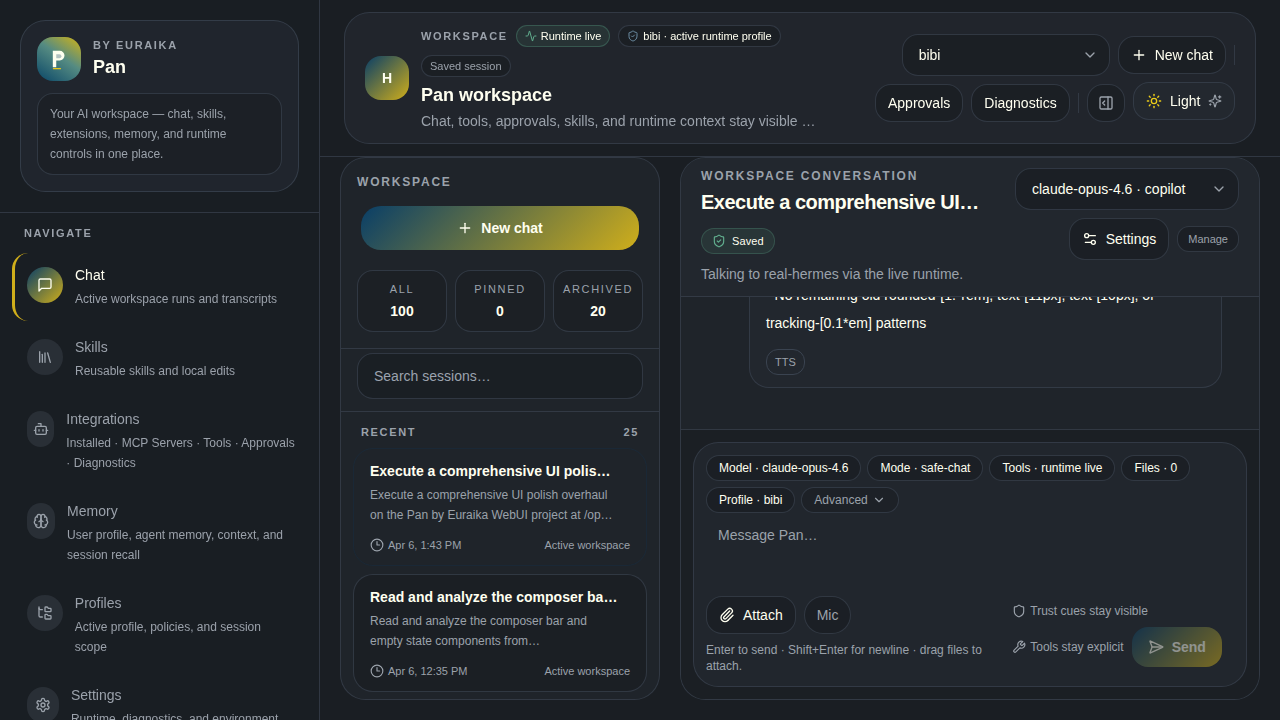
Pan is a self-hosted web dashboard for Hermes Agent. It now ships a calmer, chat-first workspace with stronger discovery, clearer integrations information architecture, denser optional navigation, and more product-grade onboarding. Chat with your agent, manage skills from skills.sh, control MCP integrations, inspect memory, and operate profiles — all from one place.
Install
Prerequisites
- Node.js 18+ installed
- Hermes Agent installed and configured (
~/.hermes)
One command
npx @euraika-labs/pan-ui
A setup wizard runs on first launch to connect Pan to your Hermes instance. After setup, open localhost:3199.
First time? The wizard auto-detects your Hermes home directory, API server, and installed binary. Just press Enter through the defaults to get started.
Run in the background
npx @euraika-labs/pan-ui start --daemon  # Fork to background
npx pan-ui status                        # Check if running
npx pan-ui logs                          # Tail log output
npx pan-ui stop                          # Stop the daemon
Run as a system service (Linux)
npx @euraika-labs/pan-ui service install   # Creates a systemd user service
npx pan-ui service remove                  # Uninstall it
The service starts on login and survives logout. Manage it with standard systemctl --user commands.
Update
npx @euraika-labs/pan-ui@latest
Your configuration in ~/.pan-ui/ is preserved across updates.
Features
| Feature | Description |
|---|---|
| Chat | SSE streaming connected to a live Hermes runtime, with a chat-first workspace, calmer empty states, starter prompts, tool timelines, approval cards, and authenticated chat/session APIs |
| Sessions | Unified session sidebar with source badges, source filtering, stronger selected states, cross-platform resumption, and optional compact density mode |
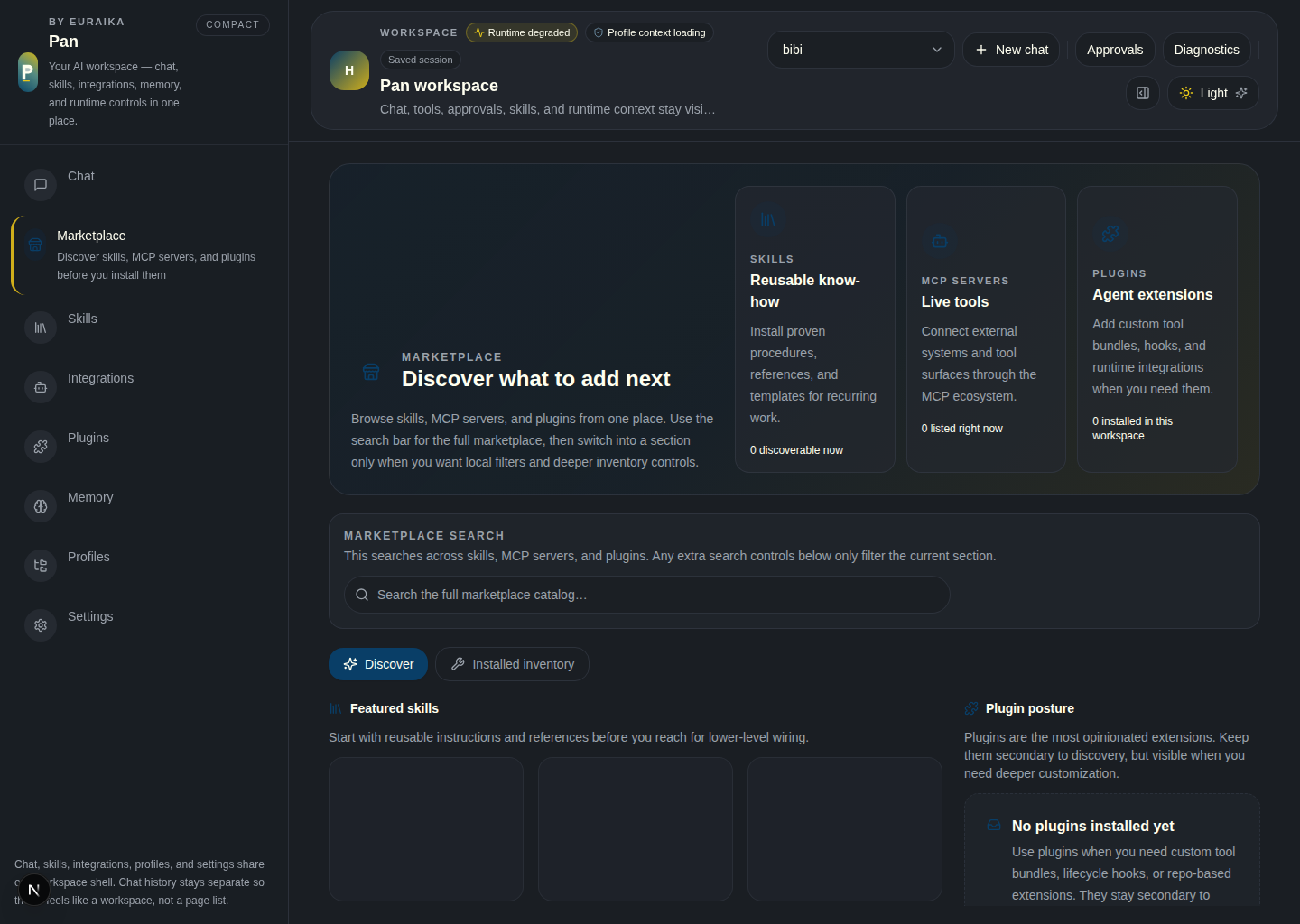
| Marketplace | Discover-first /marketplace view for skills, MCP servers, and plugins with hero content, grouped global search, and clearer discovery vs installed inventory separation |
| Skills | Browse installed skills, discover and install more from skills.sh, and load skills into active sessions |
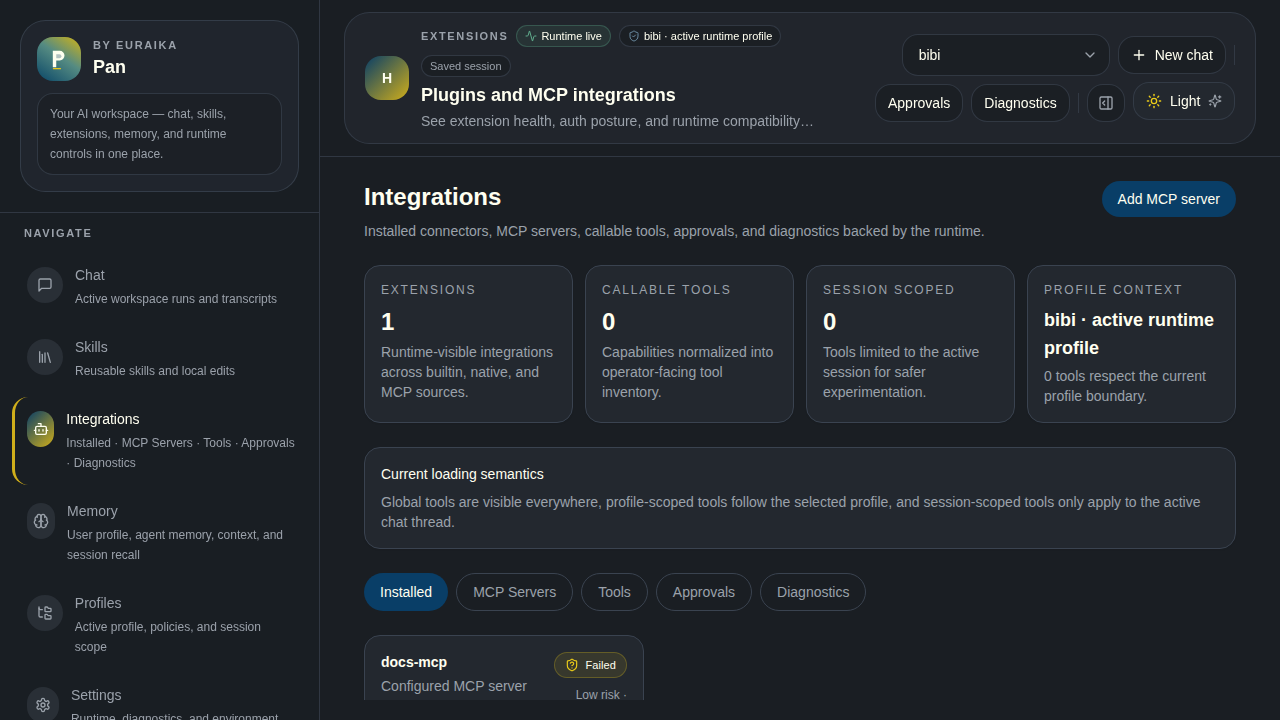
| Extensions / MCP | Clearer integrations IA for live integrations, MCP servers, tools, approvals, diagnostics, and runtime availability |
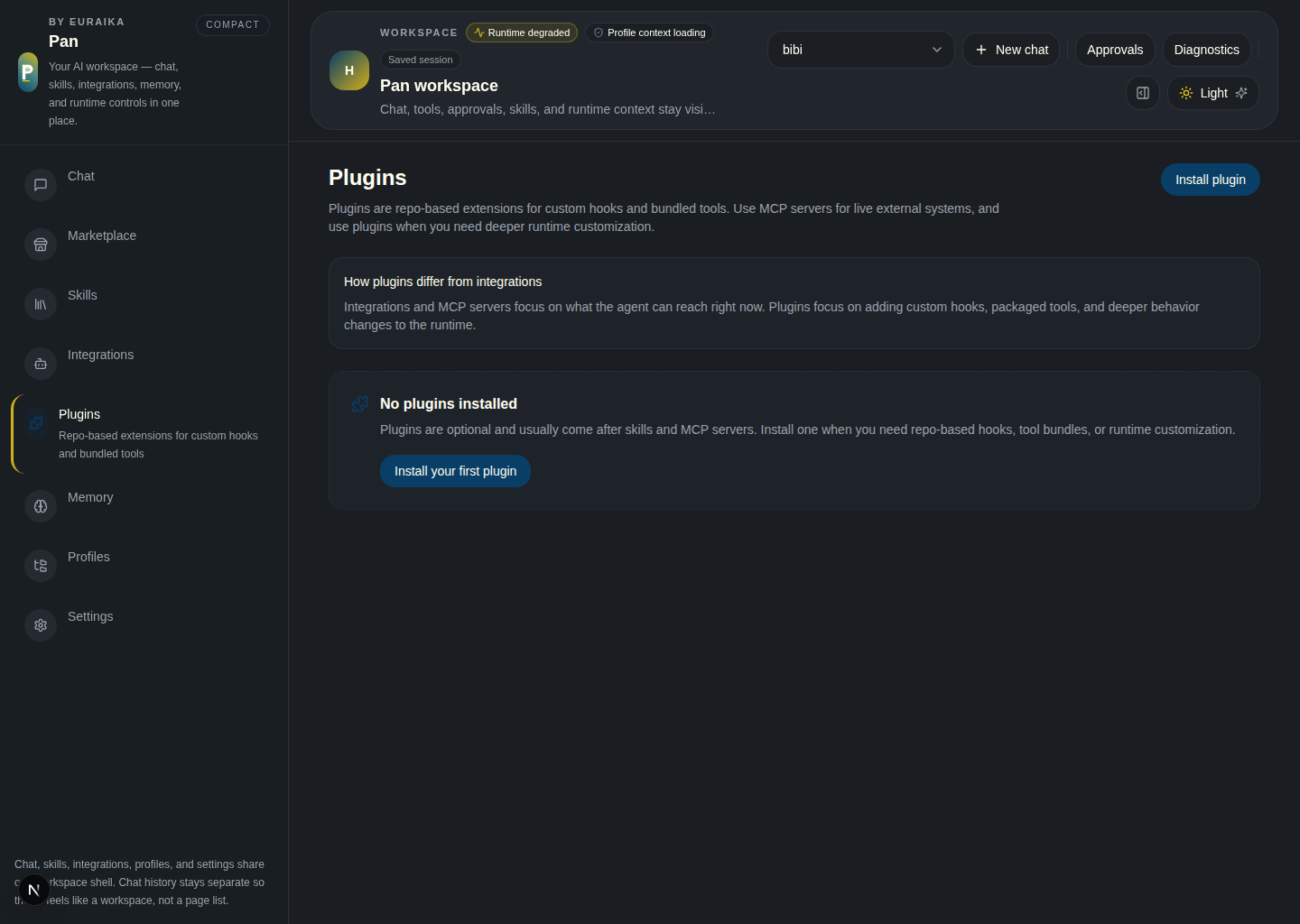
| Plugins | Dedicated plugin workspace with stronger install validation, repo requirements guidance, enable/disable flows, and plugin detail APIs |
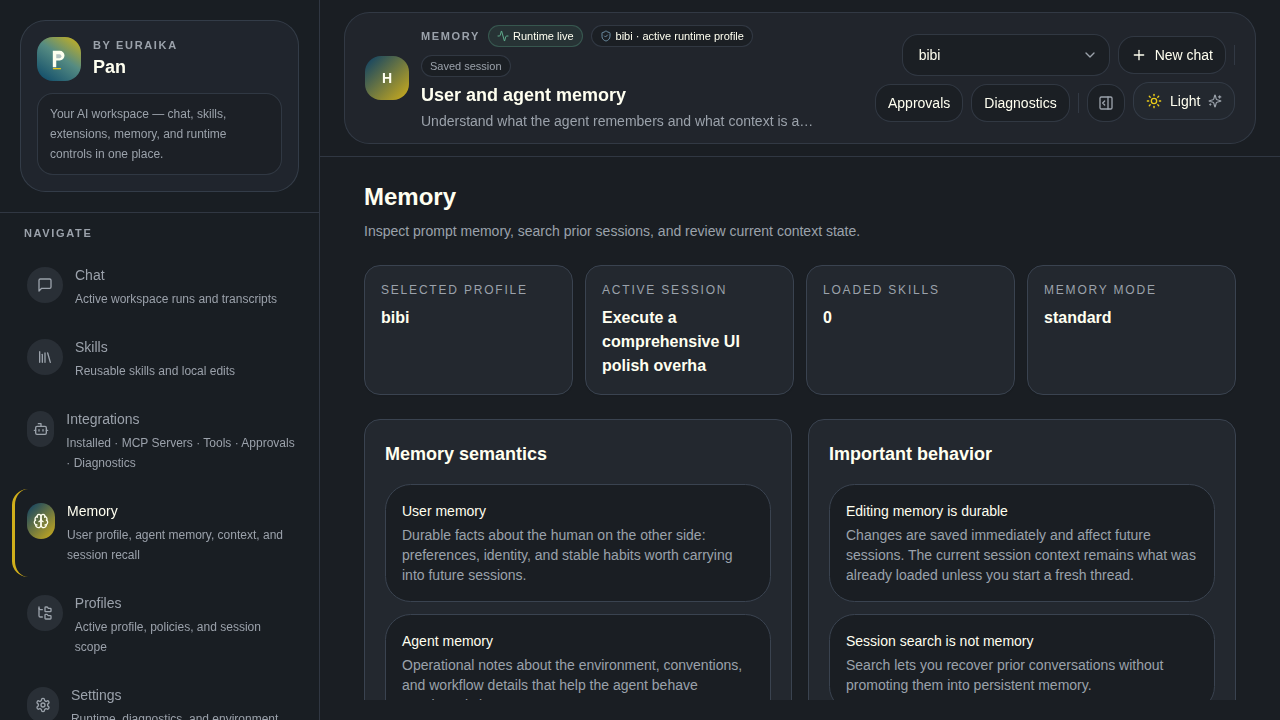
| Memory | Inspect and edit global and profile-scoped agent memory |
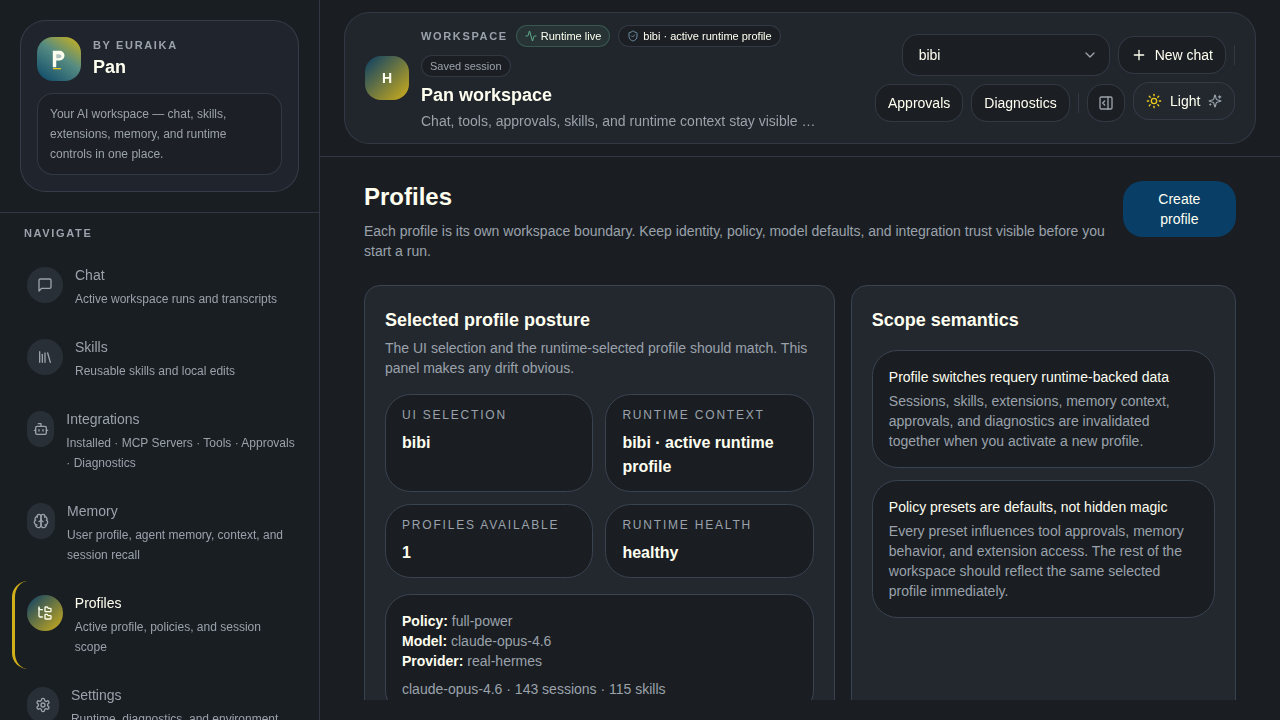
| Profiles | Isolated workspaces — each with its own sessions, skills, memory, and API keys |
| Operations | Approvals, run history, audit trails, telemetry, health monitoring, and exports |
| Daemon | Background process with PID management, log tailing, and systemd integration |
Screenshots
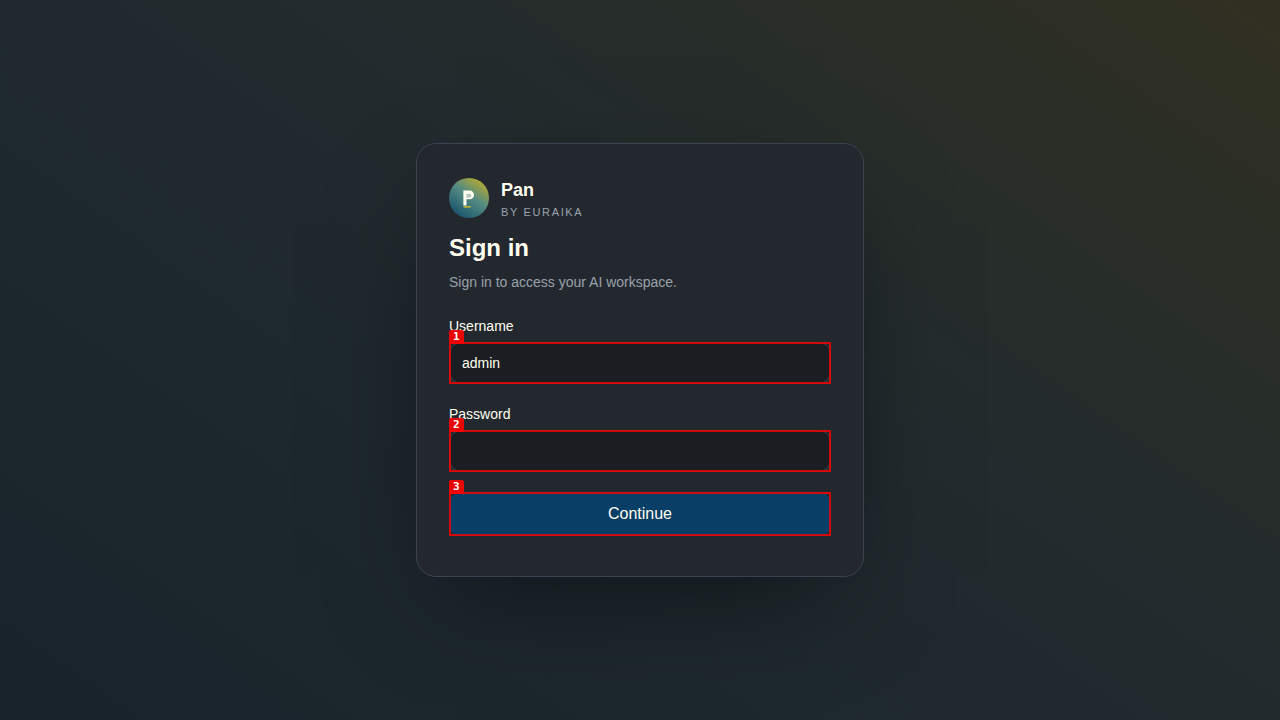
Login
Chat
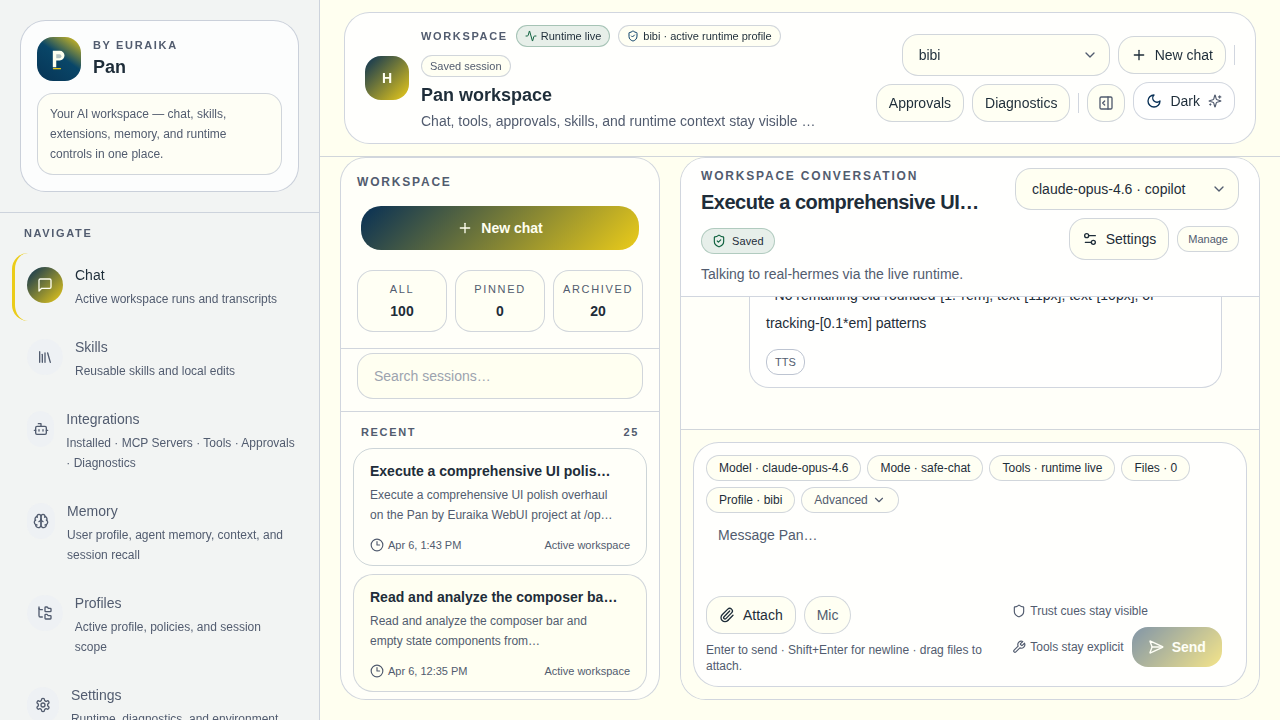
Streaming chat with session sidebar, tool timelines, and runtime-aware composer.
Skills
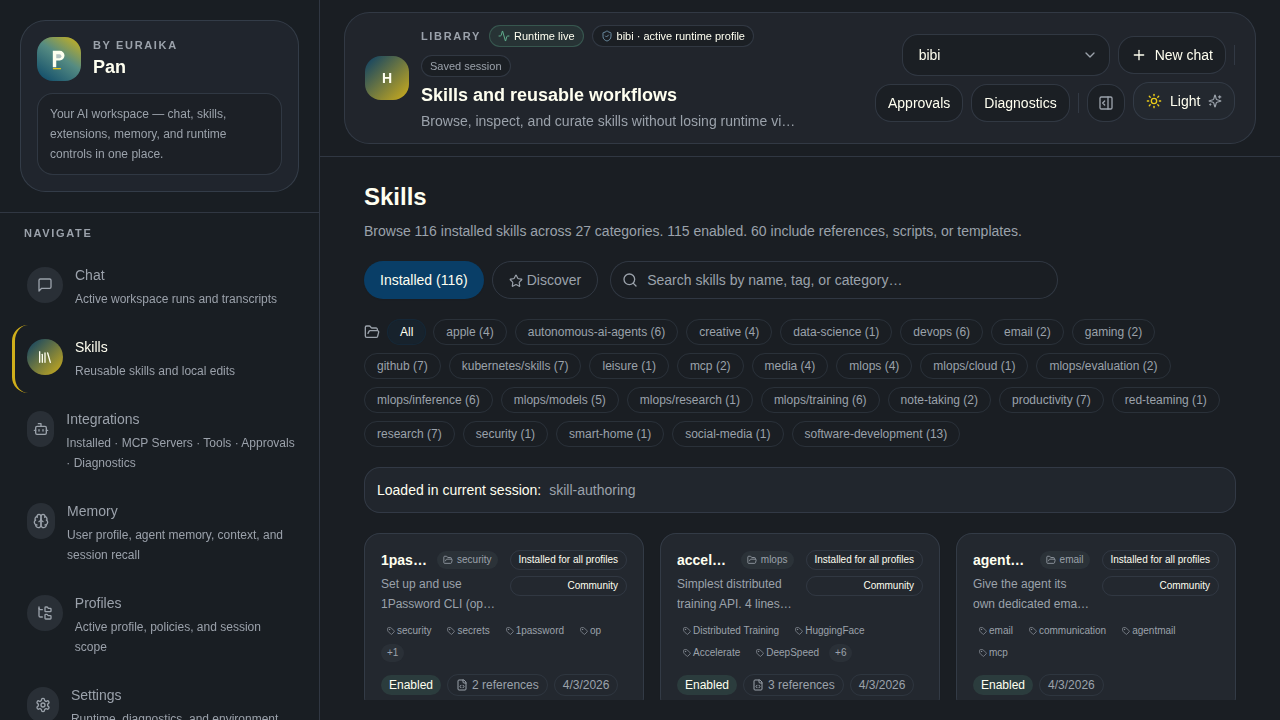
Installed skills with search and category filters. Discover tab for the skills.sh hub.
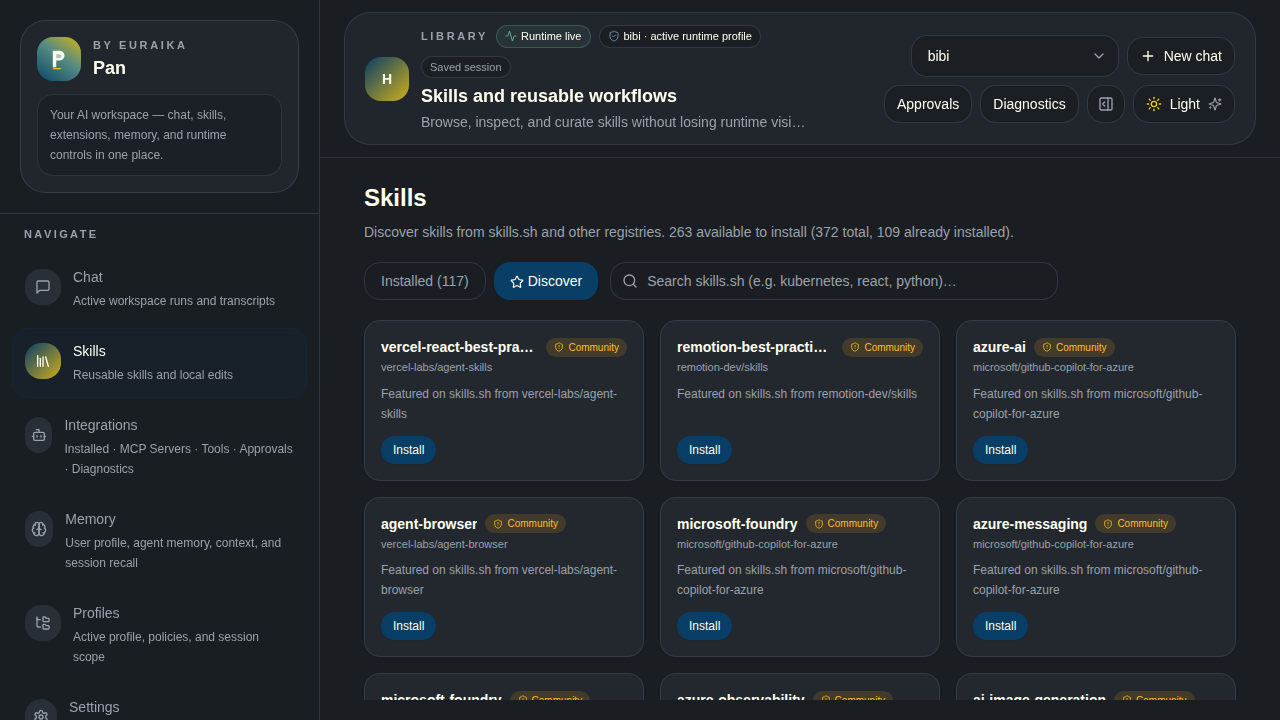
Marketplace
Extensions & MCP
Plugins
Memory
Profiles
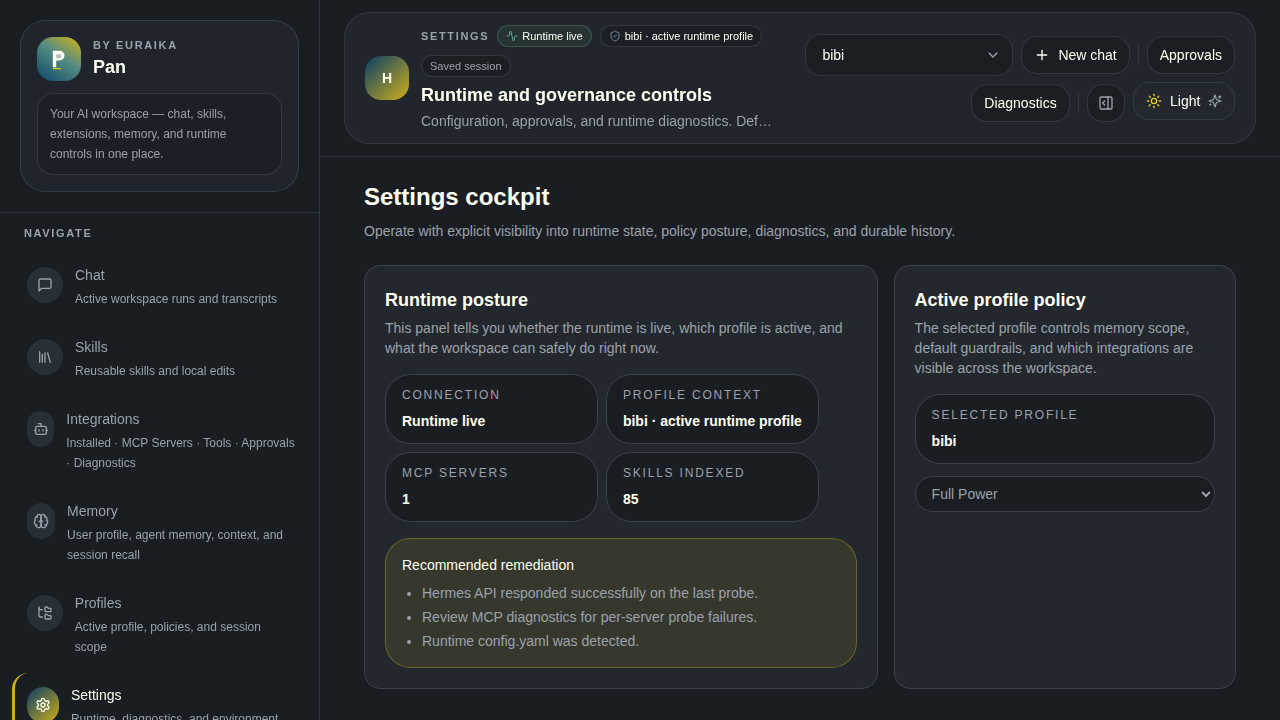
Settings
Configuration
CLI Reference
| Command | Description |
|---|---|
pan-ui / pan-ui start |
Start in foreground |
pan-ui start --daemon |
Start in background |
pan-ui start --port 8080 |
Override port |
pan-ui stop |
Stop daemon |
pan-ui status |
Show running state |
pan-ui logs |
Tail daemon logs |
pan-ui setup |
Re-run setup wizard |
pan-ui update |
Check for and install updates |
pan-ui sync-hermes |
Update vendored Hermes to pinned version |
pan-ui version |
Show current version |
pan-ui service install |
Install systemd service |
pan-ui service remove |
Remove systemd service |
pan-ui help |
Show CLI usage |
Environment Variables
The setup wizard writes these to .env.local. You can also edit them directly or re-run npx pan-ui setup.
| Variable | Default | Description |
|---|---|---|
HERMES_HOME |
~/.hermes |
Hermes home directory |
HERMES_API_BASE_URL |
http://127.0.0.1:8642 |
Hermes API endpoint |
HERMES_API_KEY |
— | API key (if Hermes requires one) |
HERMES_WORKSPACE_USERNAME |
admin |
Login username |
HERMES_WORKSPACE_PASSWORD |
changeme |
Login password |
HERMES_WORKSPACE_SECRET |
(auto-generated) | Cookie signing secret |
HERMES_MOCK_MODE |
false |
Use mock data when runtime is unavailable |
PORT |
3199 |
Server port |
File Locations
| Path | Purpose |
|---|---|
~/.pan-ui/pan-ui.pid |
Daemon PID file |
~/.pan-ui/pan-ui.log |
Daemon log output |
~/.config/systemd/user/pan-ui.service |
Systemd service unit (when installed) |
.env.local (in package dir) |
Configuration from setup wizard |
How It Works
Pan runs as a standalone Next.js server that bridges your browser to the Hermes runtime. On startup it automatically launches the Hermes gateway if it isn't already running — no manual gateway setup required.
  Browser ──── fetch / SSE ────▶ Pan (Next.js API routes)
                                    │             │
                                    ▼             ▼
                              Hermes Gateway   Hermes Filesystem
                              :8642            ~/.hermes/
                              (auto-managed)   (skills, memory, profiles, state.db)
                                    │
                                    ▼
                              Hermes Agent sessions
                              (tools, streaming, full agent capabilities)
- Gateway — Pan's startup hook detects whether the Hermes gateway is reachable. If not, it spawns
hermes gateway runas a child process with health monitoring and auto-restart. The gateway uses the active Hermes profile — no hardcoded names or paths. - Vendored Hermes — Pan pins a specific Hermes Agent version via
hermes.version.json. On first launch, if nohermesbinary is found, the setup wizard installs it from the Euraika-Labs/hermes-agent fork. Usepan-ui sync-hermesto update. - Chat streams through Hermes's OpenAI-compatible SSE endpoint
- Skills are read from
~/.hermes/skills/with YAML frontmatter parsing - Memory reads/writes
USER.mdandMEMORY.mdat global and profile scope - Profiles map to
~/.hermes/profiles/<name>/directories
Already running a gateway? Pan detects it and skips auto-launch. This works with systemd services, manual
hermes gateway run, or any external process on the configured port.
Development
Want to contribute or run from source? See CONTRIBUTING.md for full setup instructions.
git clone https://github.com/Euraika-Labs/pan-ui.git
cd pan-ui
npm install
npm run dev
| Command | Description |
|---|---|
npm run dev |
Dev server with hot reload |
npm run build |
Production build |
npm run lint |
ESLint |
npm run test |
Vitest unit tests |
npm run test:e2e |
Playwright end-to-end tests |
Recent Changes
[0.7.1] — 2026-04-10
- Fixed post-0.7.0 regressions in skill installs, skill discovery parsing, MCP hub persistence, MCP probe refresh, stale hub metadata fallback, and command allowlist handling
- Improved install UX so blocked community skills can be force-installed intentionally and installed cards behave more predictably
- Verified current MCP install/test flows for
ai.memestack/mcpanddev-fentz-envcp-envcp, plus release readiness with lint, tests, build, and dry-run packaging
[0.7.0] — 2026-04-09
- Added the full UX roadmap to
main: chat-first workspace redesign, marketplace discovery refresh, integrations IA cleanup, compact navigation mode, and stronger login/onboarding guidance - Changed shell hierarchy, session scanability, and discovery/install surfaces so Pan feels calmer and more product-grade without losing power-user depth
- Verified release readiness with
npm run lint,npm run test(24/24),npm run build, Playwright suite enumeration (23 tests), and a cleannpm pack --dry-run
[0.6.0] — 2026-04-09
- Added unified Marketplace, MCP Hub registry browsing, dedicated Plugins workspace, and expanded Playwright coverage (23 tests)
- Fixed plugin install hardening, skill-load/session regressions, bogus skills-hub success reporting, MCP Hub parsing/cache hydration, and unauthenticated chat/session API access
- Changed GitHub → GitLab mirror workflow now uses normal pushes instead of force-pushing protected
main
[0.5.2] — 2026-04-09
- Fixed standalone npm packaging and runtime asset copying so published builds boot correctly from the installed package
[0.5.1] — 2026-04-08
- Fixed fork session crash (missing
)in Python bridge) - Changed health probe decoupled from binary — Docker and headless deployments report full health status
- Added Docker test image with bundled Hermes Agent, Docker test suites (37 + 28 assertions), full-stack functional test (33 assertions),
.dockerignore
[0.5.0] — 2026-04-08
- Added vendored Hermes fork (
hermes.version.json), auto-install wizard,sync-hermes/update/versionCLI commands, update banner - Changed CLI refactored to subcommand structure, profile detection hardened
Security
See SECURITY.md for reporting vulnerabilities.