silent-reader-cn/hermes-anywhere
A Flutter client for Hermes Agent: Windows and Android are the same app — same interface, same sessions. Native desktop window; the installer bundles the WebUI backend and a Python runtime, so there is nothing else to install.
Hermes Anywhere is a Flutter and Cupertino client for Hermes Agent, with the same interface and sessions on Windows and Android. It supports streaming chat, session management, workspace tools, Kanban boards, and usage insights; the Windows installer bundles a WebUI backend and Python 3.11 runtime.
- Shared interface and sessions across Windows and Android
- Streaming chat with reasoning and tool-call cards
- Windows installer includes a WebUI backend and Python runtime
full readme from github
Hermes Anywhere
The same Hermes client on your desk and in your pocket — one codebase, one interface, the same sessions.
A Flutter + Cupertino client for Hermes Agent. Windows and Android are the same app: same sidebar, same reasoning and tool cards, same per-session drafts, same light/dark theme, same bilingual UI — not a web wrapper, not two separate codebases, not a Mac-only build with a phone app bolted on.




English | 简体中文
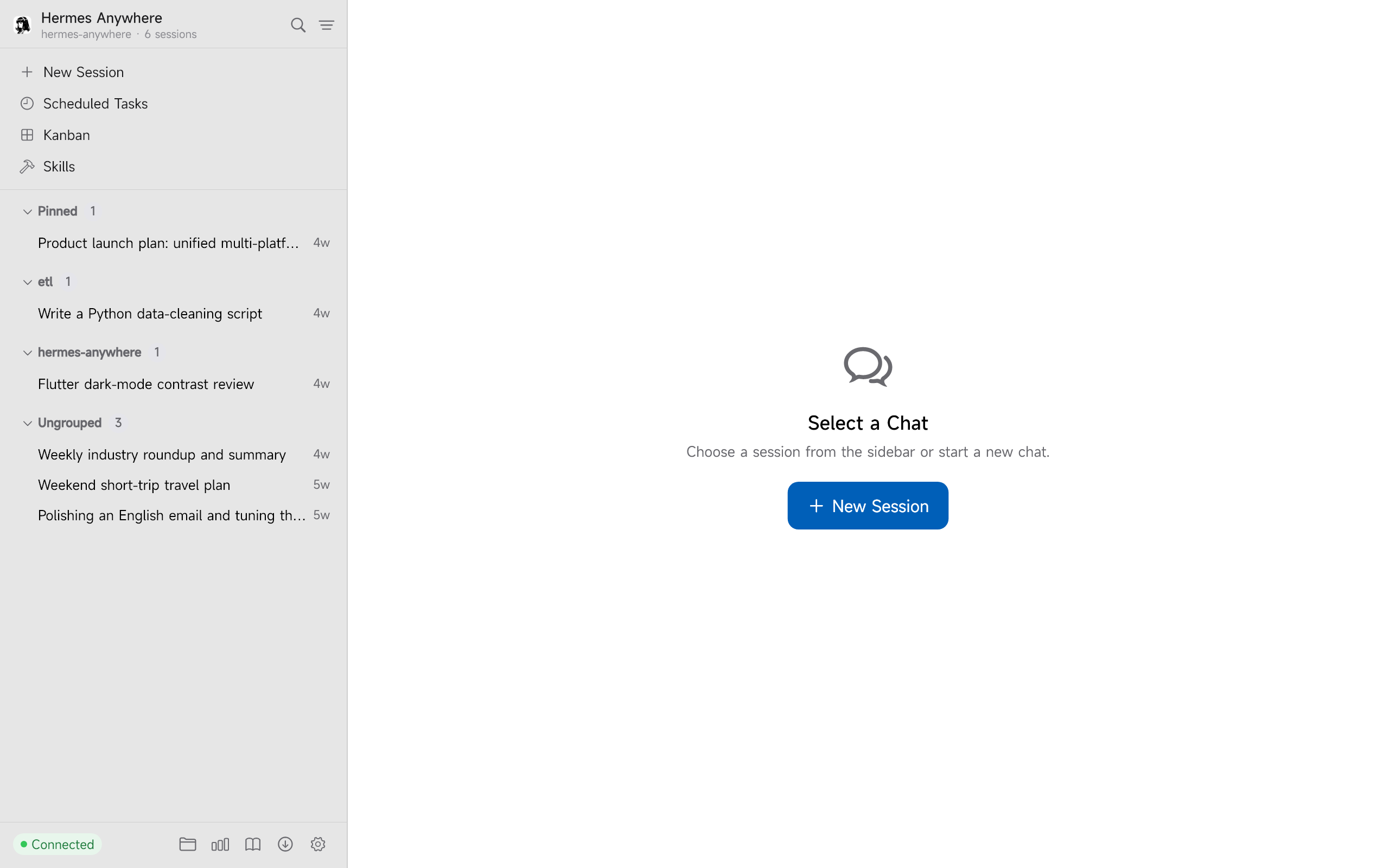
Screenshots
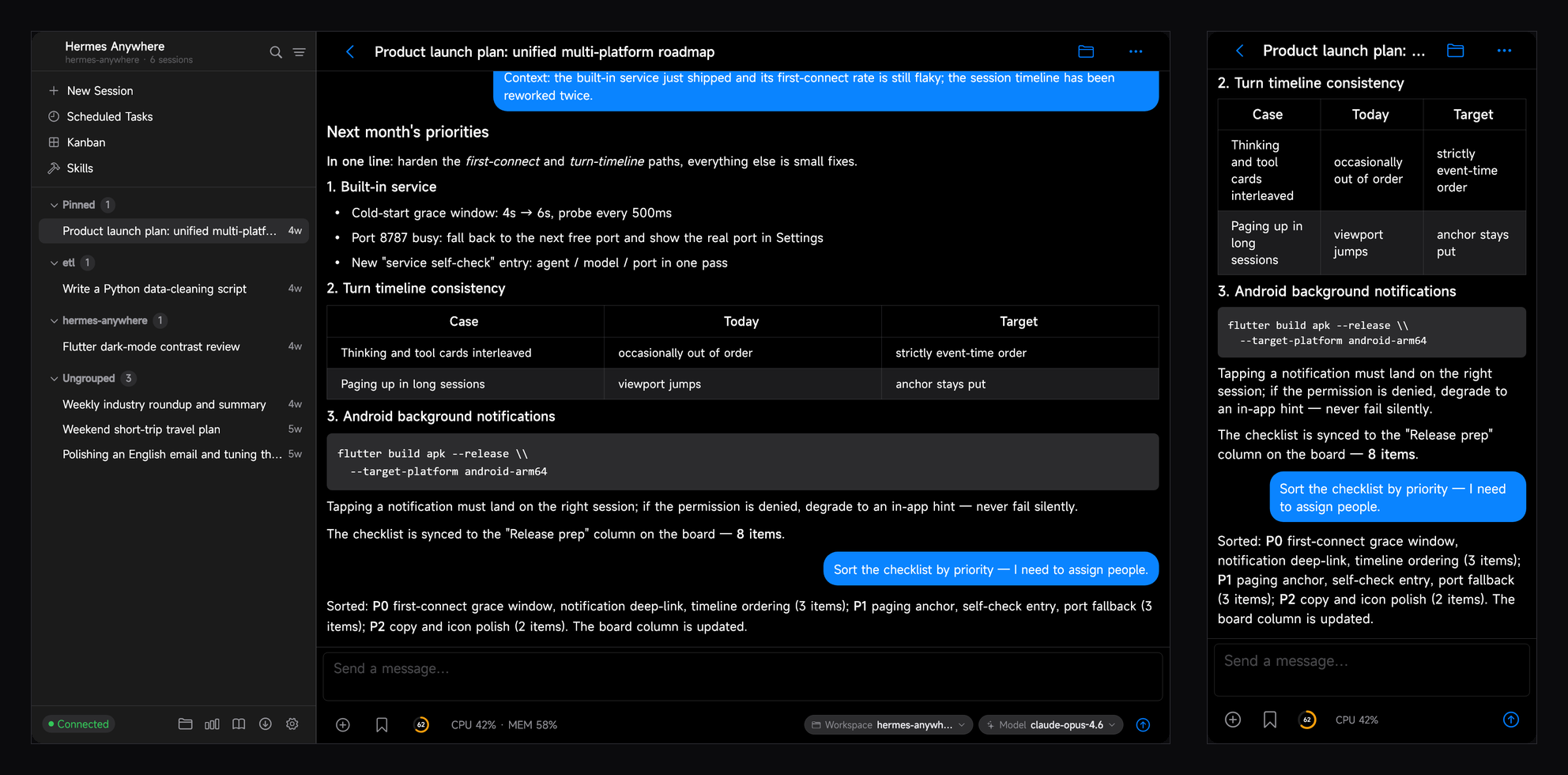
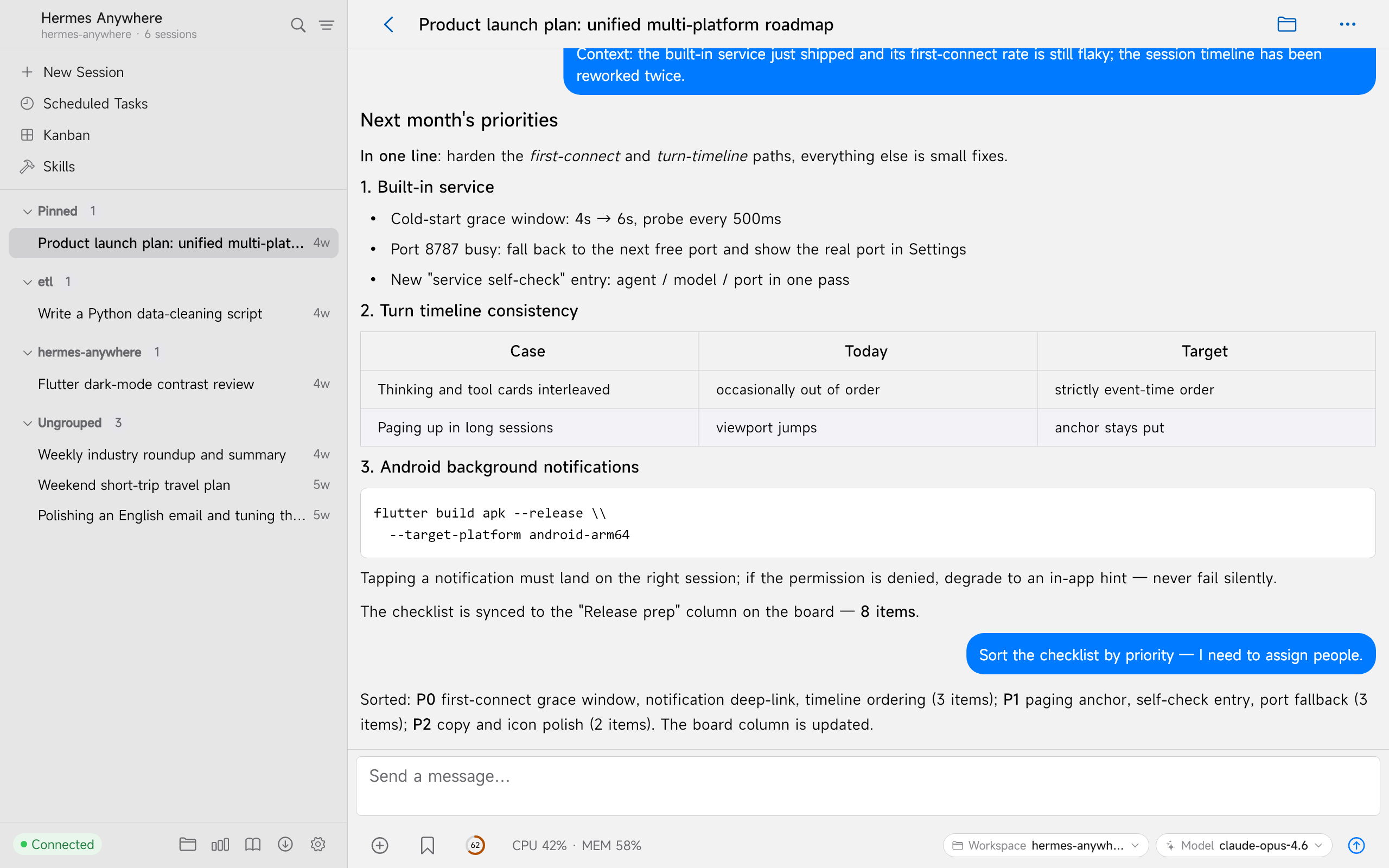
One app, two screens. The same session open on Windows (left, with its session sidebar) and on Android (right) — identical conversation, identical reasoning and tool cards, identical theme.
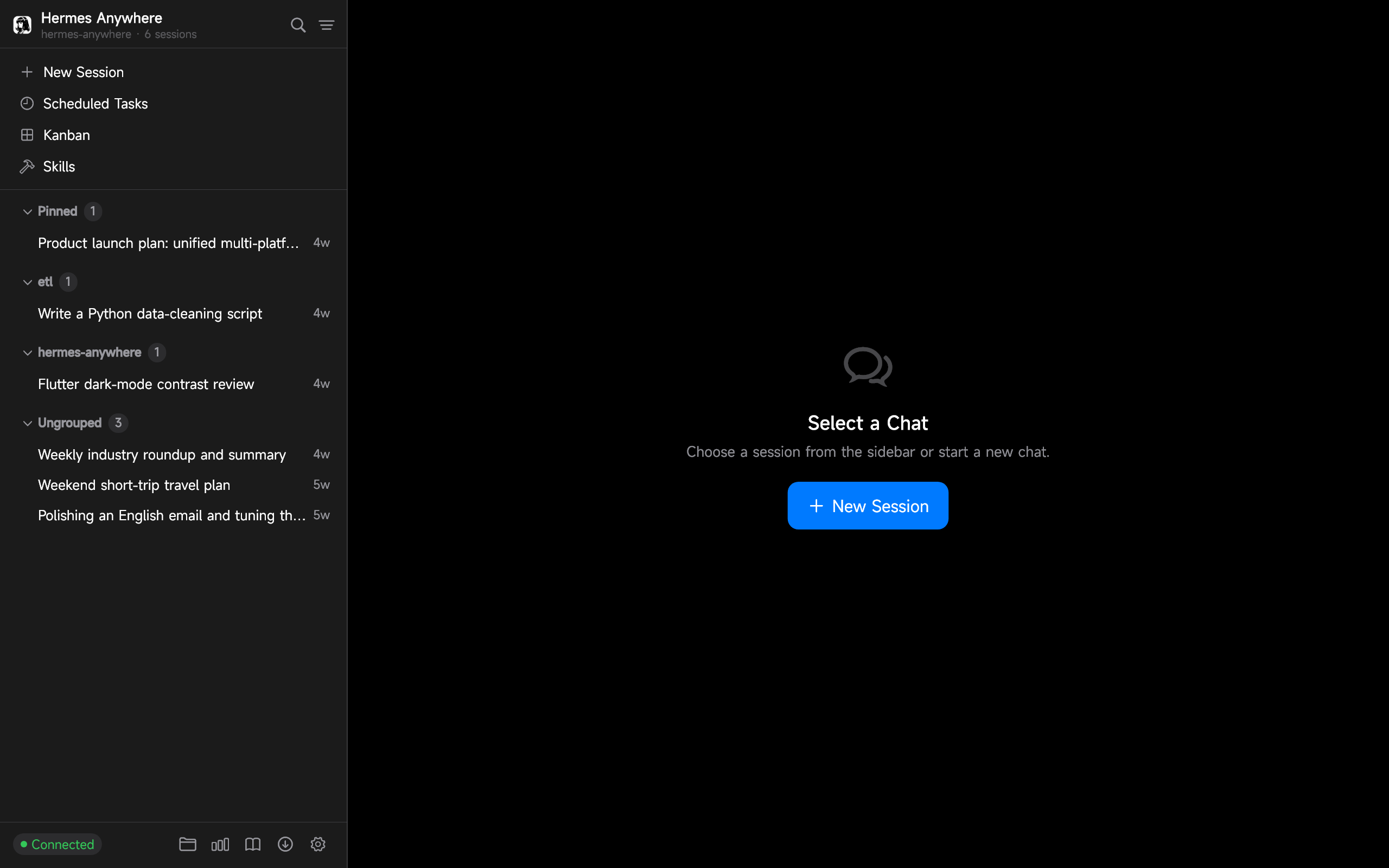
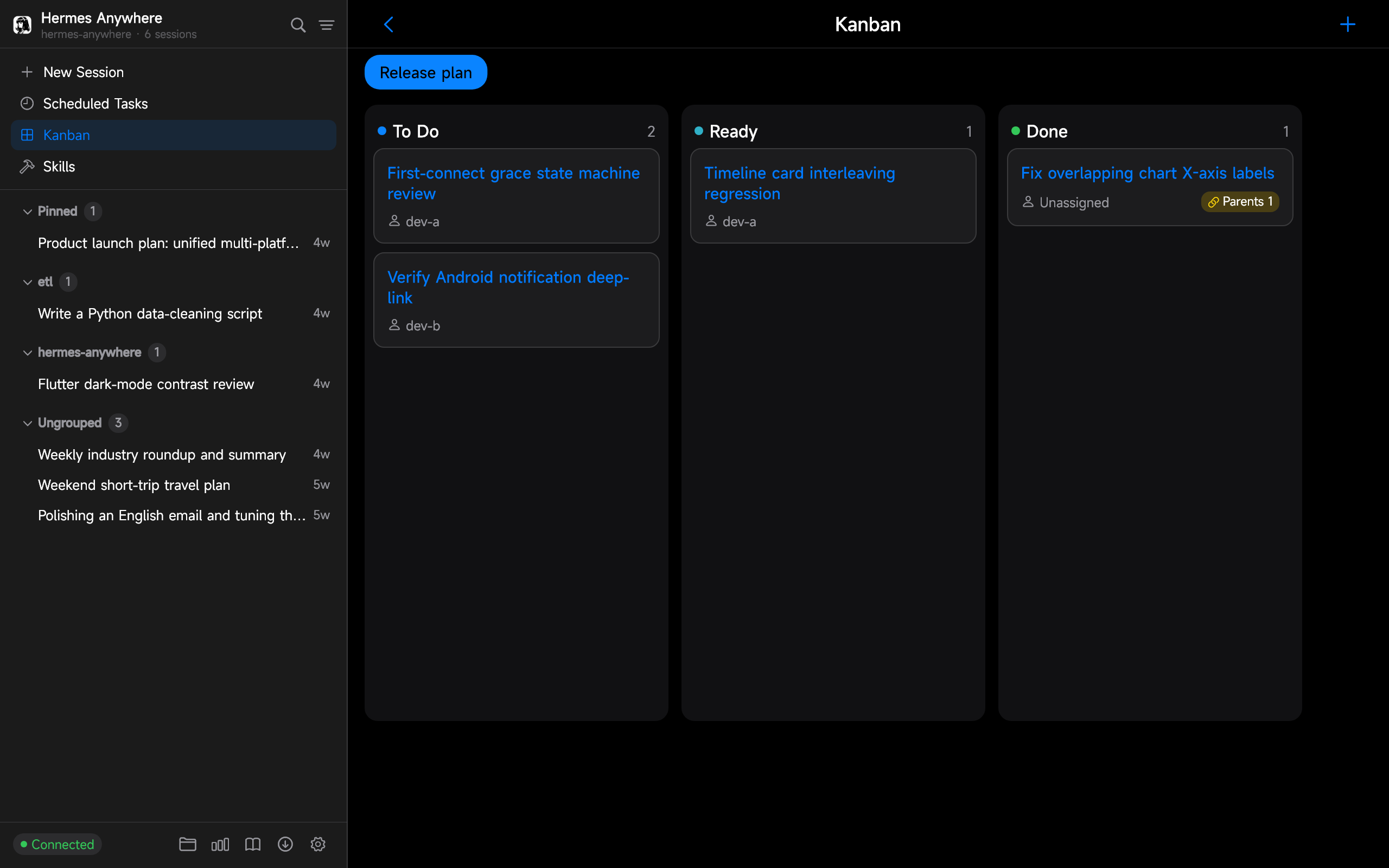
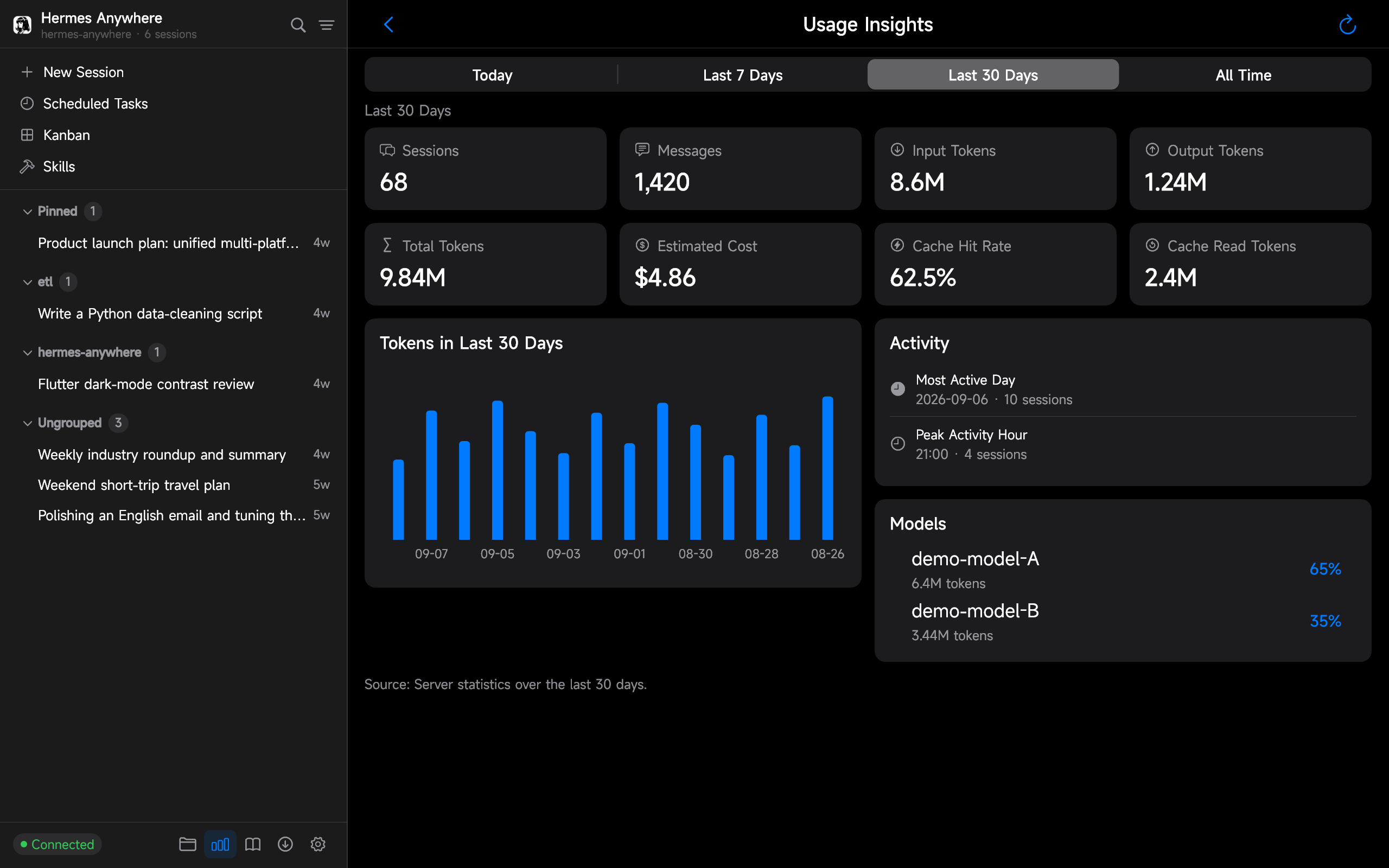
| Sessions | Kanban | Insights |
|---|---|---|
 |
 |
 |
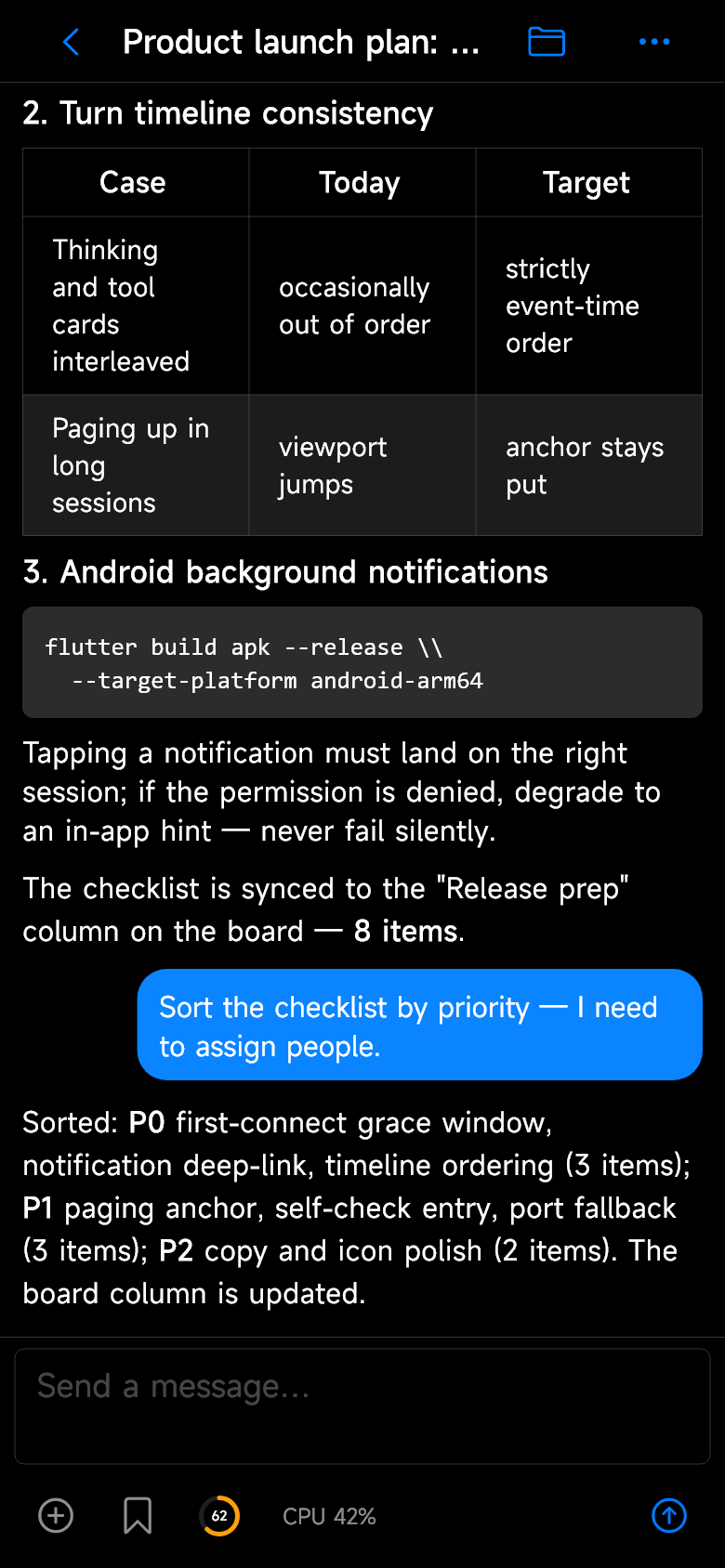
Android phone — the same chat, the same sessions, in your pocket.
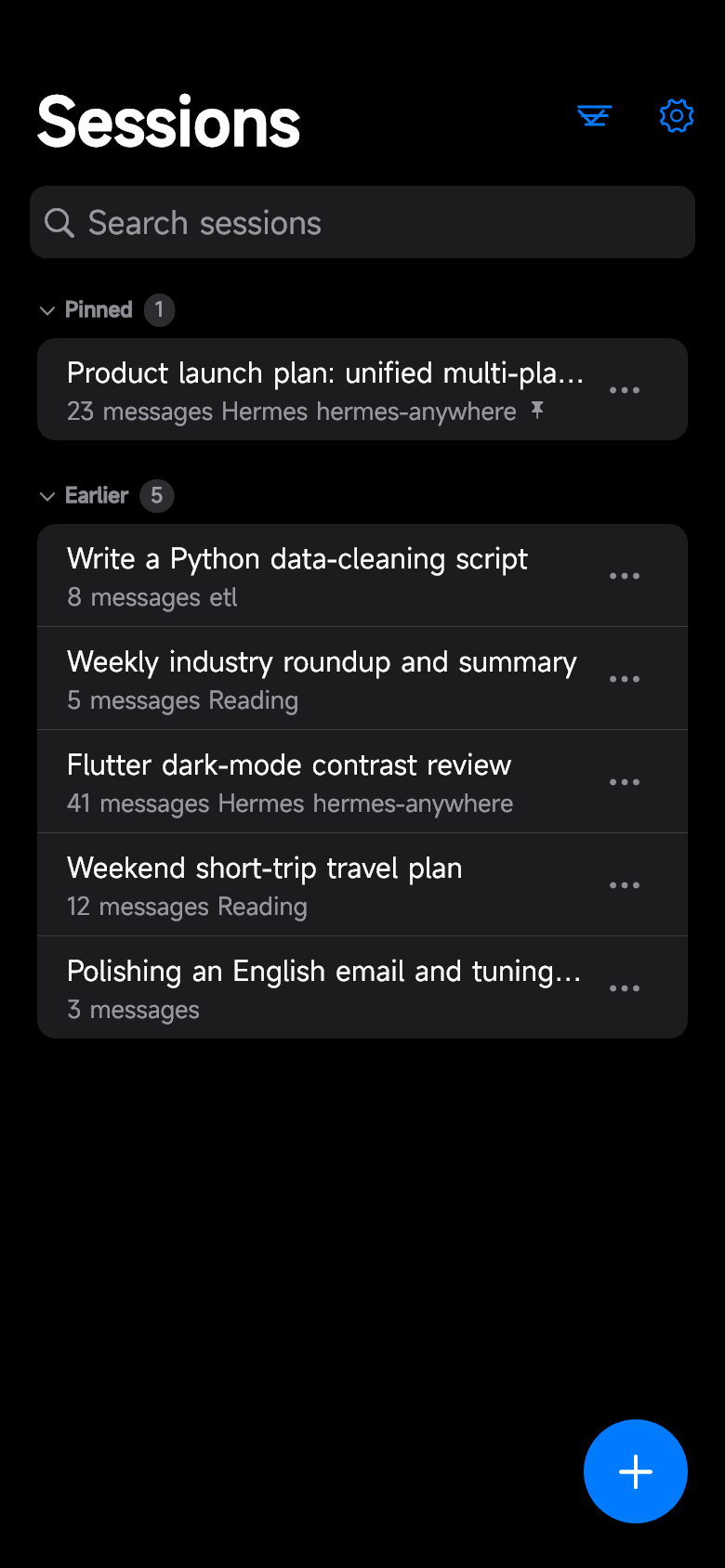
| Chat | Sessions | Insights |
|---|---|---|
 |
 |
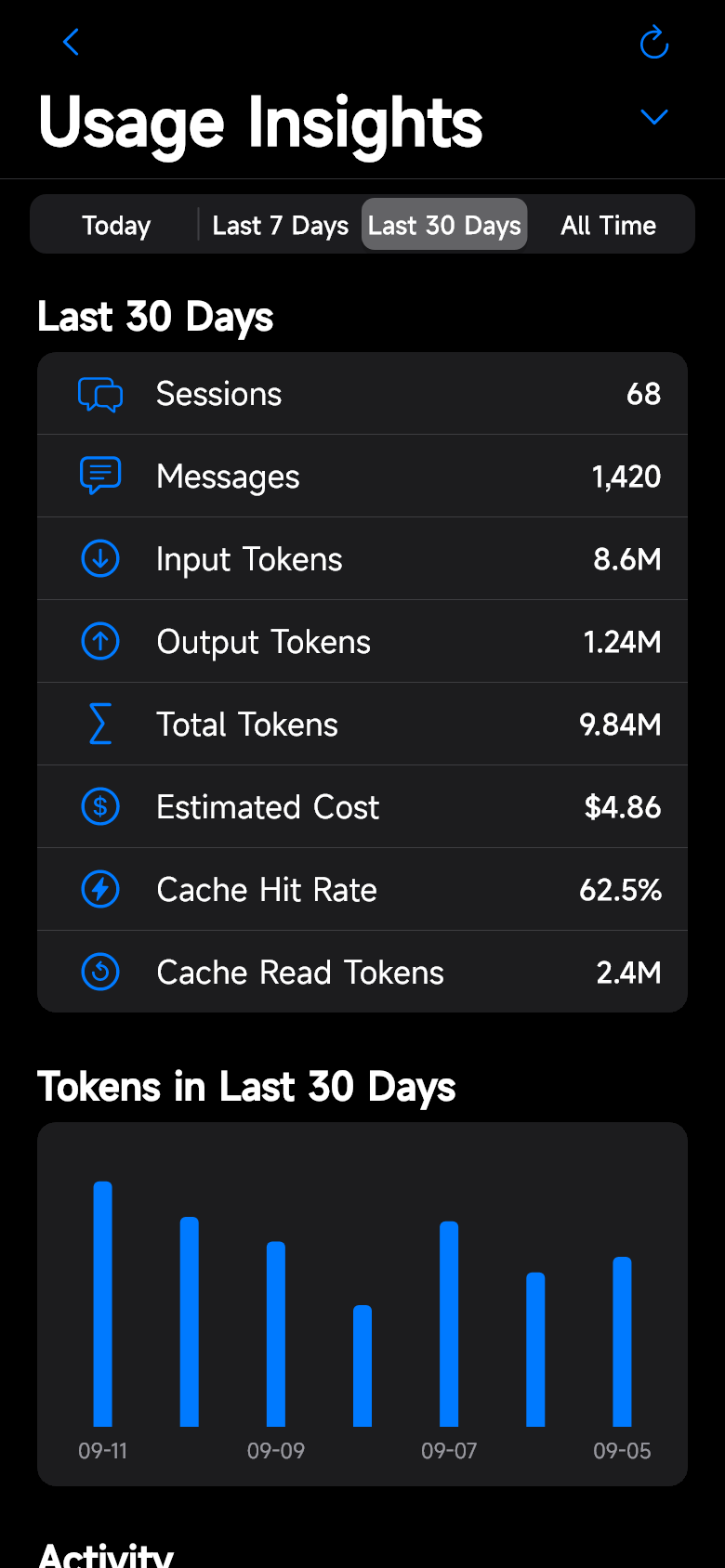 |
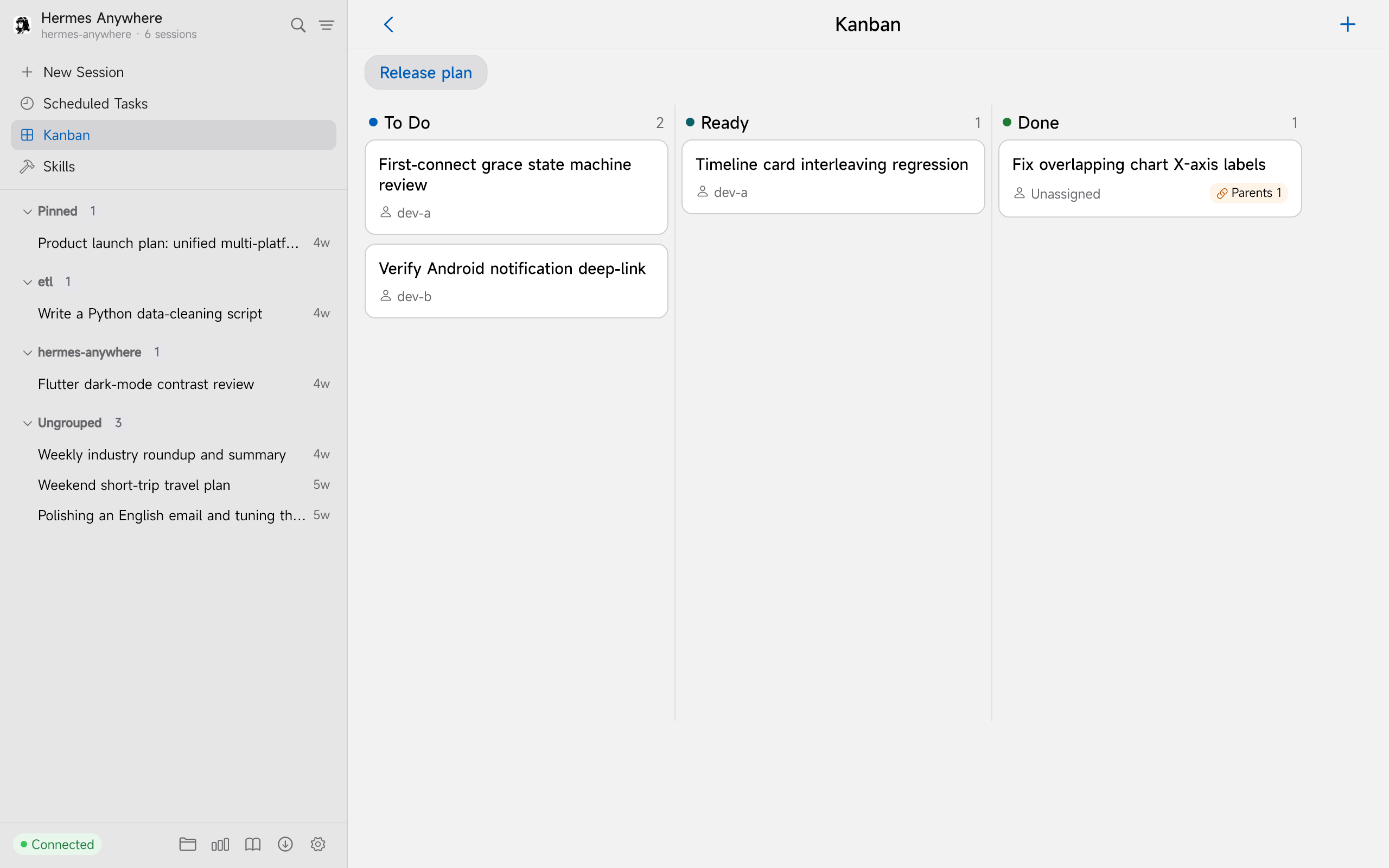
Light or dark — every screen ships in both, and the theme follows the system by default.
| Chat | Sessions | Kanban |
|---|---|---|
 |
 |
 |
Why this one
Hermes already has good clients. Here is what each kind gives you, and what it leaves out.
| If you use… | You get | What you don't get |
|---|---|---|
| a Web UI (hermes-webui, hermes-workspace) | a rich dashboard in the browser, nothing to install | it is a web page: mouse-sized hit targets on a phone, no native window, no tray, no global hotkeys |
| a macOS-native client | a fully native Mac experience | macOS only — Windows and Android users get nothing |
| a desktop-only companion | install-and-chat on the desktop | the phone side is a different client, or missing entirely |
Hermes Anywhere is one Flutter + Cupertino codebase, so Windows and Android are genuinely the same interface: the same three-pane layout, the same reasoning and tool cards, the same per-session drafts, the same light/dark theme, the same bilingual UI. Start a turn at your desk, finish it on your phone.
On Windows the installer also ships the backend: an embedded WebUI server with its own Python 3.11 runtime, so there is no Python, Git, or compiler to install — pick Built-in service → Start & Connect and you are chatting. Designed for wide screens rather than stretched out of them: pages that need it open as two panes instead of one long column.
Highlights
- Bundled WebUI sidecar (Windows) — the installer ships a self-contained WebUI backend with an embedded Python 3.11 runtime: no pre-installed Python, Git, or compilers required. Start it and connect in one click, Clash-Verge style.
- Reuses your Hermes install — startup looks for an existing Hermes Agent and reuses its virtualenv, so chat works out of the box. With none installed, the bundled runtime still serves your session history read-only.
- Streaming chat — SSE streaming with Markdown + code blocks, reasoning and tool-call cards, steer and stop mid-turn, model picker, per-session drafts.
- Attachments — multi-image messages lay out as one tidy justified row each (equal height, no cropping, no gaps); other files render as compact rows; image loading can be gated to a tap via Settings → Auto-load Images.
- Downloads — a queue with live progress, resume from a partial file, and cancel.
- Sessions — search, pin / archive / branch / delete, a sectioned list (pinned / today / earlier), offline cache, and the session you are reading highlighted in the sidebar.
- Tasks (cron) — create, edit, enable/disable, run on demand, read the output, watch run-status badges.
- Skills & memory — browse and filter skills; read and edit memory.
- Workspace & Git — browse, upload and download workspace files; branch switching, status, diffs, commit, fetch / pull / push.
- Kanban — boards and cards with drag & drop across columns.
- Insights — today / 7 days / 30 days / all-time; session, message, token and cost metrics with a per-model breakdown and token chart.
- Notifications (Android) — background turn-completion notifications that deep-link back to the conversation.
- Made for wide screens — desktop pages open as two panes (skills, tasks, workspace, Git, diagnostics, downloads, settings) instead of one stretched column.
- Desktop extras — tray icon, global hotkeys, window-state memory, launch-on-login, and 100–200% UI scaling for HiDPI displays.
- Appearance — light / dark / follow system, plus an adjustable page background (six presets or your own hue and lightness).
- Bilingual UI — English / 简体中文 / follow system.
Installation
Windows
- Grab the latest installer
HermesAnywhere-<version>-x64-setup.exefrom the Releases page and run it. - Launch Hermes Anywhere. On the onboarding screen pick Built-in service → Start & Connect. That's it — the WebUI backend starts automatically.
Chat requires a Hermes Agent installation. If none is detected, the onboarding screen shows a card linking to the install guide; without it the app still works in read-only mode (session history), and attempting to chat will tell you what's missing.
Android
Download app-release.apk from the Releases page (Android 7.0+, arm64) and connect it to your Hermes server on the network.
macOS
Download HermesAnywhere-<version>-macos-arm64.zip from the Releases page. The app is not signed or notarized yet, so clear the quarantine flag before opening it:
xattr -cr hermes_ui.app
open hermes_ui.app
Apple Silicon only, for now.
Linux
Download HermesAnywhere-<version>-linux-x64.tar.gz, unpack it and run — the bundle ships its own mpv/ffmpeg runtime, so a standard desktop needs nothing extra:
tar -xzf HermesAnywhere-<version>-linux-x64.tar.gz
./hermes_ui
Built on Ubuntu 22.04 (glibc 2.35+) to cover both 22.04 and 24.04.
The macOS and Linux packages are experimental: CI builds them and smoke-starts each one (see
.github/workflows/release-platforms.yml), but they have not had a full hand-test on real hardware yet. Reports welcome via issues.
Build from source
git clone https://github.com/silent-reader-cn/hermes-anywhere.git
cd hermes-anywhere
flutter pub get

# Windows desktop
flutter run -d windows

# Android device / emulator
flutter run -d <device-id>
Requirements: Flutter 3.47+ (stable), JDK 17 + Android SDK 36 for Android builds, Visual Studio Build Tools 2022 (C++ desktop workload) for Windows builds.
Connecting to a server
Two connection modes, configured on the onboarding screen or in Settings → Servers:
| Mode | When to use | What you need |
|---|---|---|
| Built-in service (Windows) | You just installed the app on the same machine that runs Hermes | Nothing — the app starts and connects to its own bundled WebUI automatically |
| Remote server | You already run hermes-webui (or the built-in sidecar) elsewhere — a home server, VPS, or your PC | Host, port, and password (or username + password / API key) |
Multiple server profiles are supported with one-tap switching. Credentials are stored in the system secure storage.
The API contract is aligned with nesquena/hermes-webui (MIT), the community Hermes WebUI.
Disclaimer: this is an independent community project, not affiliated with or endorsed by Nous Research.
Tech stack
| Domain | Choice |
|---|---|
| Framework | Flutter 3.47+ / Dart 3.13+ |
| UI | Full Cupertino widget set (no Material in business UI) |
| State | flutter_riverpod 2.x |
| Networking | dio 5.x + custom SSE client + web_socket_channel |
| Routing | go_router 17.x |
| Markdown | flutter_markdown (custom renderers) |
| Storage | drift (SQLite) + flutter_secure_storage |
| Charts | fl_chart |
| Testing | flutter_test + mocktail + fake_async |
Project status
Actively developed. Every release ships a signed Windows installer (WebUI sidecar bundled) and an Android arm64 APK; the current release also carries CI-built macOS (Apple Silicon) and Linux x64 packages — experimental, in that they are built and smoke-started by CI but not yet fully hand-tested. Behind all of it: 5,600+ automated tests and a clean flutter analyze. See the changelog for details.
License
Released under the MIT License. Bundled third-party components (the embedded hermes-webui server, embedded Python, and their dependencies) retain their original licenses; notices are collected in THIRD-PARTY-NOTICES.md.
Acknowledgments
- Hermes Agent by Nous Research — the agent engine this client talks to.
- nesquena/hermes-webui — the community WebUI whose API this client aligns with, and whose server ships inside the Windows bundle.
- uzairansaruzi/hermex — early UI inspiration (iOS SwiftUI client, MIT).