Heybinshao/hermes-appearance-hub
【Hermes 桌面端插件 v3.4.0】外观整合浮窗——双栏面板、悬停即见简介、12主题(含Binshao暖纸)、纸纹模拟、霞鹜文楷(与官方聊天字体最后操作优先)、窗口透明(玻璃)、开场标识、消息气泡、对话行为五件套,状态栏一键设置,全部即时生效并与官方设置页双向同步,en/zh/繁體
Hermes Appearance Hub is a desktop plugin that consolidates appearance settings and dialogue behaviors into a single status bar pop-up. It provides custom themes, paper texture simulation, and integration for LXGW WenKai fonts without modifying the application's core code.
- Consolidates appearance and dialogue settings into a status bar floating window.
- Includes 12 themes, paper texture simulation, and LXGW WenKai font support.
- Implemented as a single ESM file requiring no build process.
full readme from github
Hermes Appearance Hub 
给 Hermes 桌面端用的外观整合插件:把散在官方设置页各处的外观与对话行为开关,连同纸纹模拟、霞鹜文楷、Binshao 主题等独有能力,收进状态栏一个浮窗——悬停即见说明,改动即时生效,省掉翻设置页的路径。
特性
- 无需构建、不改应用代码——单个 ESM 文件
- 状态栏「外观」入口,右键可显隐
- 双栏面板 · 每行只留标题,悬停即见简介(底部说明带)
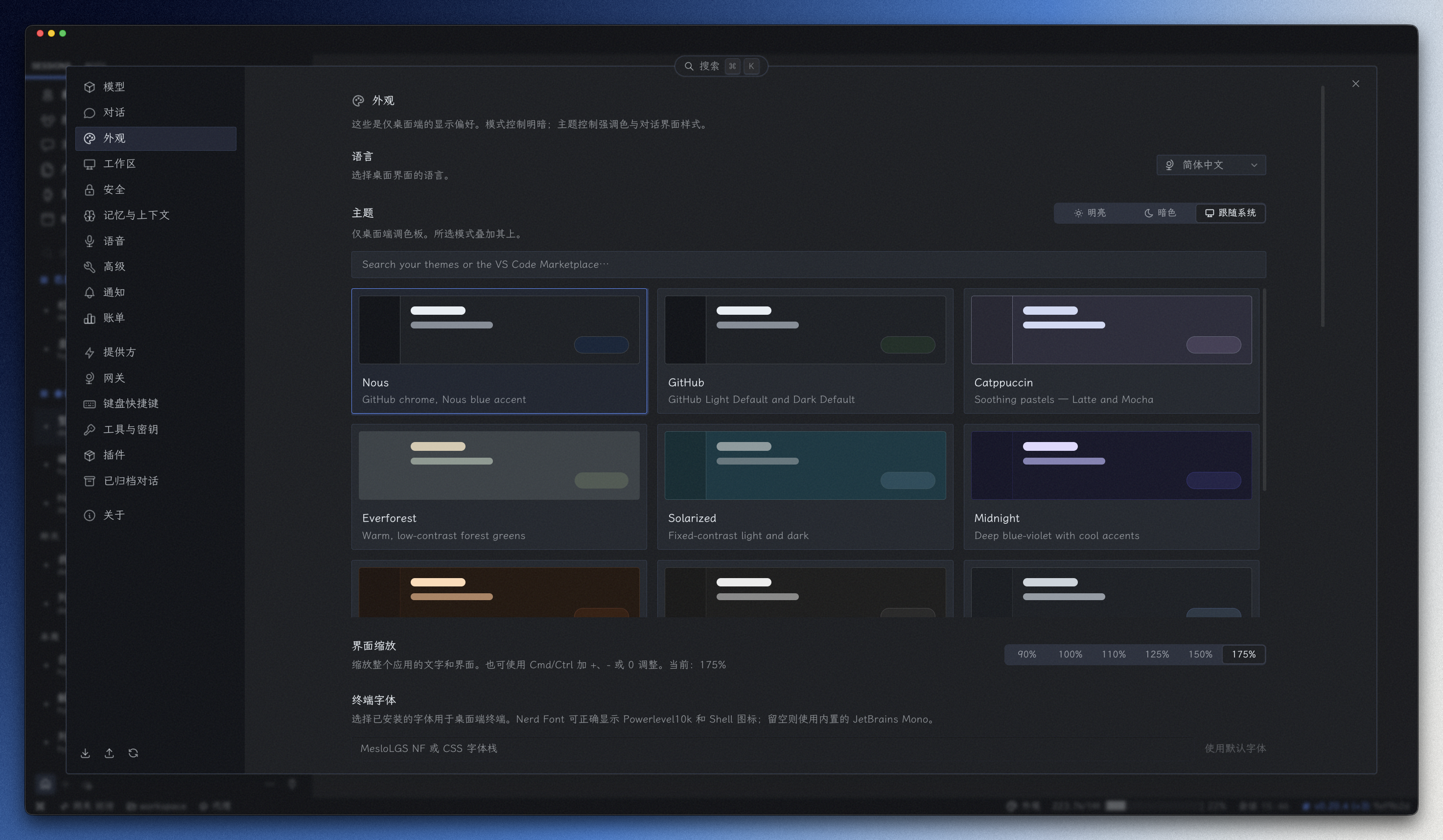
- 主题(12 个,含 Binshao 暖纸)· 语言简/繁/EN · 霞鹜文楷 · 纸纹模拟 · 界面缩放
- 聊天背景 · 消息气泡 · 窗口透明 · 开场标识 · 对话行为五件套(工具调用显示 / 折叠推理 / 内嵌预览 / 悬浮输入框 / 应用操作)
- 设置持久化,卸载清理注入、不留残留
界面预览
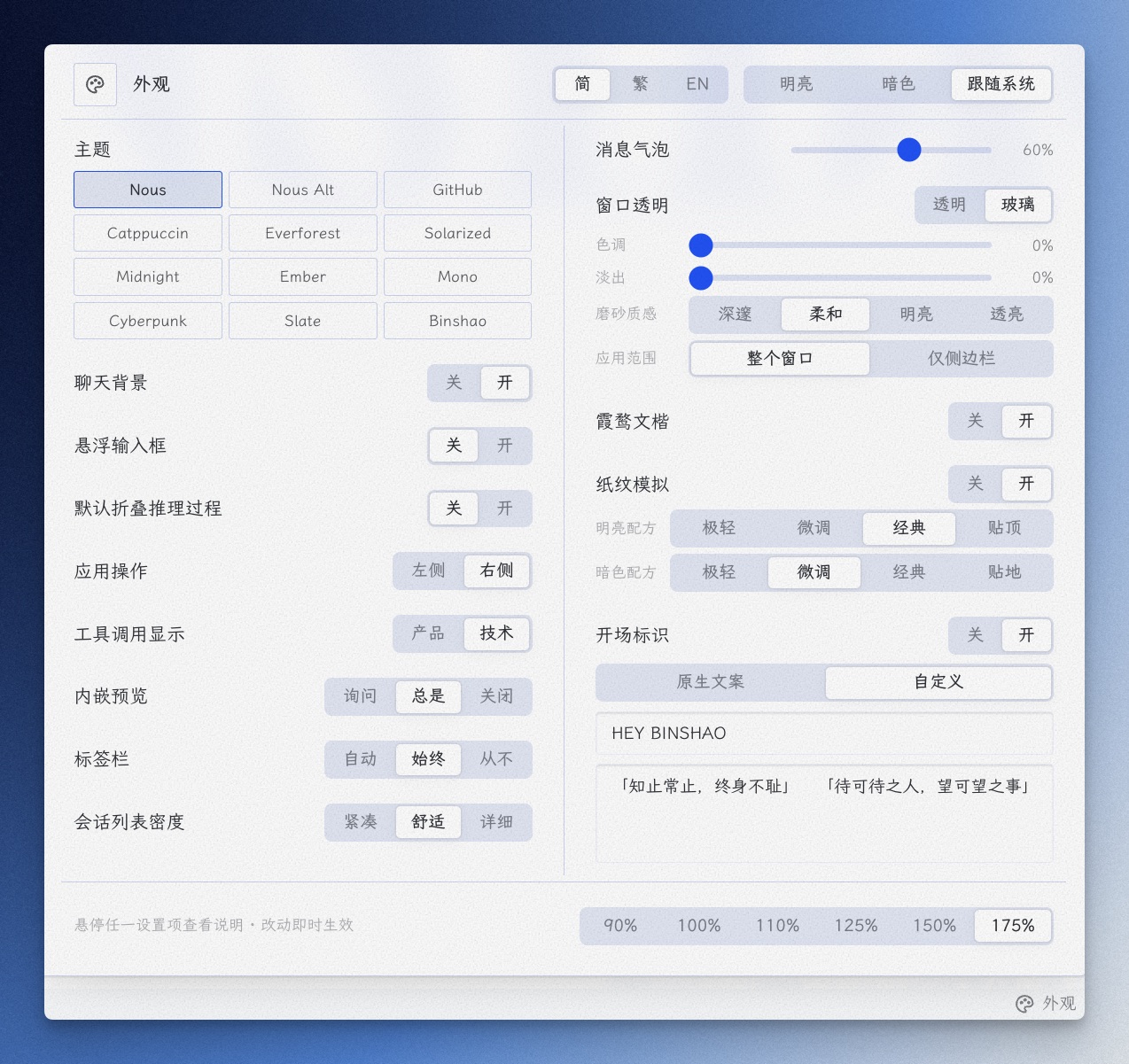
外观浮窗
点击状态栏「外观」按钮弹出,双栏铺开;每行只留标题,悬停任一设置项,底部说明带显示该项简介:
Binshao 主题
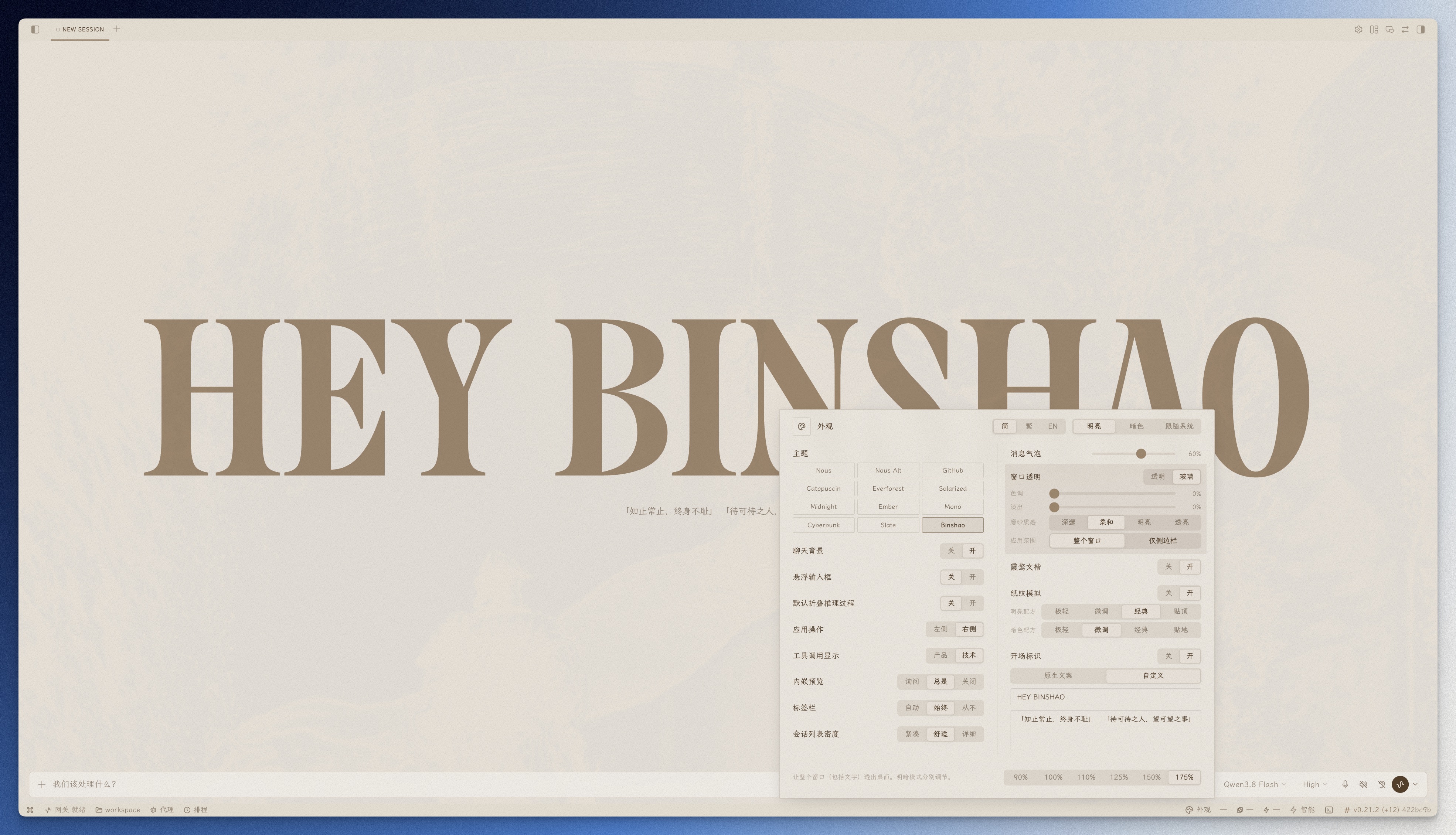
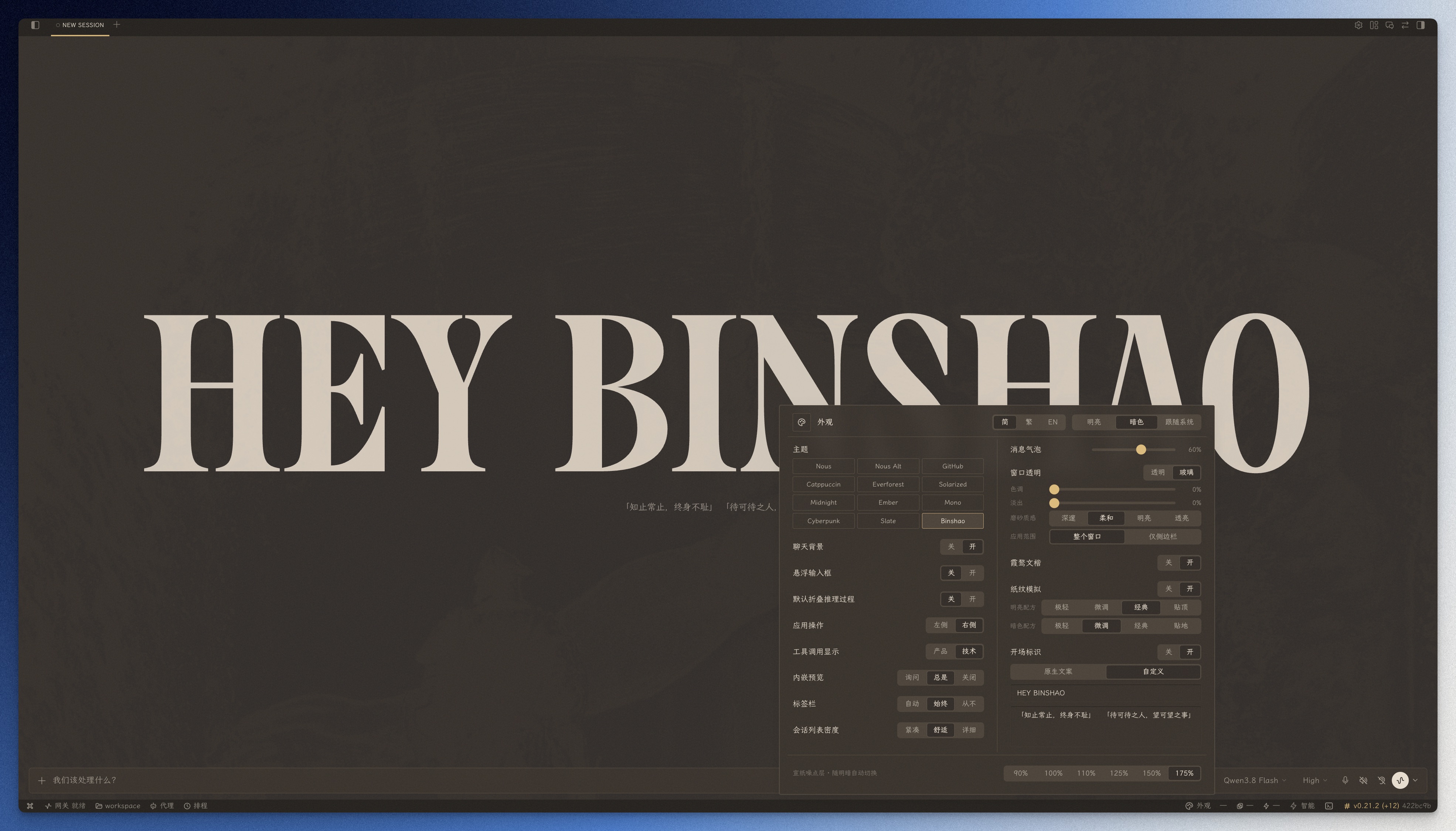
暖纸色系明暗双模式,配纸纹模拟使用更佳——亮色泛黄杂志纸,暗色深棕纸:
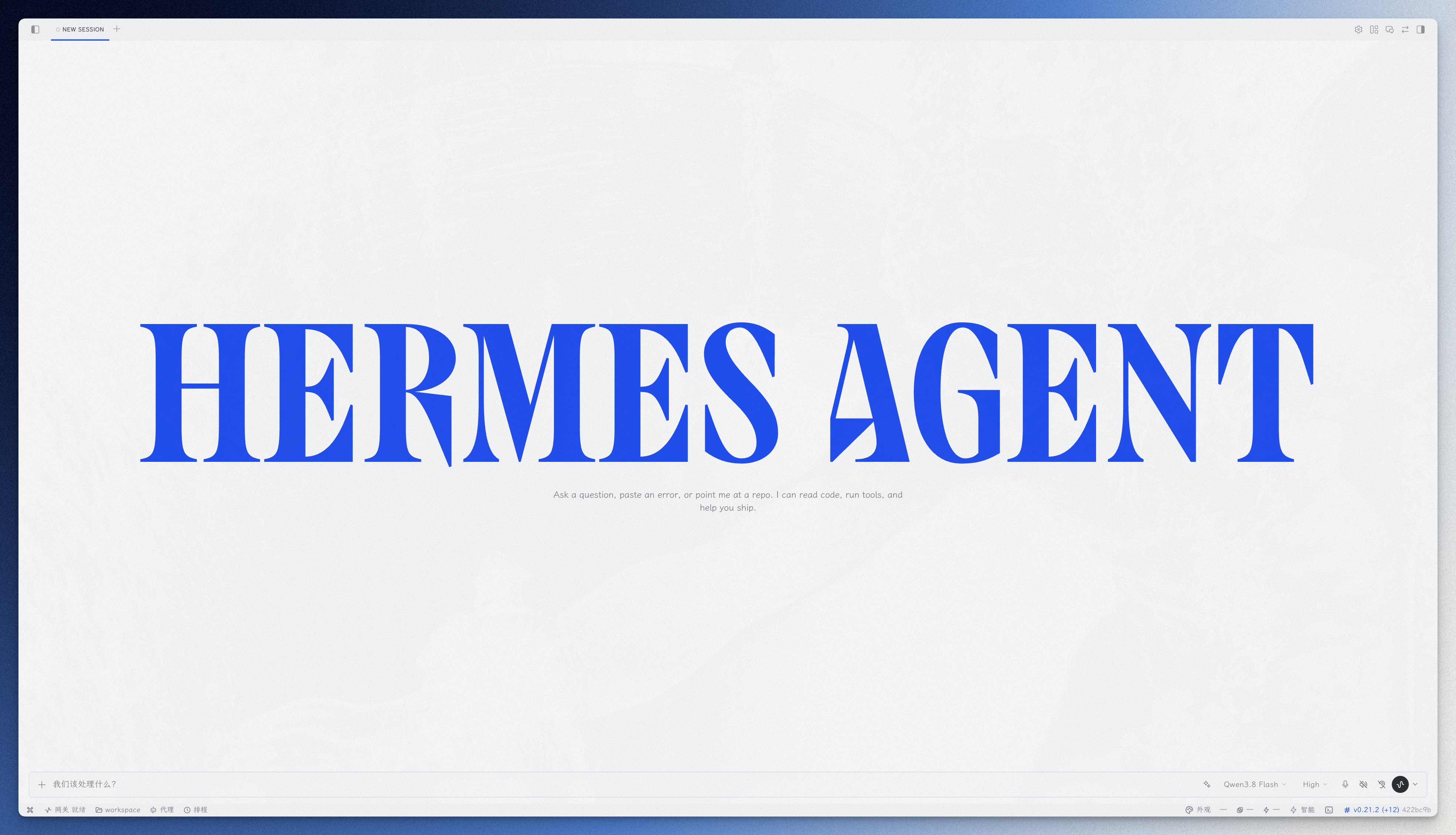
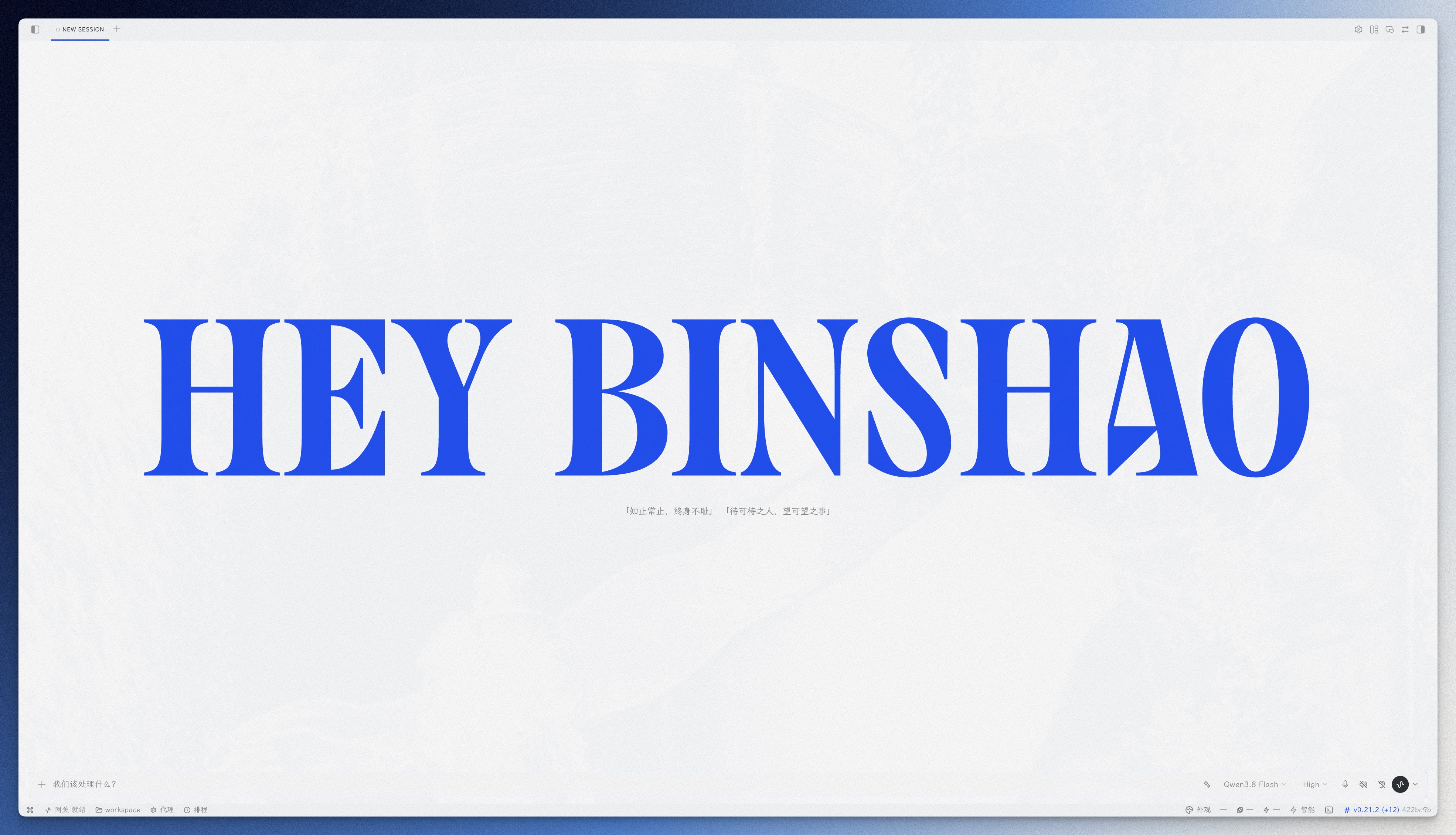
开场标识
原生文案(官方字标与随机提示语):
自定义文案(字标与提示语均可替换):
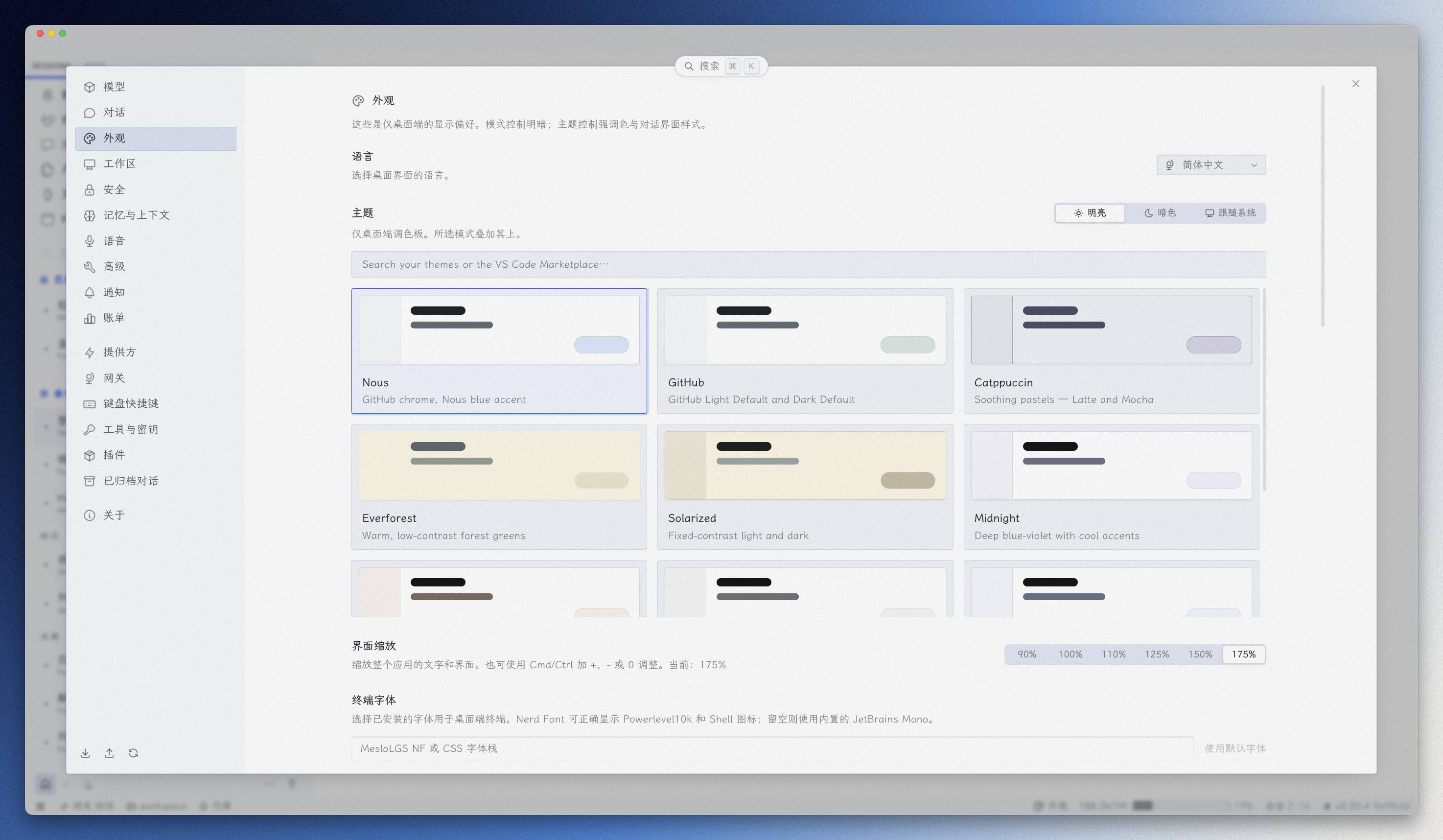
字体 + 纸纹 · 浅色
未启用(系统字体、无纸纹):
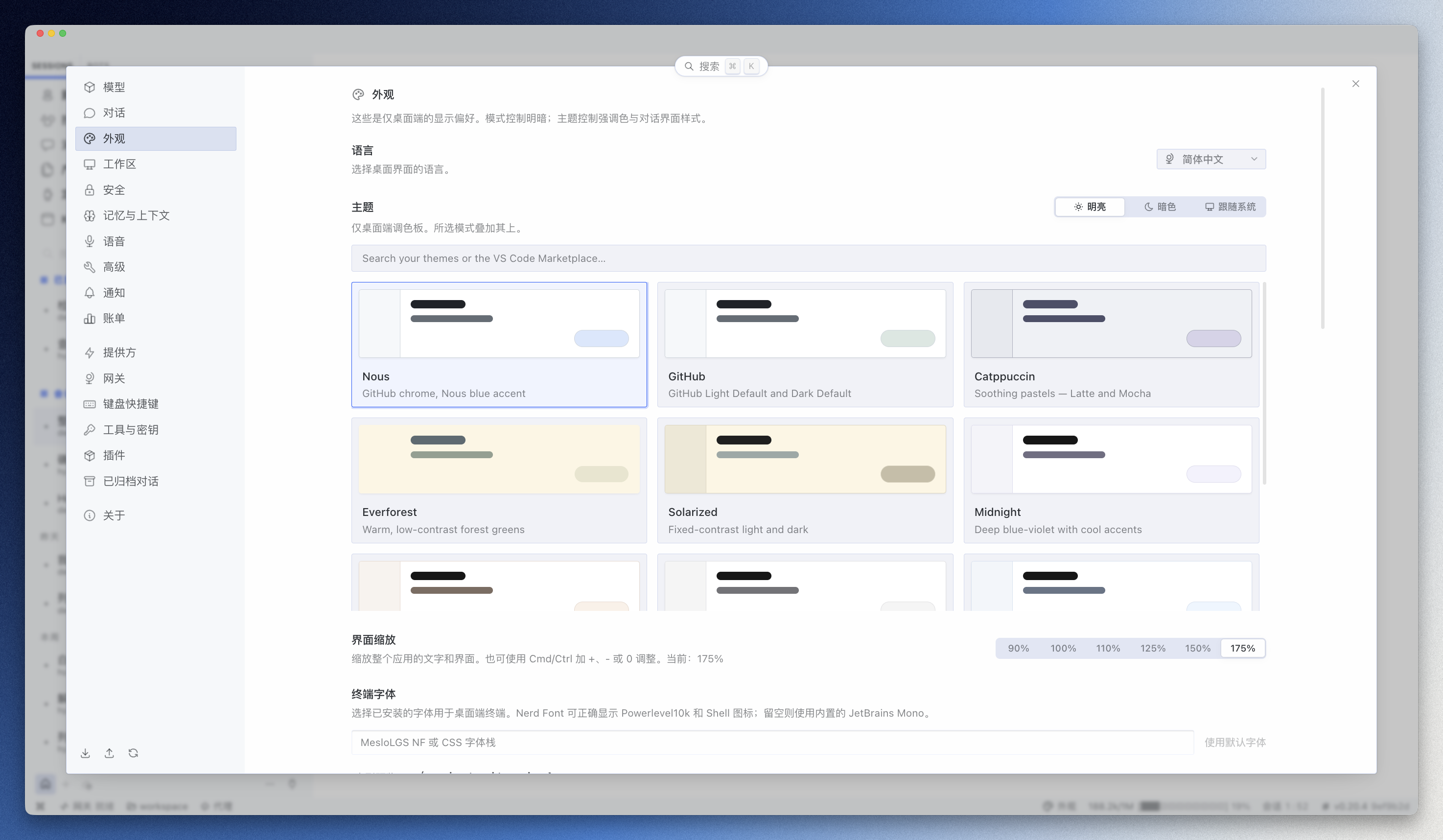
启用后(霞鹜文楷 + 宣纸纸纹):
字体 + 纸纹 · 暗色
未启用(系统字体、无纸纹):
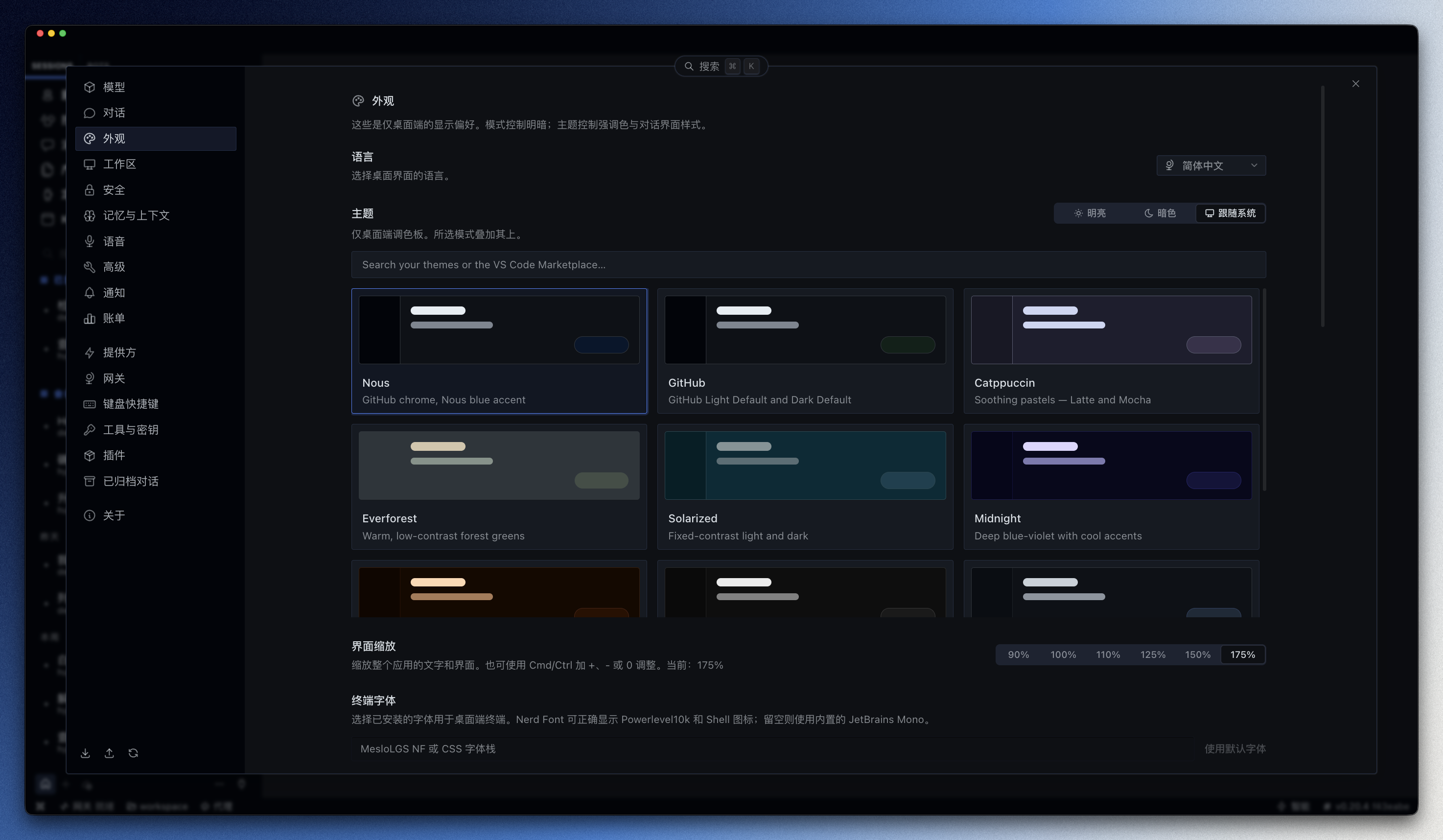
启用后(霞鹜文楷 + 宣纸纸纹):
字体依赖(灵魂注入!!!)
全局字体功能使用 霞鹜文楷(LXGW WenKai) 与 霞鹜文楷 Mono(LXGW WenKai Mono):
- 字体仓库:lxgw/LxgwWenKai(SIL Open Font License 1.1,开源可商用)
- 需装到系统:插件只用本机已装的系统字体,不走 CDN。没装则回退系统默认字体
- 一款字体撑起整个界面的气质——向字体作者 lxgw 致敬:没有这份优秀的开源中文字体,就没有这个插件的灵魂
安装
方式一:官方插件目录(推荐)
hermes plugins install hermes-appearance-hub
装完重启 Hermes 桌面端(⌘Q 后重新打开)即可。升级:
hermes plugins update hermes-appearance-hub
目录条目钉在某个已评审的 commit 上——作者仓库的后续提交不会自动进目录,实际装到的版本以插件卡片上的版本号为准。
方式二:让 Hermes 帮你装(顺带装字体)
把下面这句话直接发给 Hermes 就行:
从 Git 安装这个桌面插件:https://github.com/Heybinshao/hermes-appearance-hub ,顺便去 https://github.com/lxgw/LxgwWenKai 下载 Regular 和 Mono 字体装到系统,装好后重载插件并告诉我怎么用
这条路径装的是仓库当前提交(没有经过目录评审);升级方式:重做一遍上述安装,弹窗里勾「强制重装」。
方式三:手动放置
- 下载本仓库的
desktop/plugin.js - 放到
~/.hermes/desktop-plugins/hermes-appearance-hub/plugin.js(目录不存在就创建) - 重启 Hermes 桌面端(⌘Q 后重新打开)
⚠️ 插件入口在仓库的
desktop/子目录里,别把整个仓库 clone 进~/.hermes/desktop-plugins/——多出一层目录,宿主就找不到入口文件了。
字体需装到系统:到 lxgw/LxgwWenKai 下载 Regular 和 Mono,装好后重载插件。没装则界面回退系统默认字体。
如果 Hermes 使用了非默认 profile,插件目录是
~/.hermes/profiles/<name>/desktop-plugins/。 不确定时在桌面端「技能与工具 → 插件」里查看插件目录路径。
使用
- 状态栏右侧出现「外观」按钮(调色盘图标),点击弹出浮窗
- 每行只留标题,鼠标悬停任一设置项,底部说明带显示该项简介(不悬停时显示占位提示);多数能力即时生效,官方设置项类改动落盘、重启后生效:
- 主题:右上角明亮/暗色/系统三档、简/繁/EN 语言三键;网格区 12 个主题点击即切(11 个原生 + Binshao)
- 聊天背景:雕像图片显隐开关
- 对话行为:工具调用显示(产品/技术)· 默认折叠推理过程 · 内嵌预览(询问/总是/关闭)· 悬浮输入框(拖出停靠区开关)· 应用操作(标题栏控件左/右)——与官方设置页同键,改动落盘、重启后生效
- 标签栏 / 会话列表密度:与设置页同源,改动落盘后重启生效(标签栏亦随新建/切换会话的界面刷新生效)
- 消息气泡:拖杆调节自己消息气泡的透明度(0 不透明 → 100 只剩边框),与官方设置页同键同步
- 窗口透明:透明/玻璃模式 + 强度滑杆,玻璃模式展开淡出/磨砂质感/应用范围;通过官方 IPC 实时驱动原生窗口效果
- 霞鹜文楷:界面字体一键开关(需装到系统);官方设置页自定义了聊天字体时自动让位,清空后自动恢复
- 纸纹模拟:噪点层随明暗自动切换;下方配方可选极轻/微调/经典/贴地(暗色)或贴顶(浅色),从左到右由轻到重;关时配方区锁定不可选
- 开场标识:关/开即时生效(面板改动会同步官方设置页开关;反向以重启后对账为准);原生文案/自定义与输入框常驻显示,按档位分层启用(关→整块锁定;开+原生→输入框锁定;开+自定义→可编辑字标与提示语,停手约半秒自动生效);禁用插件会还原官方文案
- 界面缩放:底部右角六档按钮,直接驱动 Hermes 原生缩放,与设置/View 菜单同步
- 状态栏右键菜单 → 勾选「外观设置」可显示/隐藏入口
界面缩放 六档(90/100/110/125/150/175%)直接调用 Hermes 原生缩放接口 (
window.hermesDesktop.zoom),与系统「设置 → 外观 → 界面缩放」、顶部 View 菜单、Cmd/Ctrl ± 共用同一套主进程缩放机制,最终值互相一致(都持久化到同一处)。
卸载
目录装的:
hermes plugins remove hermes-appearance-hub
手动装的:删除插件目录 + 重启桌面端:
rm -rf ~/.hermes/desktop-plugins/hermes-appearance-hub
插件被禁用/删除时会自动移除所有注入(纸纹层、字体、开场标识替换等)并还原官方设置,不留残留。
关于作者
彬少 —— 一个什么都折腾一下的人:装系统 · 玩AI · 搭知识库 · 做设计。这个仓库里的东西都是我自己的卡点长出来的,日常在用,做完就开源。
微信公众号 「宝藏彬少」:折腾,是为了更好用。欢迎关注交流。
许可证
MIT © 2026 Binshao