robbyczgw-cla/hermes-web-search-plus
Give your Hermes agent the web as real sources, never a made-up answer — multi-provider search and extraction with an optional local, key-free DonSeTch option.
Web Search Plus is a Hermes plugin that adds tools to search the web and extract clean text from pages. It connects multiple search and extraction providers, can route searches by query type, and can try another provider when one fails or returns no results.
- Adds web_search_plus and web_extract_plus tools.
- Supports automatic provider routing and fallback.
- Works with one configured search or extraction provider.
full readme from github
Web Search Plus — Hermes Plugin
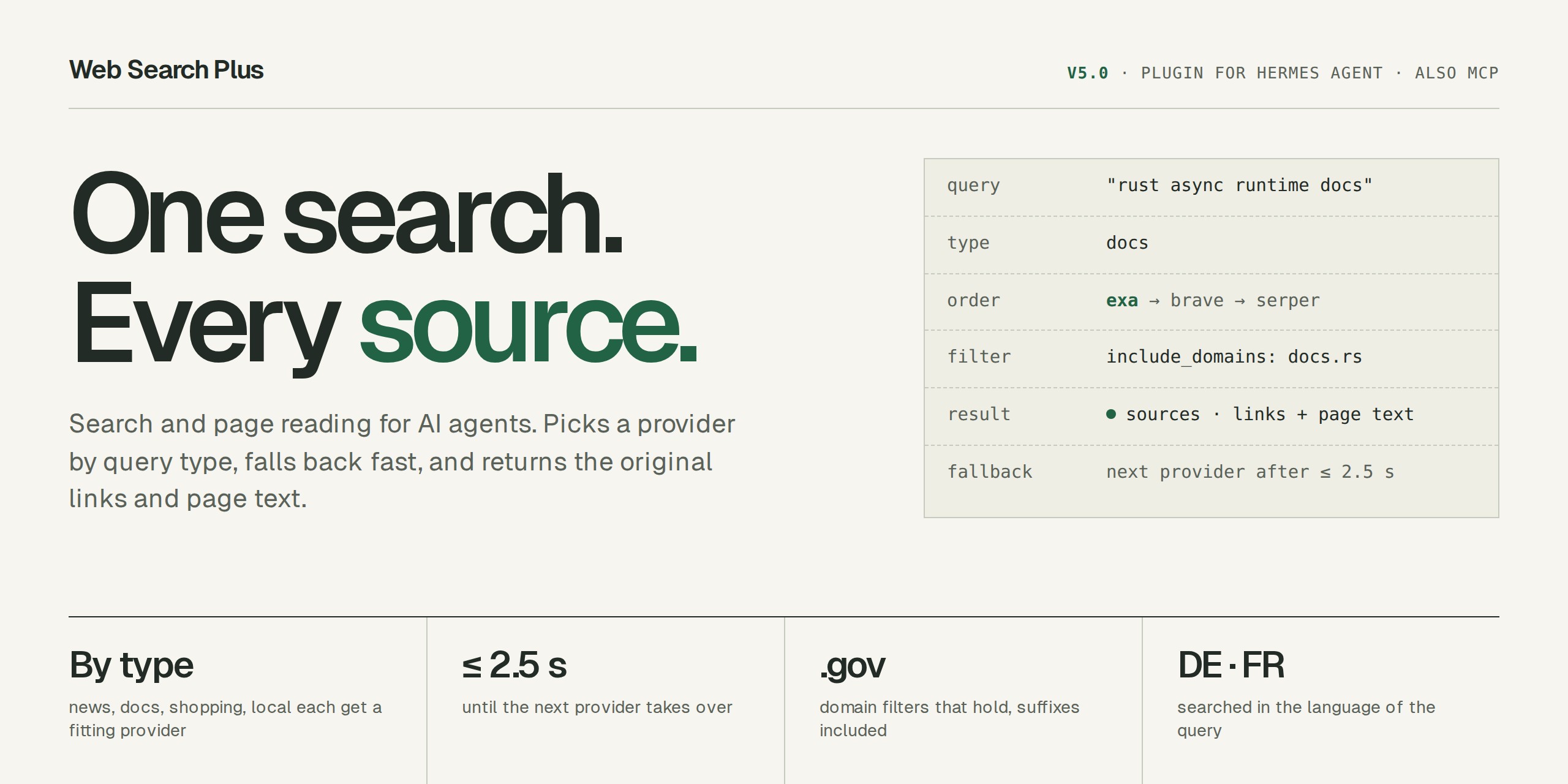


Give your Hermes agent better web search and clean page reading. Web Search Plus connects several search services behind one simple setup. It returns the original links and pages, can try another service when one fails, and works with just one configured provider.
It adds two Hermes tools:
web_search_plus— search the web and return useful sourcesweb_extract_plus— read and clean the pages you already have
Ported from web-search-plus-plugin for the Hermes Agent plugin API.
Current release: v5.1.0. Version history: Changelog.
What's new in 5.1
- Keys come through Hermes. Web Search Plus reads provider keys from your active Hermes profile and no longer reads
.envfiles itself. Store keys withhermes config set BRAVE_API_KEY <key>or in Hermes Desktop (Settings > Plugins > Web Search Plus). Keys kept only in the plugin folder's.envor~/.hermes/plugins/.envmust move: see Breaking changes in 5.1. - Setup runs inside Hermes.
hermes web-search-plus statusandhermes web-search-plus setupshow which keys the active profile sees and print thehermes config setcommand for each missing one. - Research mode says why a provider was skipped, for example "Out of credits", instead of "did not return a payload".
What's new in 5.0
- Faster. Measured on 294 live queries, the median search takes 565 ms instead of 930 ms, and the slowest one 2.1 s instead of 22 s. When a provider hangs or answers empty, the next one starts after at most 2.5 s.
- Better results. Two blind judges compared 4.3.5 and 5.0 answer by answer and preferred 5.0 in about two thirds of the queries, in all eight query types.
- Shorter answers. Results are about 35 % shorter for the agent; the source a query asks for is found as often as before.
- Searches in the query's language. A clearly German or French query is searched in German or French, unless you set a language yourself.
- Simpler setup. Setup starts with the four providers automatic routing uses most: Brave, Serper, Exa and Linkup. Without a key, it asks (in a terminal, default no) whether to start on Keenable's free public tier so search works right away.
5.0 changes how automatic routing chooses providers: with a Brave key, most searches now go to Brave. Code that imports engine modules directly has to change its imports. Prefer your own order? hermes web-search-plus config set-order exa,serper,brave uses it for every query. Details: Breaking changes in 5.0.
Why use it
- One setup, many search services. Pick one provider to start and add more only when you need them.
- Real sources. Results point back to the pages they came from instead of hiding the web behind a generated answer.
- Fewer dead ends. If one service is unavailable or returns nothing, Web Search Plus tries another.
- Search and page reading together. Find useful pages, then turn them into clean text for your agent.
- Optional details when you need them. Quality reports show which service answered and why.
- Local options. SearXNG, Keenable and the optional DonSeTch provider reduce your dependence on paid APIs.
Quick Start
# 1) Install and enable the plugin
hermes plugins install robbyczgw-cla/hermes-web-search-plus --enable

# 2) See which keys are missing; setup prints the command for each one
hermes web-search-plus setup

# 3) Store at least one key in your Hermes profile (or use Hermes Desktop:
#    Settings > Plugins > Web Search Plus, which keeps it out of shell history)
hermes config set BRAVE_API_KEY <key>
hermes web-search-plus status

# 4) Restart Hermes once so the new tools are registered
# CLI: exit and start `hermes` again
# Gateway: /restart
A new or changed key applies from your next message on the gateway (Telegram, Discord, API); in the interactive CLI run /reload first. To switch a provider off, set its key to an empty value (hermes config set BRAVE_API_KEY ""): hermes config unset removes the line, but a key Hermes does not know by name stays active until Hermes restarts.
Web Search Plus supports 15 search and 9 extraction providers; you do not need them all. One search key enables web_search_plus, one extraction key enables web_extract_plus. Automatic routing tries Brave first for most queries, Exa for docs and academic queries, and Serper for security and shopping; hermes web-search-plus status shows which query types fall back because a key is missing. hermes web-search-plus setup --preset all lists every provider. Hermes stores the keys in the active profile; never commit them to a repository.
Optional Jev stays off unless you pass --jev:
hermes config set TYPESAFE_API_KEY <key>
hermes web-search-plus setup --preset lean --jev
Provider privacy is not uniform. Before sending sensitive queries or URLs, review the maintained Provider Privacy & Terms guide, which distinguishes standard self-serve terms from enterprise-only ZDR or no-training options.
Self-hosted / no-paid-key profile
For a privacy- and budget-oriented setup with no commercial API key, use the self-hosted wizard preset:
hermes web-search-plus setup --preset self-hosted
hermes web-search-plus status
It selects the derived self_hosted profile: automatic search uses only your SearXNG instance and keyless Keenable, while automatic extraction runs through Keenable's public fetch tier (SearXNG does not extract; the public tier is rate-limited and has no SLA). Configure SearXNG with searxng.base_url (the older instance_url still works); an instance on localhost or your LAN also needs hermes config set SEARXNG_ALLOW_PRIVATE 1; the preset enables Keenable's existing public tier without writing a key. See the Self-hosted profile guide for prerequisites and explicit-provider behavior.
Optional Octen source search via Monid
Set MONID_API_KEY from Monid to use Octen as an explicit source-search provider:
web_search_plus(query="recent vector database research", provider="octen", freshness="month")
The adapter executes Octen's /search endpoint through Monid's documented HTTP API for ranked links and highlights. It supports freshness and domain filters, explicitly disables full-content retrieval, and does not call Octen's answer or Broad Search APIs. Access and billing use Monid's prepaid wallet; see Monid for current pricing and terms. Octen stays outside automatic routing and fallback unless you deliberately enable auto_allow.
Optional TinyFish source search
Set TINYFISH_API_KEY from your own TinyFish account to use its direct Search API explicitly. Web Search Plus does not provide, pool, proxy, or share TinyFish credentials.
web_search_plus(query="recent agent framework releases", provider="tinyfish", freshness="week")
The adapter calls only TinyFish's fixed source-search endpoint and returns ranked links and snippets. It never sends the optional purpose or fetch parameters and does not call TinyFish Agent or Browser APIs. Domain filters and result hosts are accepted only as ASCII/Punycode hostnames; raw Unicode hostnames are rejected fail-closed. TinyFish remains outside automatic routing and fallback: its standard Terms permit Customer Data to be used for model training and fine-tuning, and its Privacy Policy does not provide a fixed deletion period. Treat the integration as high risk unless your contract supplies stronger terms; see the provider/privacy matrix.
Local DonSeTch provider
DonSeTch is an independent AGPL-3.0-only local MCP program for source search, fetching, crawling, and PDF-oriented retrieval. WSP 4.0 connects to a separately installed DonSeTch executable through stdio; it does not bundle or redistribute DonSeTch. DonSeTch is explicit-only by default, so installing it does not change automatic routing or fallback.
Set DONSETCH_BIN to the absolute executable path and see the DonSeTch provider guide for installation, migration, security boundaries, verification, and limitations.
Update later with:
hermes plugins update web-search-plus
Python 3.10+ is required for the core plugin. The optional DonSeTch bridge uses the separately installed executable and does not add DonSeTch or its AGPL-3.0-only dependencies to the plugin package.
The two tools
web_search_plus
Use it for current information, source discovery, or opt-in multi-provider research.
web_search_plus(query="Hermes Agent latest release")
web_search_plus(query="compare recent open-source agent frameworks", mode="research", quality_report=True)
web_extract_plus
Use it when you already have URLs and want clean page content.
web_extract_plus(urls=["https://example.com"])
web_extract_plus(urls=["https://docs.example.com"], provider="linkup", render_js=False)
Full parameters, freshness and locale behavior, provider selection, extraction controls, and cache management live in the User Guide.
Documentation
Where to go next:
- Installing or configuring providers → User Guide · DonSeTch local provider
- Comparing provider privacy and terms → Provider Privacy & Terms
- Upgrading → Breaking changes in 5.1 · Breaking changes in 5.0 · DonSeTch migration from 4.0
- What changed → Changelog
- Troubleshooting → FAQ · Operator Console
- Contributing or building a provider → Contributing · Provider SDK · Architecture
The full reference, including the normative v3 contracts for implementers and reviewers:
Start & upgrade
- User Guide — installation, first-run checks, tool usage, and troubleshooting
- Changelog — every release; older release notes are linked from there
- DonSeTch local provider — separate installation, stdio configuration, migration, and operating boundaries
- Provider SDK — add a provider with one
providers.dmodule
Configure & operate
- Provider Reference — generated capabilities, environment variables, defaults, and signup links
- Provider Privacy & Terms — provider-specific training, retention, ZDR, and contract caveats
- Routing Reference — generated: how the first provider is chosen per query type
- Operator Console — local read-only visibility and troubleshooting
- Provider Benchmarks — search and extraction comparison with privacy and quota guidance
- FAQ — provider selection, cache, cost, and common setup problems
Deep reference
- Architecture — plugin boundaries, routing, cache/state flow, and provider extensions
- 3.0 Wire Contract — normative request and response surface
- Source Evidence, Bounded Context, and Search Parity — detailed v3 contract amendments
Development
cd ~/.hermes/plugins/web-search-plus
python3 -m pip install -r requirements.txt
python3 -m pytest -q
python3 -m compileall -q __init__.py search.py setup.py scripts tests
Generated provider and routing references are checked in CI. Start with Contributing; development architecture and extension notes are in Architecture.
License
MIT — see LICENSE.
Related
- web-search-plus-plugin — TypeScript/OpenClaw version
- Hermes Agent — the agent runtime this plugin extends
- DonSeTch — independent AGPL-3.0-only local web-research MCP program; WSP integrates through a separate stdio process