jpalmae/hermeshq
HermesHQ is a Docker-first control plane for running and operating multiple Hermes Agent instances from one web application.
HermesHQ is a Docker-first control plane designed to orchestrate and operate multiple Hermes Agent instances through a single web application. It adds an operational layer to the Hermes runtime, providing features for task dispatch, multi-agent management, and centralized governance.
- Managed agents with separate workspaces and RBAC-controlled access.
- Inter-agent delegation with hierarchy-aware communication and callbacks.
- Enterprise MCP access for external AI client integration.
full readme from github
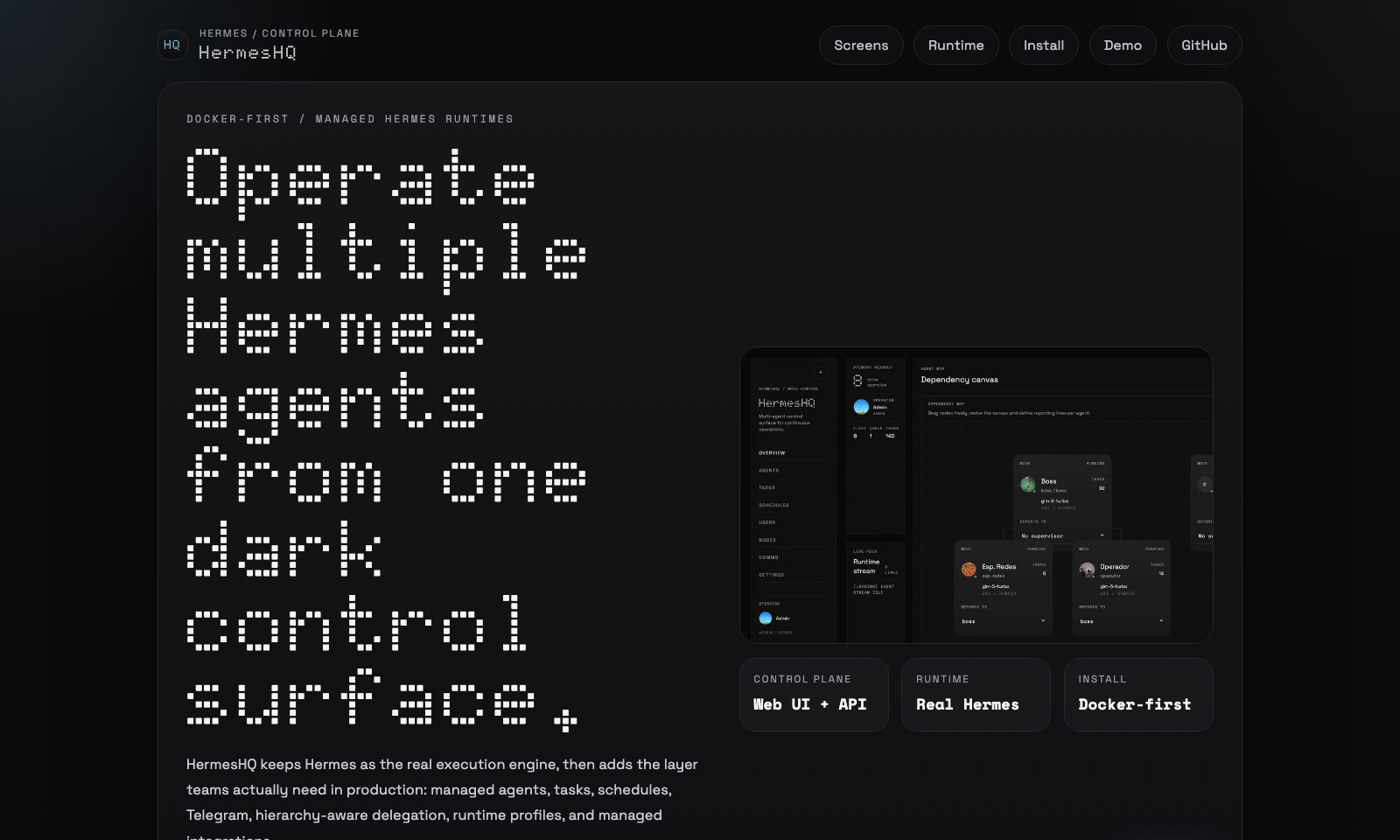
HermesHQ
HermesHQ is a Docker-first control plane for running and operating multiple Hermes Agent instances from one web application.
[!WARNING] HermesHQ is under active development. Expect ongoing changes, rough edges, and occasional bugs while the product continues to evolve.
It keeps Hermes as the real execution engine, then adds the operational layer around it:
- managed agents with separate workspaces and
HERMES_HOME - web UI, RBAC, users, and assigned-agent scope
- task dispatch, schedules, runtime ledger, and activity stream
- hierarchy-aware inter-agent delegation
- per-agent Telegram and WhatsApp channels
- enterprise MCP access for Claude Code, Codex, Claude Desktop and other external AI clients
- provider presets, secrets vault, runtime profiles, and managed integrations, including AWS Bedrock and generic OpenAI-compatible endpoints
Project landing page: jpalmae.github.io/hermeshq
Controlled demo page: jpalmae.github.io/hermeshq/demo.html

Click the preview above to open the demo page with player controls, or open the raw video directly: HermesHQ demo video
Hermes Agent vs HermesHQ
HermesHQ does not replace hermes-agent; it orchestrates it.
If you install and run hermes-agent directly on your machine, you get the Hermes runtime by itself:
- local CLI/TUI usage
- one local
HERMES_HOME - direct prompt, tool, and plugin handling
- local sessions and config managed by the operator
HermesHQ uses that same Hermes runtime underneath, but wraps it in a control plane:
- managed agents with separate workspaces and
HERMES_HOME - web UI, RBAC, users, and assigned-agent scope
- task dispatch, schedules, and runtime ledger
- inter-agent comms and hierarchy-aware delegation
- per-agent Telegram and WhatsApp channels
- enterprise MCP credentials for exposing selected agents to external AI clients
- provider presets, secrets vault, and managed integrations, including AWS Bedrock and generic OpenAI-compatible endpoints
- runtime profiles and capability visibility
In short:
hermes-agentalone = execution engine used directly- HermesHQ = control plane plus managed multi-agent runtime built on top of Hermes
License
HermesHQ follows the same license as NousResearch/hermes-agent: MIT.
What It Looks Like
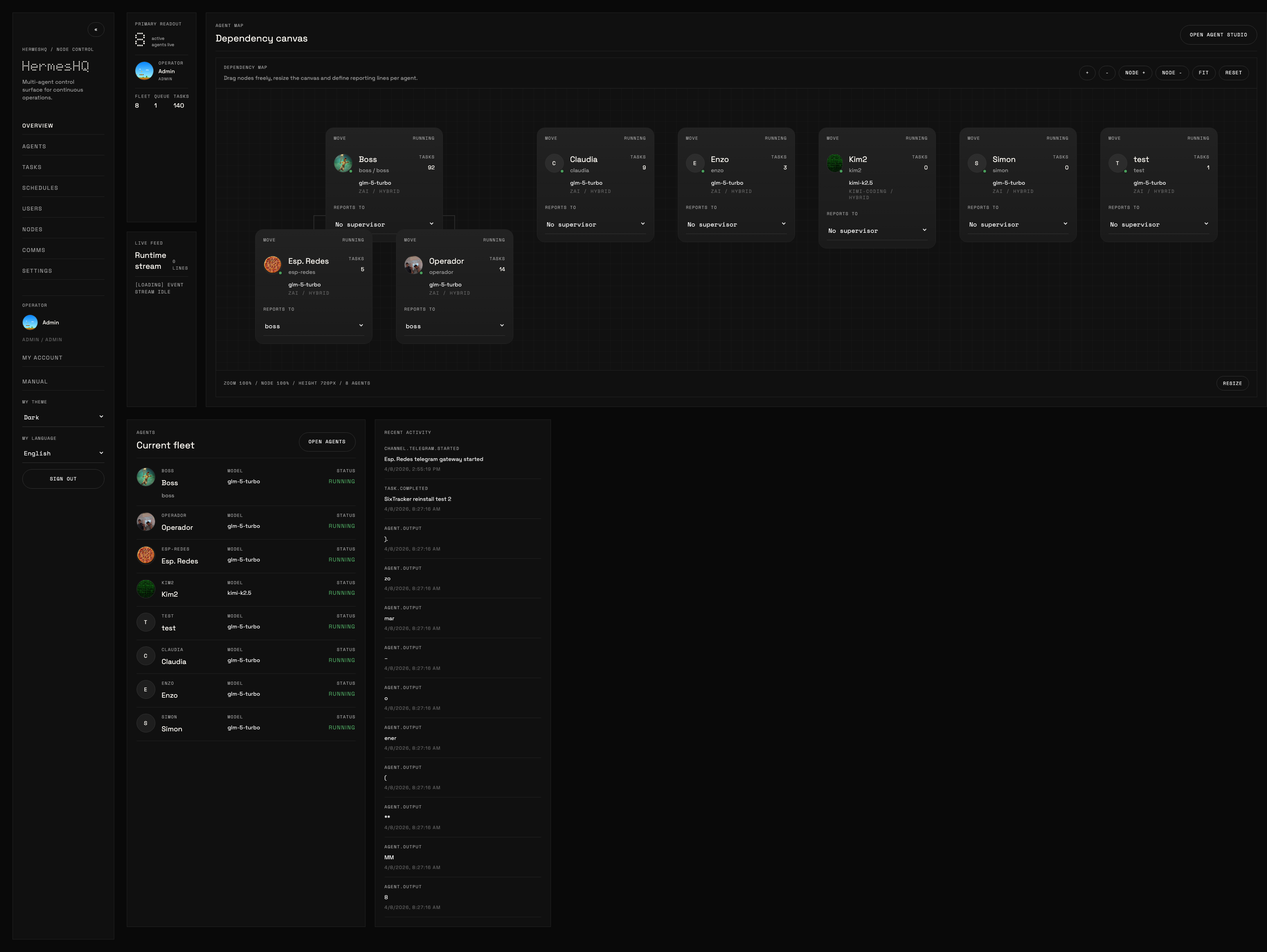
Default UI, without customer-specific branding:
Dashboard
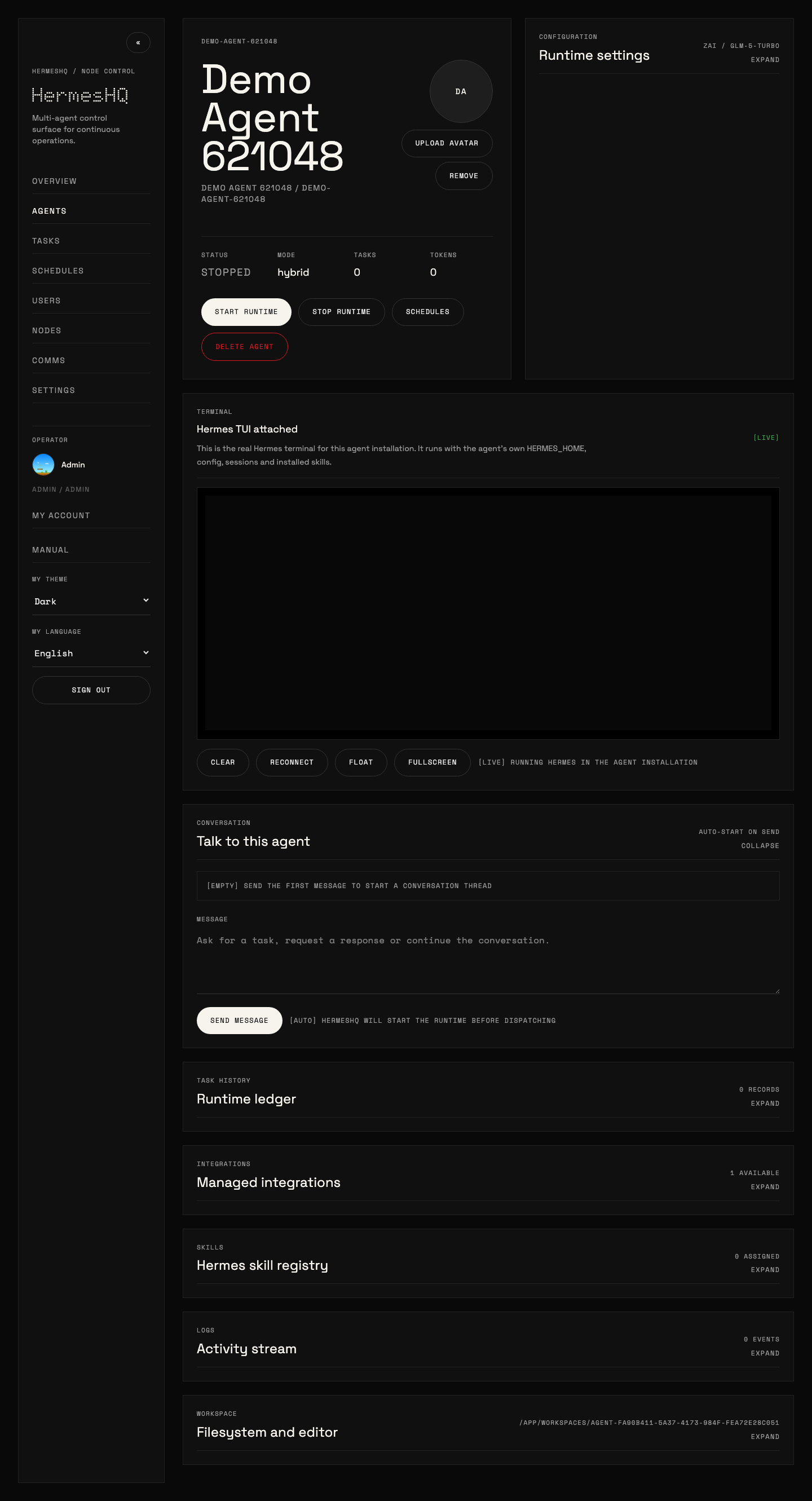
Agent Detail
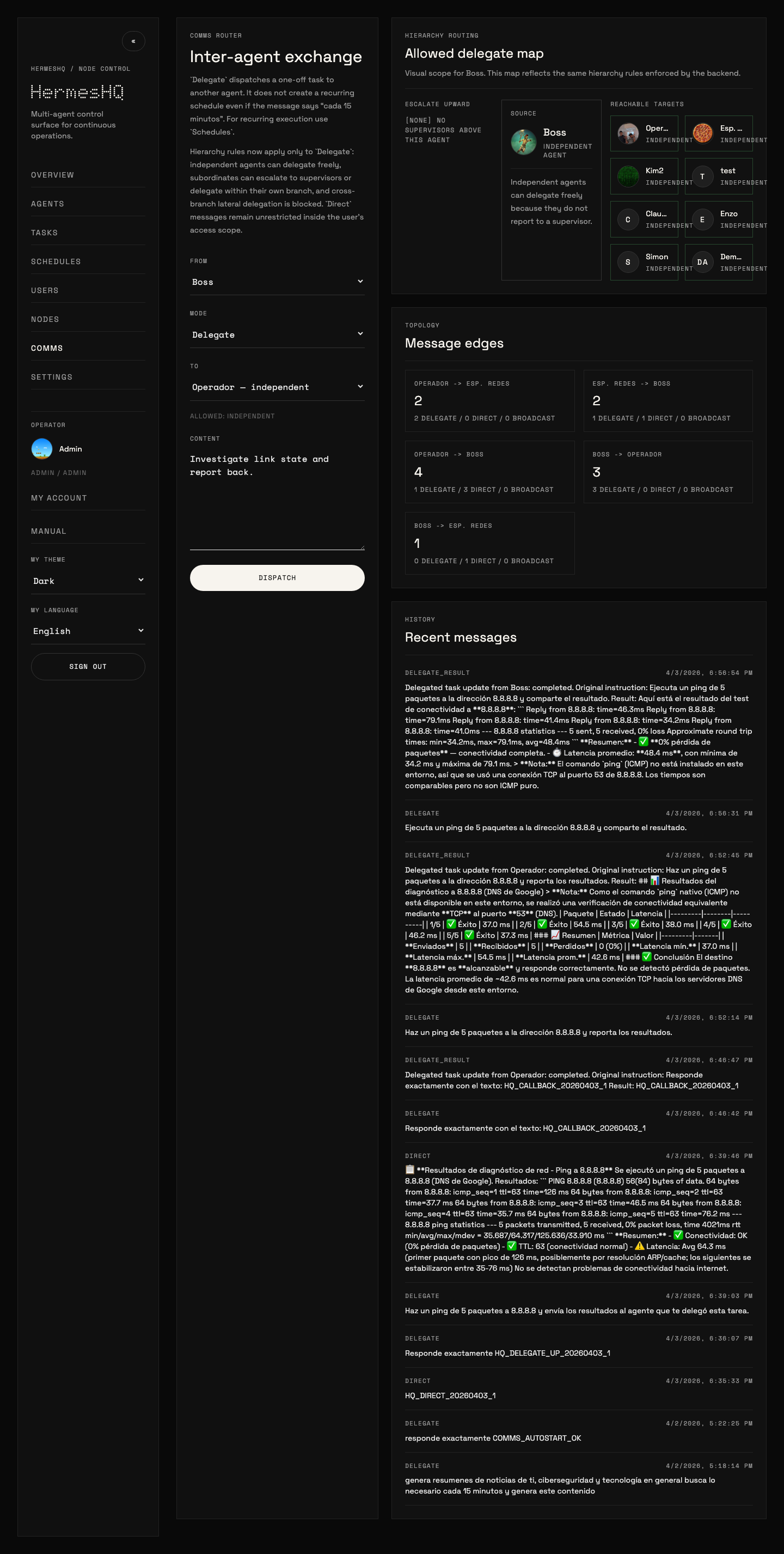
Comms
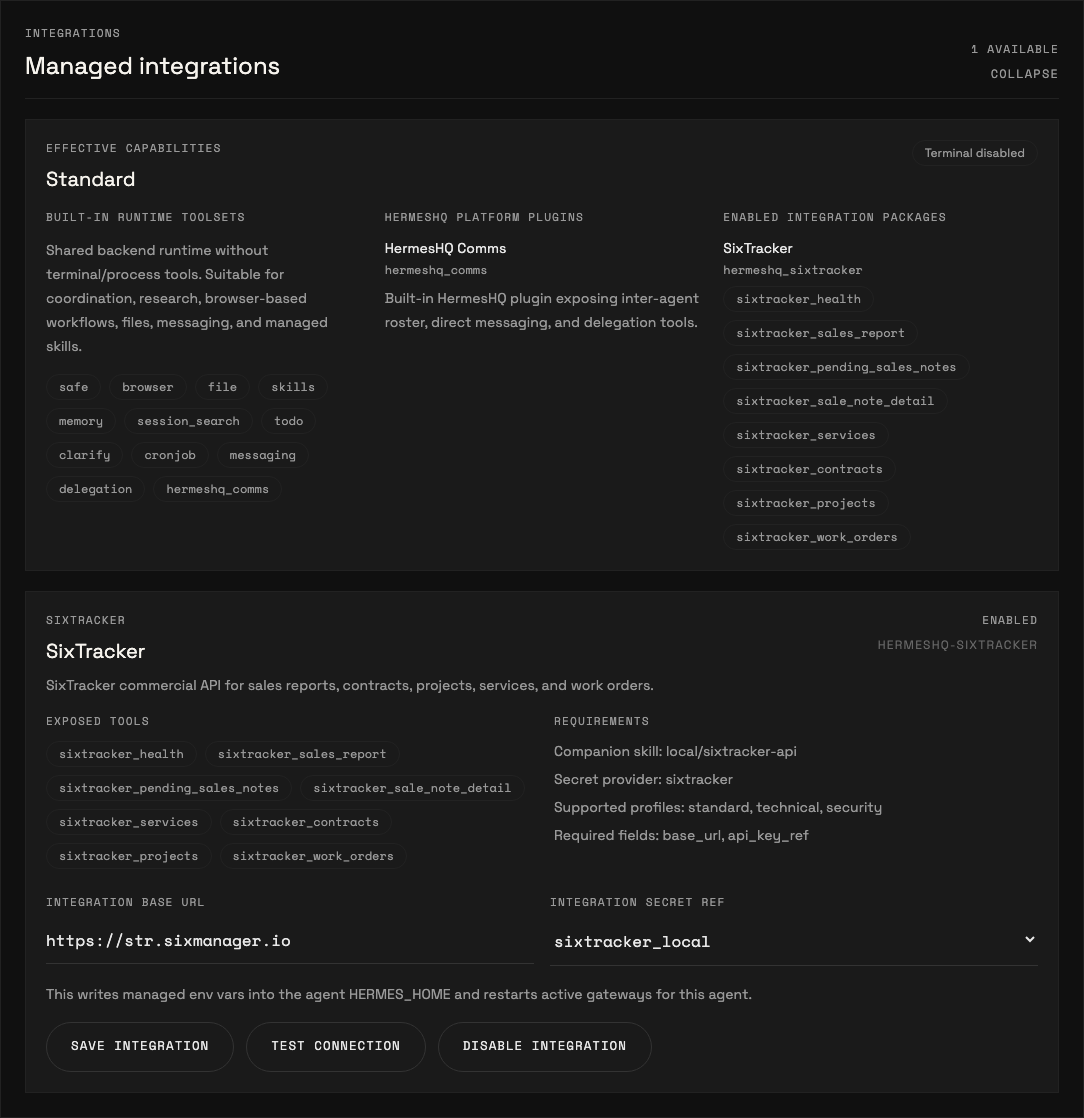
Integrations
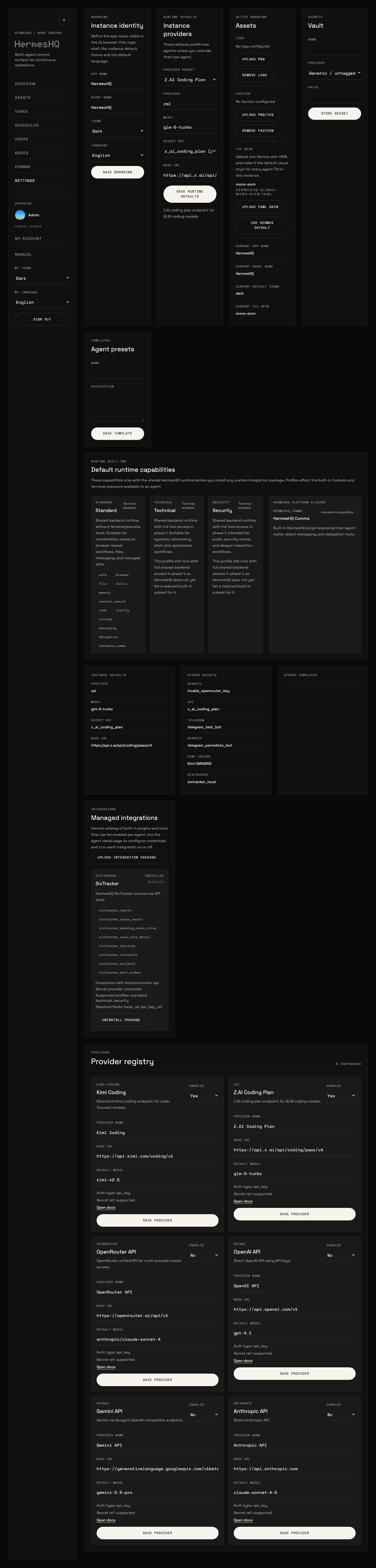
Settings
Why HermesHQ
Hermes works well as a local runtime. HermesHQ adds the things teams usually need once they move from one agent to an actual operational setup:
- multiple agents with separate identity, prompts, skills, integrations, and channels
- central task dispatch and scheduled execution
- runtime traceability through ledger and activity events
- hierarchy-aware delegation and callbacks
- per-user access scope and admin controls
- Docker-based deployment, backup, and restore
Core Capabilities
Runtime and Operations
- strict local agent runtime via
hermes-agent - runtime profiles for
standard,technical, andsecurity - task submission, cancellation, and scheduled runs
- TUI/PTY support for allowed profiles
- runtime ledger and activity stream
- real WebSocket event stream
Multi-Agent Control Plane
- agent CRUD and local node bootstrap
- inter-agent comms with hierarchy-aware delegation rules
- delegate result callbacks back to the parent agent
- per-agent Telegram and WhatsApp channels with activity traceability
- assigned-agent scope for non-admin users
- enterprise MCP access with scoped credentials, per-agent allowlists, revocation, expiry and audit logs
Configuration and Governance
- JWT auth
- admin/user RBAC
- self-service profile and password changes
- per-user theme override
- per-user language override with instance default
- secrets vault
- editable provider registry and presets, including AWS Bedrock (
aws_sdk) and OpenAI-compatible API endpoints - managed integration package catalog with install/uninstall and per-agent tests
Enterprise MCP Access
Admins can expose selected HermesHQ agents to MCP-capable clients without giving those clients full platform access.
- Open
Settings -> External access. - Create an MCP credential, select the allowed agents, choose scopes, and optionally set expiry.
- Copy the token shown once.
- Point the client to the HermesHQ MCP endpoint
/mcpwithAuthorization: Bearer <token>.
For stdio-only clients such as some Claude Code or Codex setups, use the bridge script:
HERMESHQ_URL=https://your-hermeshq.example.com \
HERMESHQ_MCP_TOKEN=hq_mcp_xxx \
python3 scripts/hermeshq-mcp-stdio.py
The initial MCP toolset includes list_agents, invoke_agent, and get_agent_task.
UX
- dashboard, agents, tasks, comms, users, settings, schedules
- English and Spanish UI
- in-app manual
- runtime capability visibility in
Settingsand per-agentIntegrations - global Hermes TUI skin upload for admins
One-Line Install
HermesHQ installs and runs with Docker by default.
The installer:
- installs Docker automatically on supported Linux hosts if it is missing
- enables the Docker service and adds the current user to the
dockergroup - downloads the current
mainbranch tarball - installs into
~/hermeshq - preserves an existing
.envif present - preserves
.cloudflared.envif present - generates a new
.envwith bootstrap credentials on first install - prints the final admin credentials at the end of the run
- rolls back a failed fresh install instead of leaving containers and images behind
- runs
docker compose up --build -d
Prerequisites
curltarpython3
Docker is installed automatically on supported Linux hosts. On non-Linux systems, install Docker first.
Install
curl -fsSL https://raw.githubusercontent.com/jpalmae/hermeshq/main/install.sh | bash
If the server has multiple interfaces, pass the public host or DNS name explicitly:
HERMESHQ_HOST=your-server-ip-or-dns curl -fsSL https://raw.githubusercontent.com/jpalmae/hermeshq/main/install.sh | bash
Useful Installer Overrides
INSTALL_DIR=/srv/hermeshqBRANCH=mainHERMESHQ_HOST=your-server-ip-or-dnsADMIN_USERNAME=adminADMIN_PASSWORD=YourPassword123!FRONTEND_PORT=3420BACKEND_PORT=8000SKIP_START=1
What You Get
- frontend:
http://<host>:3420 - backend:
http://<host>:8000 - Docker-managed PostgreSQL and persistent workspaces
- final admin credentials printed at the end of install
- automatic rollback cleanup on failed first-time installs
Run With Docker Manually
cp .env.example .env
# Set JWT_SECRET, FERNET_KEY, ADMIN_PASSWORD and RUNTIME_RUNNER_TOKEN.
docker compose up --build -d
Generate the runner credential with openssl rand -hex 32. Production tasks
run in ephemeral containers, while native messaging gateways use isolated
long-lived containers. Each receives only its own workspace, a private network,
a read-only root filesystem, resource limits, and allowlisted outbound access.
Add custom model-provider domains through RUNTIME_EGRESS_ALLOWLIST.
Default URLs:
- frontend:
http://localhost:3420 - backend:
http://localhost:8000
Local Development
Backend
cd backend
uv venv .venv
uv pip install --python .venv/bin/python -r requirements.txt
uv pip install --python .venv/bin/python git+https://github.com/NousResearch/hermes-agent.git
.venv/bin/python -m uvicorn hermeshq.main:app --reload
API default URL: http://localhost:8000
Default login:
- username:
admin - password:
admin123
Frontend
cd frontend
npm install
npm run dev
Frontend dev URL: http://localhost:5173
Managed Integrations
HermesHQ supports managed integration packages that are separate from the core runtime.
Admins can:
- upload
.tar.gzintegration packages fromSettings -> Integrations - install or uninstall them globally
- enable and configure them per agent
- run per-agent connection tests
Bundled managed integrations now also include voice presets:
voice-edge: local STT withfaster-whisperplus Spanish/English TTS throughedge-ttsvoice-local: local STT withfaster-whisperplus fully local Piper TTS whenpiper-ttsis installed in the runtime
When enabled on an agent, these integrations write stt: and tts: blocks directly into the agent HERMES_HOME/config.yaml.
Typical Spanish configuration:
stt:
  enabled: true
  model: small
  language: es

tts:
  enabled: true
  voice: es-MX-JorgeNeural
Typical English configuration:
stt:
  enabled: true
  model: small
  language: en

tts:
  enabled: true
  voice: en-US-GuyNeural
Operational notes:
voice-edgeis available out of the box in the HermesHQ backend image because it now includesfaster-whisperandedge-ttsvoice-localstill requirespiper-ttsin the runtime environment; HermesHQ checks for that withTest connectionedge-ttsdoes not require an API key, but it is not fully offline in the same sense as Piper
HermesHQ also includes an Integration Factory for administrators and HQ Operator.
- create a draft package scaffold from
Settings -> Factory - edit
manifest.yaml, plugin files, health checks, and companion skill content in-browser - validate the draft before publication
- publish the draft directly into
Managed Integrations, where it becomes installable and usable bystandardagents once enabled per agent
This turns HQ Operator into a practical builder/publisher for reusable capabilities instead of leaving every new skill or plugin as a one-off technical artifact.
Integration Factory Flow
Typical flow:
- open
Settings -> Factory - create a draft with a unique
slug, human-readablename, description, and template - review and edit the generated files:
manifest.yamlplugin/__init__.pyplugin/plugin.yaml- optional
healthcheck.py - optional
actions.py - optional
skill/SKILL.md
- use
Validateto check:- package structure
- manifest/profile declarations
- plugin metadata
- Python syntax for every
*.pyfile
- use
Publishwhen validation is clean - go to
Settings -> Integrationsand confirm the package is now in the managed catalog - enable that integration per agent from
Agent -> Integrations - complete required fields and secrets, then run
Test connection
Important behavior:
- publishing keeps the draft record, so you can continue iterating and republish later
- published drafts become uploaded managed integrations
- standard users still do not author code; they consume approved integrations after an admin enables them
HQ Operatorexposes matching administrative tools for the same lifecycle: list, create, edit files, validate, publish, and delete drafts
HermesHQ also supports uploaded standard-compatible integrations built as real plugins instead of shell wrappers. A practical example is gamma-app, which can be uploaded as an integration package and then enabled on administrative agents to create presentations, documents, webpages, and social content through Gamma's public API.
This separation is intentional:
- skills describe behavior
- integration packages install real plugins/tools
- runtime profiles decide which capabilities are allowed
Typical package requirements:
manifest.yamlwith slug, version, supported profiles, fields, and actionsplugin/with__init__.pyandplugin.yaml- optional
healthcheck.pyandactions.py - optional
skill/companion content for agent guidance - secrets referenced through HermesHQ
Settings -> Secrets, not hardcoded into the package
Runtime Profiles
Agents now declare a runtime profile:
standardtechnicalsecurity
In the current phase:
standardblocks TUI accessstandardblocks terminal/process usage in task execution- built-in capabilities are visible in
Settings -> Runtime built-ins - each agent shows effective capabilities in
Agent -> Integrations
This is already real enforcement for standard versus technical/security agents, even though the deeper execution-plane split is still a later phase.
Hermes Agent Versions
HermesHQ can manage multiple Hermes Agent builds side by side and assign them per agent or as the instance default.
Settings -> Hermes Versions now has two paths:
Upstream releases: HermesHQ queries the real upstream Hermes repository and lists actual tags plus the package version detected from each releaseManual catalog entry: still available for advanced cases, but the backend now validates therelease_tagagainst upstream before saving
Recommended flow:
- open
Settings -> Hermes Versions - use
Refresh upstream tags - review the real upstream list
- click
Add to catalogon the release you want - use
Installto materialize it under/app/workspaces/_hermes_versions/<version> - optionally set it as the instance default or pin it on specific agents
Important behavior:
- HermesHQ now treats the upstream Hermes repo as the source of truth for release tags
release_tagis validated before save and before install, so broken tags fail early instead of failing only duringgit checkout- when HermesHQ can detect a package version from upstream metadata, it proposes that as the catalog version automatically
- if the catalog label differs from the runtime version detected after install, HermesHQ surfaces a warning so rollout decisions are made against the real runtime version
Backup and Restore
HermesHQ now has a first-class instance backup flow in Settings -> General -> Backup & Restore.
From the UI, an admin can:
- create a passphrase-encrypted backup archive
- optionally include activity logs, task/conversation history, terminal transcripts, and messaging session stores
- validate a backup archive before import
- restore the archive in:
replacemode for disaster recovery into a fresh instancemergemode to upsert the backup into the current instance
The backup archive includes:
- instance settings and branding metadata
- provider catalog and Hermes version catalog
- users, agent assignments, and encrypted secrets
- agents, messaging channels, scheduled tasks, templates, and integration drafts
- branding assets, TUI skins, agent/user assets, uploaded integration packages
- agent workspaces and managed
HERMES_HOMEstate
Restore behavior:
- secrets are decrypted only with the backup passphrase
- restored agents and messaging channels are normalized back to
stopped - HermesHQ then re-syncs restored agent installations
- if managed Hermes runtime versions are in the catalog, HermesHQ attempts to reinstall them on the target server
The older shell scripts still exist as a lower-level fallback:
Those scripts capture PostgreSQL, /app/workspaces, .env, and .cloudflared.env for Docker-first server migration scenarios.
Operational Notes
- The Docker stack uses PostgreSQL 16 and the backend connects through
asyncpg. docker-compose.ymlreads ports, admin bootstrap credentials, PostgreSQL credentials, CORS origins, and frontend API base from.env.- The frontend falls back to the current browser hostname for API and WebSocket calls if
VITE_API_BASE_URLis not explicitly set. - Production builds should normally leave
VITE_API_BASE_URLempty so the frontend uses the safe/apireverse-proxy path. - HermesHQ now refuses frontend builds that try to bake
localhost,127.0.0.1,::1, or0.0.0.0intoVITE_API_BASE_URL. UseALLOW_LOCAL_API_BASE=trueonly for an intentional local-only build. - Task execution is strict: if
hermes-agentis missing, the agent has no valid credentials, or the provider rejects the request, the task is markedfailed. - Telegram bot tokens should be attached to only one active HermesHQ instance at a time. Running the same bot in two environments causes Telegram polling conflicts.
- UI localization affects the application chrome only. It does not rewrite backend error payloads, Hermes TUI output, or model-generated content already stored in tasks/logs.
Included In This Cut
Backend
- JWT auth
- per-user theme preference override
- per-user language preference override
- instance-wide default language
- self-service profile and password change for the current user
- admin/user RBAC with assigned-agent scope
- local node bootstrap
- agent CRUD
- per-agent avatar upload
- task submission/cancellation
- strict local agent runtime via
hermes-agent - activity feed
- WebSocket event stream
- inter-agent comms with hierarchy-aware delegation rules
- secrets vault
- provider registry with editable presets
- runtime profiles for standard, technical, and security agents
- managed integration package catalog with install/uninstall and per-agent tests
- templates
- scheduled tasks
- workspace explorer APIs
- local PTY WebSocket
- installed skill deletion per agent
Frontend
- English/Spanish UI localization
- login screen
- dashboard overview
- agents list/detail
- tasks board
- nodes
- comms
- settings
- in-app user manual with screenshots
- self-service
My Account - users and assignments
- workspace editor
- PTY terminal pane
- per-agent integrations section with declarative config forms
- per-agent Telegram and WhatsApp channel management
- Telegram and WhatsApp message traceability in agent activity logs
- per-user operator avatar
- instance-wide Hermes TUI skin upload for admins
UI Fonts
The UI loads these Google Fonts globally:
DotoSpace GroteskSpace Mono