Orkas-AI/Orkas
Orkas is an open-source (MIT), local-first AI team for your desktop: a Commander turns your goal into to-dos and coordinates 16 built-in specialist agents plus Claude Code, Codex, OpenCode, OpenClaw and Hermes, with projects, scheduled automations and connectors. Free app for macOS & Windows; built-in models or your own keys.
Orkas is an open-source, local-first desktop app where a Commander plans work and delegates tasks to built-in specialists and supported local agents. Projects retain goals, rules, memory, and files across conversations; to-dos, auto-advance, and scheduled automations help ongoing work continue.
- Includes 16 built-in specialist agents.
- Connects to supported local coding and personal agents.
- Keeps conversations, files, and custom agents on your disk by default.
full readme from github
Orkas
An open-source team of AI agents on your desktop — it turns your goals into finished work and keeps it moving.
Orkas is an open-source (MIT), local-first multi-agent desktop app — an AI assistant that works as a team. Tell the Commander what you need: it finishes many tasks on its own, and for bigger work it plans the steps and brings in specialist agents along with the coding and personal agents you already use — Claude Code, Codex, OpenCode, OpenClaw and Hermes-Agent — to work on it together.
Orkas is built to keep a project moving, not just answer one prompt. A project holds the goal, rules, memory and files, so every new conversation picks up where the last one left off. To-dos split the work between people and agents, Auto-advance lets the team take on the next to-do by itself, and scheduled automations repeat routine work hourly, daily, weekly or monthly. All your data stays on your computer, and finished work comes back for your review — so you can trust Orkas with the ongoing work of your business.
⬇ Download Orkas for macOS & Windows — free, with 500 credits for the built-in Orkas model, so you don't need an API key to start. Prefer your own keys? Claude · OpenAI · Gemini · DeepSeek · Kimi · GLM · Qwen · MiniMax · Doubao, or a local OpenAI-compatible endpoint.






https://github.com/user-attachments/assets/4f8b16c8-a192-45a4-b19f-80e8d02c3dab
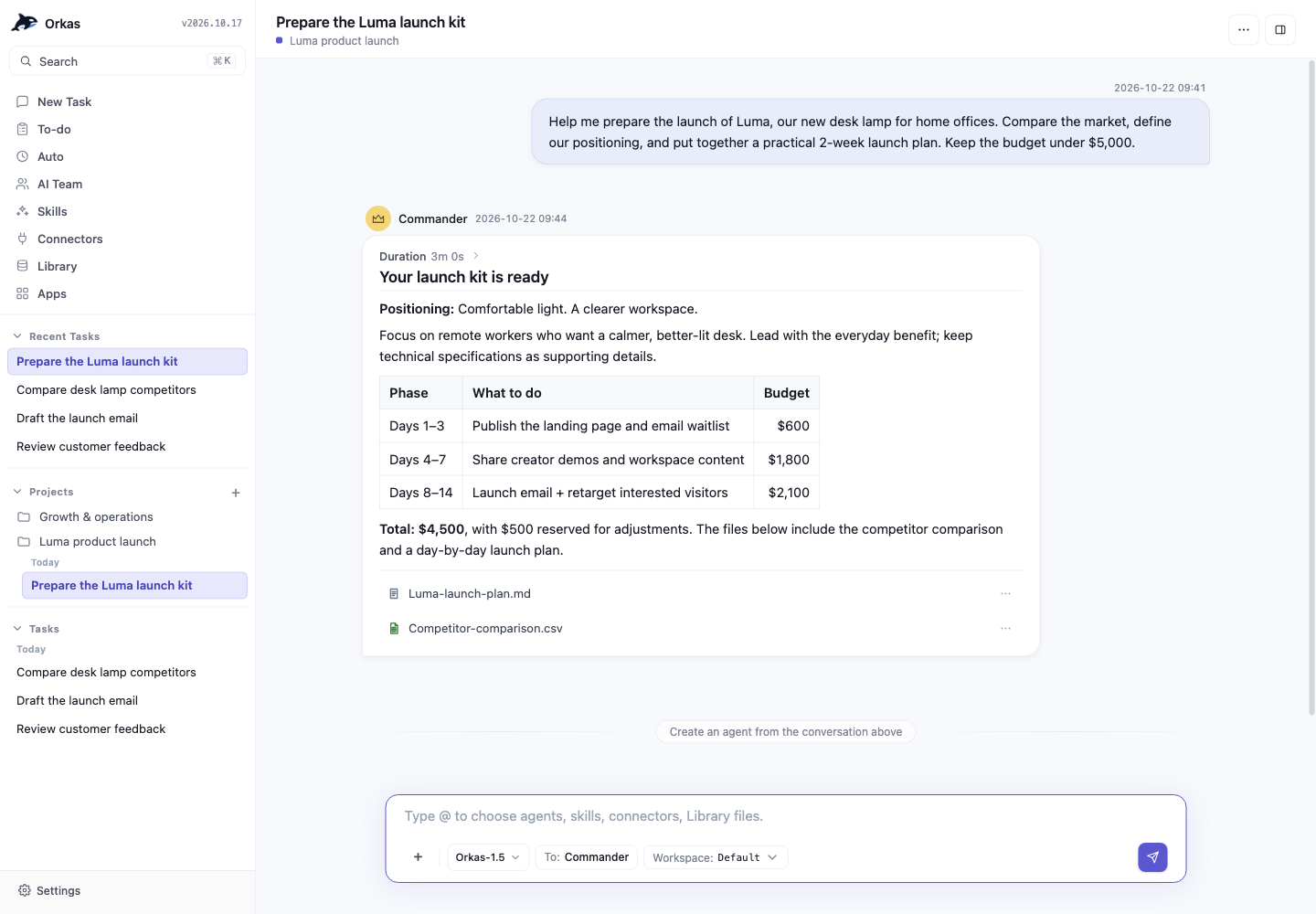
What the team delivers
- Videos, voice-overs and images — VideoStudio, VoiceStudio, ImageStudio
- Research reports, SEO audits and market analysis — DeepResearcher, SeoGeoAgent, StockAnalyser
- Posts, articles, newsletters and slide decks — ContentWriter, PptMaker
- Websites, UI and code — UIDesigner, ProductDeveloper
- Word, Excel, PowerPoint and PDF files — OfficeWorker
- E-commerce work — product research, listings, review analysis, sales analysis and catalog changes, from five e-commerce agents
- Complex work that takes several agents — the Commander splits it up, hands each part to the right agent and combines the results; for example, market research that becomes a report, a slide deck and a launch video
16 specialists ship with the app, each with its own skills, memory and tools. Browse 30+ agents in the agent marketplace, or describe the role you need and the Commander builds a custom agent for you.
All 16 built-in agents
| Area | Agent | What it delivers |
|---|---|---|
| Research & analysis | DeepResearcher | Evidence-grounded research with verified sources, flagged contradictions and an auditable report |
| SeoGeoAgent | Give it a URL — technical audit, content quality, Core Web Vitals, AI-answer (GEO) citability, ranked fix list | |
| StockAnalyser | Equity research, factor screens, backtests and portfolio risk checks, with traceable dashboards | |
| Content & media | ContentWriter | Publish-ready posts, articles, newsletters and case studies from a goal, sources or a rough draft |
| PptMaker | Editable, reviewable PPTX decks from a topic, outline or document | |
| ImageStudio | Posters, covers, social images and infographics | |
| VideoStudio | Narration, AI presenters, captions and dubbing, highlight clips, localization | |
| VoiceStudio | Narration, multi-voice audio, transcripts and subtitles, audio editing and mixing | |
| UIDesigner | Editable, HTML-first UI from product goals, PRDs, screenshots or Figma material | |
| Build & office | ProductDeveloper | Repo-aware engineering — implement a PRD, fix bugs, refactor, review, with verifiable results |
| OfficeWorker | Create, edit, check and deliver Word / Excel / PowerPoint / PDF files, one at a time or in batches | |
| E-commerce | ECommerceResearcher | Product selection by budget, market and sourcing limits — candidates, rejection reasons, validation plans |
| ECommerceWriter | Titles, detail pages, FAQs, image copy and video scripts in your brand voice | |
| ECommerceReviewer | Review and reputation analysis — customer themes, root causes of bad reviews, priorities | |
| ECommerceAnalyzer | Sales, profit, ads, refunds and inventory from your exports — reconciled metrics and decisions | |
| ECommerceOperator | Plans catalog, price, promotion and inventory changes; executes only through tools you connect |
More on each agent → orkas.ai/agents
Keep the work moving
One task is a good start. Orkas is built for the work that keeps going.
- Projects — goals & rules, memory and files that every conversation in the project starts from, so you never brief from scratch.
- To-dos and Auto-advance — every project has a to-do list for people and agents; with Auto-advance on, the team picks up the next item on its own and brings finished work back for your review.
- Scheduled automations — run any task hourly, daily, weekly or monthly. Orkas runs on your computer. From v1.9, each automation catches up its most recent missed run within 12 hours when the computer wakes or Orkas starts.
- Connectors — Gmail, Google Calendar, Sheets and Drive, Notion, Slack, Shopify, Stripe and many more. By default, Orkas asks before it sends, posts or deletes anything.
- Apps — describe a tool and Orkas builds it as a local app inside the desktop app. In the packaged app, paid plans can also publish it as a web app with a public link.
- Shared projects (packaged app) — invite a teammate or VA, and give each to-do to a person or an agent.
[!NOTE] Shared projects, cloud sync and web-app publishing are only in the packaged app — the open-source build doesn't support them yet. To use them, download Orkas for macOS & Windows (free, with 500 credits to start).
Run Claude Code, Codex, OpenCode, OpenClaw and Hermes-Agent together
Orkas runs the CLI agents you already have installed as local sessions, next to its own specialists — the coding agents Claude Code, Codex and OpenCode, and the personal agents OpenClaw and Hermes-Agent. The Commander hands each one the part it's best at and keeps one plan across all of them, so a single chat can fix the bug, review the change and draft the release note. Open-source tools such as HyperFrames plug in the same way.
Using Claude Code and Codex together →
Why Orkas
- A Commander that plans, delegates and does the rest — it breaks down goals, picks the right agents, skills, connectors and tools, and handles analysis, writing, research and file work itself when no specialist is a better fit.
- Local-first by design — conversations, files, knowledge bases and custom agents stay on your disk by default. Cloud sync is optional in the packaged app. With your own keys, model calls go straight from your machine to the provider; the built-in Orkas model runs through Orkas's managed model service.
- Any model, switch any time — the Commander and built-in agents share one model setting: the built-in Orkas model, your own provider, or a local endpoint. External CLI agents keep their own model settings.
- Agents that get better — each agent keeps private skills and memory. Background reviews examine new activity when the app is idle and can refine self-assessment, reusable methods and learned skills.
- Open source, no black box — MIT licensed. Read exactly what Orkas and every agent and skill do.
⭐ If Orkas is useful to you, a star helps more people find the project.
Download
| Packaged app (recommended) | Run from source | |
|---|---|---|
| Platforms | macOS 12+ (Apple Silicon & Intel), Windows 10+ | macOS, Windows, glibc 2.34+ Linux x64/arm64 |
| Account | Sign in — 500 free credits | None |
| Models | Built-in Orkas model, or your own keys | Your own keys or a local endpoint |
| Also includes | Project collaboration, app publishing, cloud sync, and more | — |
| Get it | Download Orkas | Quick start |
The download link detects your system and starts the right installer.
What people use it for
- Marketing content — launch videos, product pages, posts and newsletters in your voice. Content writing · Videos
- Store operations — weekly sales briefs, review replies, listings and competitor checks. E-commerce
- Research and reports — sourced reports and decks, on demand or every week. Research · Data analysis
- Chat with your documents — answers grounded in your own files, with citations back to the source passages. Chat with documents
- Client work — meeting briefs, monthly client reports and update decks in your template. Monthly client report template
- Product launch — landing pages, bug fixes with tests, changelogs and launch posts. Developers
- Build an app — quote calculators, booking forms, internal tools. Build apps
- Small teams — one project for people and agents. Small teams
How Orkas compares
| Tool | What it is | How Orkas differs |
|---|---|---|
| Claude Code | Anthropic's agentic coding tool — in the terminal, IDE, desktop and web, built on Claude models. | Not either-or: Orkas runs Claude Code as one of its agents. Around it, Orkas adds a model-agnostic team for the work beyond code — research, content, video and more — with projects, to-dos and automations that keep it moving. Orkas vs Claude Code → |
| Codex | OpenAI's coding agent — in the terminal, your editor and the cloud. | Not either-or: Orkas runs Codex as one of its agents, next to Claude Code and OpenCode. The Commander can hand the coding to Codex and the review to another agent, then cover the non-code half of a release — docs, launch posts and videos. Orkas vs Codex → |
| LangChain | A developer framework/library for building LLM apps and agents — code-first, embedded in your own Python/JS app. | Orkas is a desktop app you direct through chat, not by writing orchestration code. Data stays local by default. |
| CrewAI | A Python framework for orchestrating role-playing autonomous agents — you define crews and agents in code. | Orkas brings multi-agent orchestration into a desktop app, with projects, to-dos, automations and per-agent self-improvement built in. |
| OpenClaw | A personal-agent platform with messaging integrations, multi-agent routing and sub-agents. | Orkas provides a desktop workspace for finished deliverables, with built-in specialists and coordination across Claude Code, Codex, OpenCode and other CLI agents. OpenClaw can join that workflow as a CLI agent. |
| Hermes-Agent | Nous Research's self-improving agent — one agent with memory and skills, available as a CLI, a messaging gateway and a desktop app. | Orkas coordinates a team: the Commander directs many specialists and other CLI agents, and Hermes-Agent plugs in as one of them. |
Orkas is for you if you want a team of agents rather than one assistant, work that keeps moving across days, and your data, keys and agents on your own disk.
Not for you if you just want a single all-purpose chatbot, or a pure code library to embed in your own app.
Choosing between coding agents? Codex vs OpenCode · Claude Code vs Codex vs OpenCode · Claude Code alternatives
Full side-by-side comparisons → vs Claude Code · vs Codex · vs Cline · vs LangChain · vs ChatGPT · vs OpenClaw · vs Hermes-Agent
Quick start
Want a packaged installer instead? See Download above. To run from source — currently the way to run Orkas on Linux:
Requirements: Node 22.12+ · macOS / Windows 10+ / glibc 2.34+ Linux x64 or arm64. Keep Python 3 and a C/C++ build toolchain available for the uncommon native-module source-build fallback.
git clone https://github.com/Orkas-AI/Orkas.git
cd Orkas
./run.sh           # macOS / Linux
run.cmd            # Windows
Linux source runs require glibc 2.34+. Alpine and other musl-based distributions are not supported. Local speech transcription downloads and verifies the target-native whisper.cpp runtime and multilingual model during the first source launch.
run.sh / run.cmd installs the locked npm dependency tree and prepares the pinned Python, uv, Node, embedding model (95 MB), OfficeCLI, FFmpeg, whisper.cpp, and multilingual speech model resources on first launch. Linux startup then verifies the platform-native modules and Whisper runtime under Electron's ABI before opening the app. OCR and Skill-specific Python packages are installed into isolated local environments when those features are first used. First launch creates a workspace under `/.orkas/(macOS / Linux) or:.orkas` (Windows). Then open Settings → AI Providers to add an API key or OAuth.
Native dependency errors: use Node.js 24 LTS (minimum 22.12.0), then run
npm run native:repair from this checkout. This restores optional packages,
repairs SQLite for Electron, prepares bundled Node for isolated image processing,
and checks SQL, sqlite-vec and sharp before success.
Use npm run native:check for a check without installation.
See the native dependency verification script for the checks performed.
How it works
Task routing
The Commander handles general work itself and delegates specialist work through three tools:
dispatch_toruns a named agent and returns its result for continued work. It can wait for the result or run asynchronously and notify the Commander when the task finishes.hand_off_totransfers the remaining work to a named agent and ends the current Commander turn. The agent delivers its own reply; an optional continuation lets the Commander resume a broader task afterward.run_workerruns an anonymous, isolated sub-task and returns a private result. It does not receive conversation history or a named agent's skills.
Named agent tasks and anonymous workers have separate concurrency controls. See the dispatch implementation and execution locks.
Context management
The runtime budgets context against the selected model's usable input capacity, accounting for prompts, tools and persistent runtime state. Completed dialogue uses a bounded recent-history window; long active tasks use checkpoints to condense earlier process messages while retaining recent work. File reads, file changes and command executions also have structured records that can survive context compaction.
See context budgets, session history and checkpoints and workspace records.
Memory and the Library
Durable notes keep user preferences, project facts and each agent's reusable knowledge in separate scopes. These notes are distinct from the Library's document index and the stored conversation history.
The Library extracts documents into passages and stores a local SQLite vector index. Its embedding model runs on your machine; the library tool can list files, search relevant passages and read source content from the global or current-project Library. Earlier conversations are retrieved separately through chat_history.
See scoped memory, document extraction, Library tools and conversation retrieval.
Execution limits and recovery
Session locks and concurrency limits bound parallel work. Tool-round budgets, progress checkpoints, repeated-call checks and phase-aware idle watchdogs help contain runs that stall or repeat work. Named agent tasks can be tracked and cancelled individually; an admitted or queued task is not treated as a completed result.
See actor budgets, the agent runtime and the desktop model adapter.
Learning from activity
Background reviews examine new agent activity when the app is idle, subject to cooldowns and execution limits. A review may update an agent's self-assessment (COMPETENCE.md), reusable methods (LEARNING_STRATEGIES.md) or learned skills. Reviews depend on new activity rather than task count, and can conclude that there is nothing worth saving.
See the reflection scheduler and review prompt.
FAQ
What is Orkas? Orkas is an open-source (MIT), local-first multi-agent desktop app. Its Commander turns your goal into to-dos and coordinates 16 built-in specialist agents — plus Claude Code, Codex, OpenCode, OpenClaw and Hermes-Agent — to deliver finished files. Not a single chatbot, not a code framework, not a hosted SaaS.
Do I need an API key? No. The packaged app comes with 500 credits for the built-in Orkas model. After that, buy credits, choose a paid plan or add your own provider keys; provider charges are separate.
Is Orkas a local LLM? No. Orkas runs on your machine and calls the models you choose — the built-in Orkas model, your own API keys, or a local model endpoint. It orchestrates agents and tools; it is not itself a model.
Can Orkas answer questions from my documents, with citations? Yes. Add PDFs and documents to your local Library; Orkas can search them and answer with citations to source passages, so you can open the original and check. The index is built on your machine.
Can I use local models like Ollama or LM Studio? Yes. Open Account settings → Models → Chat → Add model → Custom, select OpenAI-compatible or Anthropic-compatible, and enter the base URL, exact model ID, and API key. Choose the saved model from the task's model control.
Where are my API keys and data stored? On your disk by default. Your own provider keys are encrypted locally and excluded from cloud sync. With your own keys, model calls go straight from your machine to the provider; the built-in Orkas model uses Orkas's managed service. Optional cloud sync and shared projects in the packaged app store the selected data on Orkas servers. Security and data handling →
Does Orkas work offline? The source build can run fully offline against a local model endpoint. The packaged app needs to sign in, and cloud models need a network connection.
Does it keep working when my computer is off? No — Orkas runs on your computer, so Auto-advance and automations need the computer awake and Orkas running. From v1.9, each automation catches up its most recent missed run within 12 hours when the computer wakes or Orkas starts.
Can I build and publish apps? Yes. Local apps that run inside Orkas are free. Publishing a web app to a public link needs a paid plan (Lite 5, Pro 8, Max 15 apps), and published web apps don't include every capability available inside Orkas.
Do I need an Orkas account? The packaged desktop app asks you to sign in when you first launch it. The source build in this repository has no account layer at all — it boots straight into the app.
Can Orkas drive Claude Code and other CLI agents? Yes. Orkas can drive five external CLI agents as local subprocesses — the coding agents Claude Code, Codex and OpenCode, plus the personal agents OpenClaw and Hermes-Agent — and onboard open-source projects like HyperFrames, all directed from the same chat.
How is Orkas different from Claude Code / Codex / CrewAI / LangChain? Claude Code and Codex are coding agents — Orkas runs both as members of its team, so you don't have to choose between them; CrewAI and LangChain are code-first frameworks. Orkas is an open-source desktop app where a Commander coordinates a team of specialist agents and your CLI agents, with any model provider, and keeps data and keys local. See the full comparisons.
Which platforms does Orkas support? macOS 12+ (Apple Silicon and Intel) and Windows 10+ have packaged installers. glibc 2.34+ Linux x64/arm64 runs from source today, with no installer yet. Local speech transcription is supported on Linux through the pinned whisper.cpp runtime prepared on first launch. Alpine and other musl-based distributions are not supported. The source bootstrap needs Node 22.12+; Python 3 and a C/C++ build toolchain are needed only when a native npm package has no compatible prebuilt binary and must be rebuilt locally.
Is Orkas free and open source? Yes — the app is MIT licensed and free to use. The packaged app includes 500 credits for the built-in Orkas model; paid plans from $11.99/month add monthly credits, cloud sync, more shared projects and app publishing. With your own keys, model usage is billed by your provider; Orkas does not add a markup. Pricing →