carterwayneskhizeine/hermes-agent-windows-R
Windows-native adaptation fork of Hermes Agent, based on upstream Hermes Agent 0.13.0. Improves local runtime environment, path handling, process management, and terminal backend compatibility — no WSL required.
This project is a Windows-native fork of Hermes Agent designed to resolve compatibility issues with path handling, process management, and terminal encoding. It implements specific adaptations for Git Bash path conversion and introduces a multi-profile runtime system for running parallel instances. The fork includes a dedicated PowerShell-based startup workflow and a web-based Dashboard UI optimized for the Windows environment.
- Fixes Git Bash path handling and terminal encoding for Windows
- Supports multi-profile management and parallel gateway instances
- Includes psmux integration for one-click automated environment launching
full readme from github

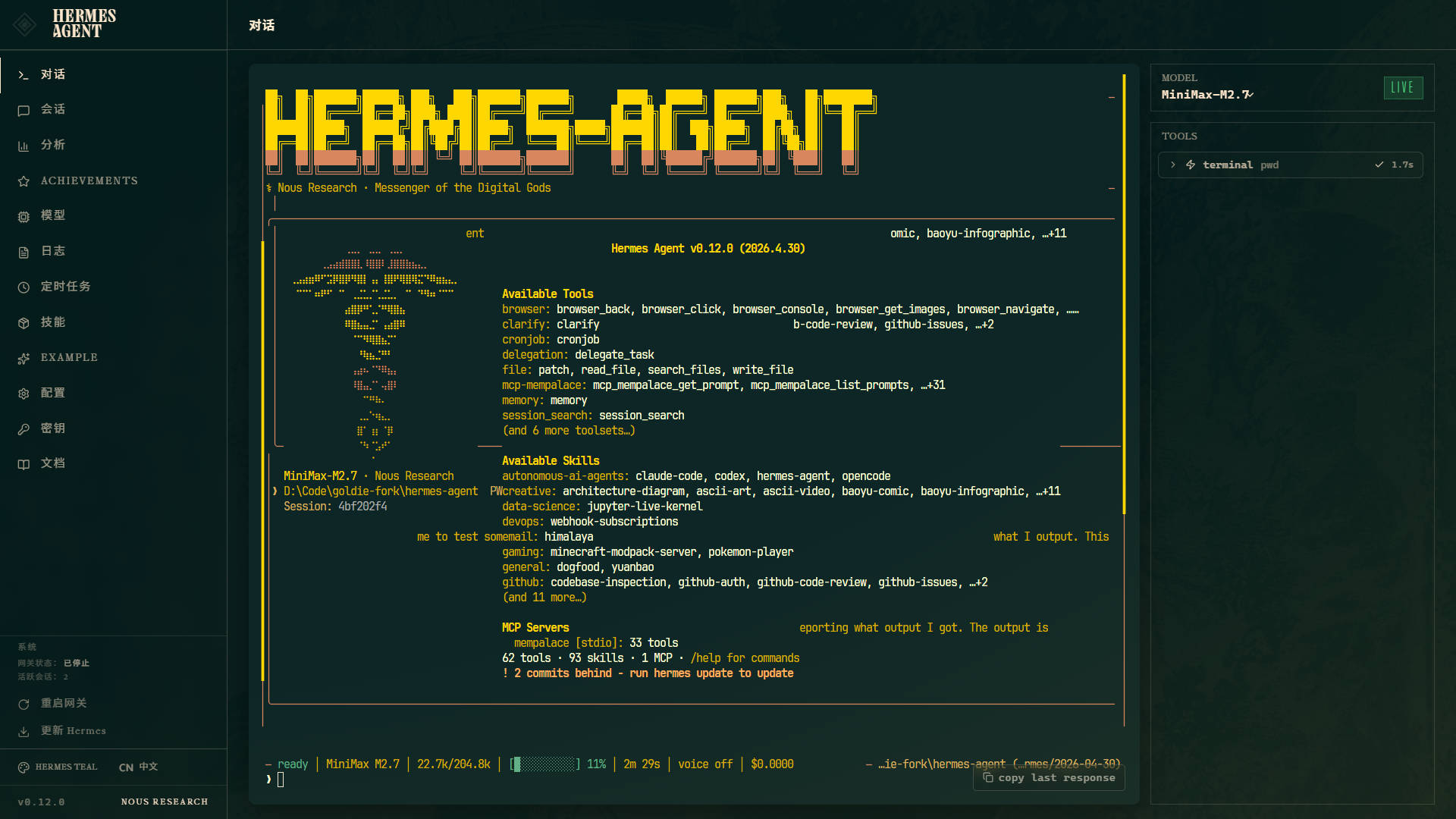
Hermes Agent — Windows Development Fork
This is a Windows-native development fork of Hermes Agent, focused on fixing encoding, Git Bash path handling, TUI, Dashboard Chat, and multi-profile runtime experience on Windows.
Original upstream README: README_hermes.md. Chinese version of this README: 中文版. Original fork repository: https://github.com/carterwayneskhizeine/hermes-agent
Quick Start
git clone https://github.com/carterwayneskhizeine/hermes-agent-windows-R.git
cd hermes-agent-windows-R
uv venv venv --python 3.12
.\venv\Scripts\Activate.ps1
uv pip install -e ".[all,dev]"
hermes model
hermes gateway run
For full installation instructions, Windows-specific notes, and multi-instance configuration, see the documentation links below.
Documentation
| Topic | Description |
|---|---|
| Windows Docs Overview | Entry point for Windows installation, running, and troubleshooting |
| Windows Quick Start | Requirements, installation steps, initial config, Git Bash paths, common commands |
| psmux One-click Launch | Install psmux, use start-hermes.ps1, AI script modification prompts |
| Profiles & Multi-instance | Create profiles, -p flag, HERMES_HOME, run multiple Gateways/Dashboards in parallel |
| Profile Config Examples | Sanitized config examples: default / belbin / goldie / mem / turing |
| Dashboard Web UI | Launch Dashboard, frontend build, TUI Chat, multi-profile ports |
| Windows-specific Notes | Git Bash path conversion, CWD, dangerous command interception, process management, adaptation summary |
| Windows Troubleshooting | Common install, port, Web UI, Gateway lock, and path issues |
| Windows Adaptation Log | Full porting records and historical change notes (English) |
Common Commands
hermes                  # Start interactive CLI
hermes gateway run      # Start message gateway
hermes model            # Switch LLM model
hermes tools            # Manage tool toggles
hermes doctor           # Diagnose environment issues
Build Dashboard frontend (first time):
cd web
npm install
npm run build
cd ..
Start Dashboard:
python -m hermes_cli.main dashboard --no-open --tui
Open in browser:
http://127.0.0.1:9119
psmux one-click launch:
winget install psmux
.\start-hermes.ps1