Codename-11/hermes-relay
Hermes-Relay — Your Hermes AI agent, in your pocket — chat, voice, and control.
Hermes-Relay is a native Android companion and CLI tool for the Hermes agent platform. It enables streaming chat, voice interaction, and agent management from mobile devices while the agent's core processing remains on a separate machine.
- Android app for chat, voice, and agent management.
- Beta CLI for remote file, terminal, and screenshot access.
- Supports standard Dashboard/Gateway connections over LAN or Tailscale.
full readme from github
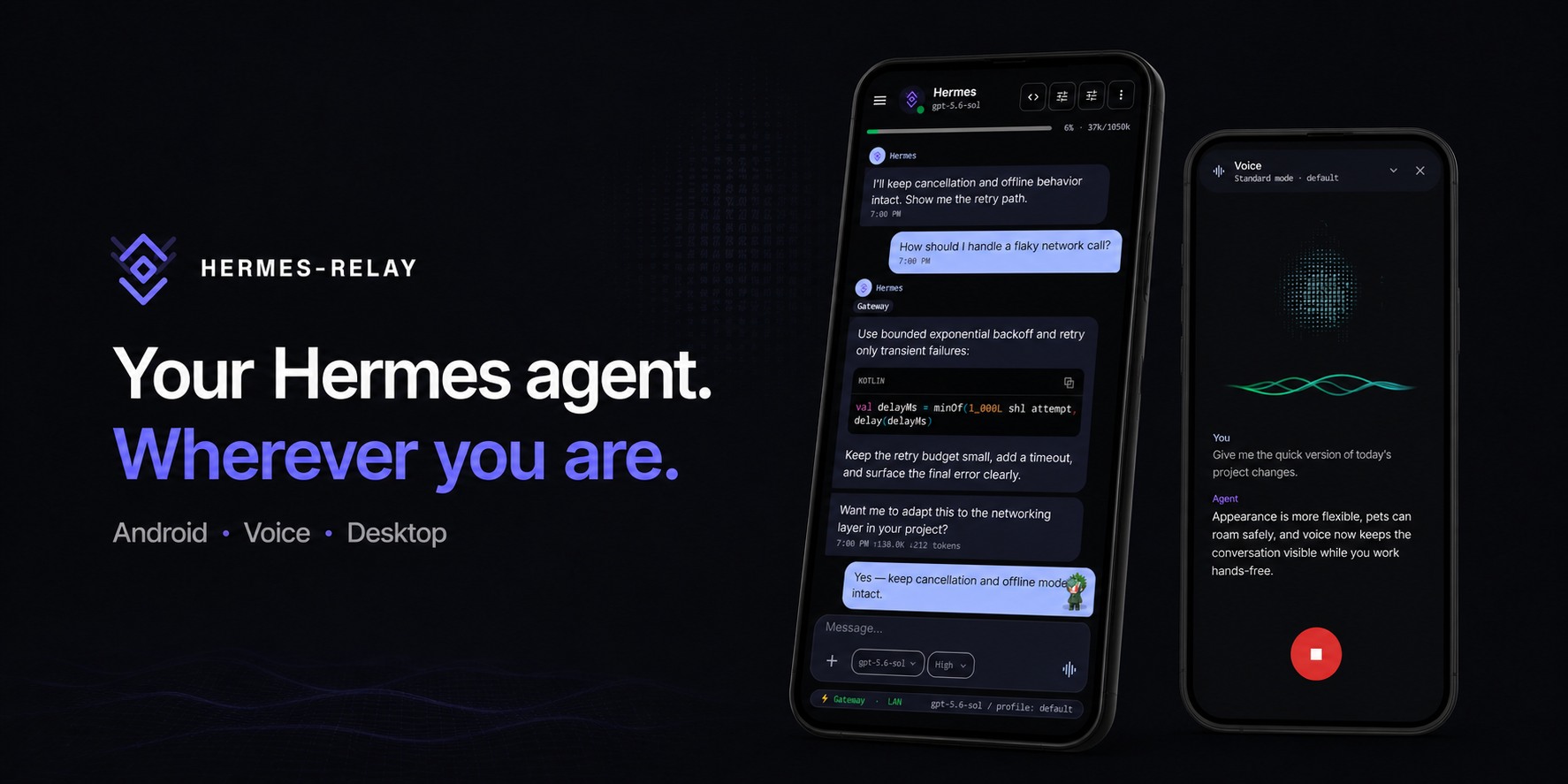
Runs on your machine. Lives on your devices.
A native Android companion for your Hermes agent — streaming chat, hands-free voice,
and full agent management. Plus a single-binary CLI that gives the agent hands on any machine you pair.





English ·
Deutsch ·
Español ·
日本語 ·
Português (Brasil) ·
Русский ·
简体中文
Documentation ·
Releases ·
Discussions ·
Changelog ·
Hermes Agent
What it is
Hermes-Relay puts your Hermes agent on the devices you actually carry. The brain stays on your own machine — Hermes-Relay is how you reach it.
- 📱 Android app — streaming chat, hands-free voice, native plugin pages, and the full Hermes dashboard (models, keys, skills, profiles), rebuilt native. Add a floating Petdex companion or optionally make Hermes your Android assistant; sideload builds can also let the agent read and act on your screen.
- ⌨️ Hermes-Relay CLI (beta) — a single binary that gives the agent hands on any machine you pair: files, terminal, search, screenshots — consent-gated.
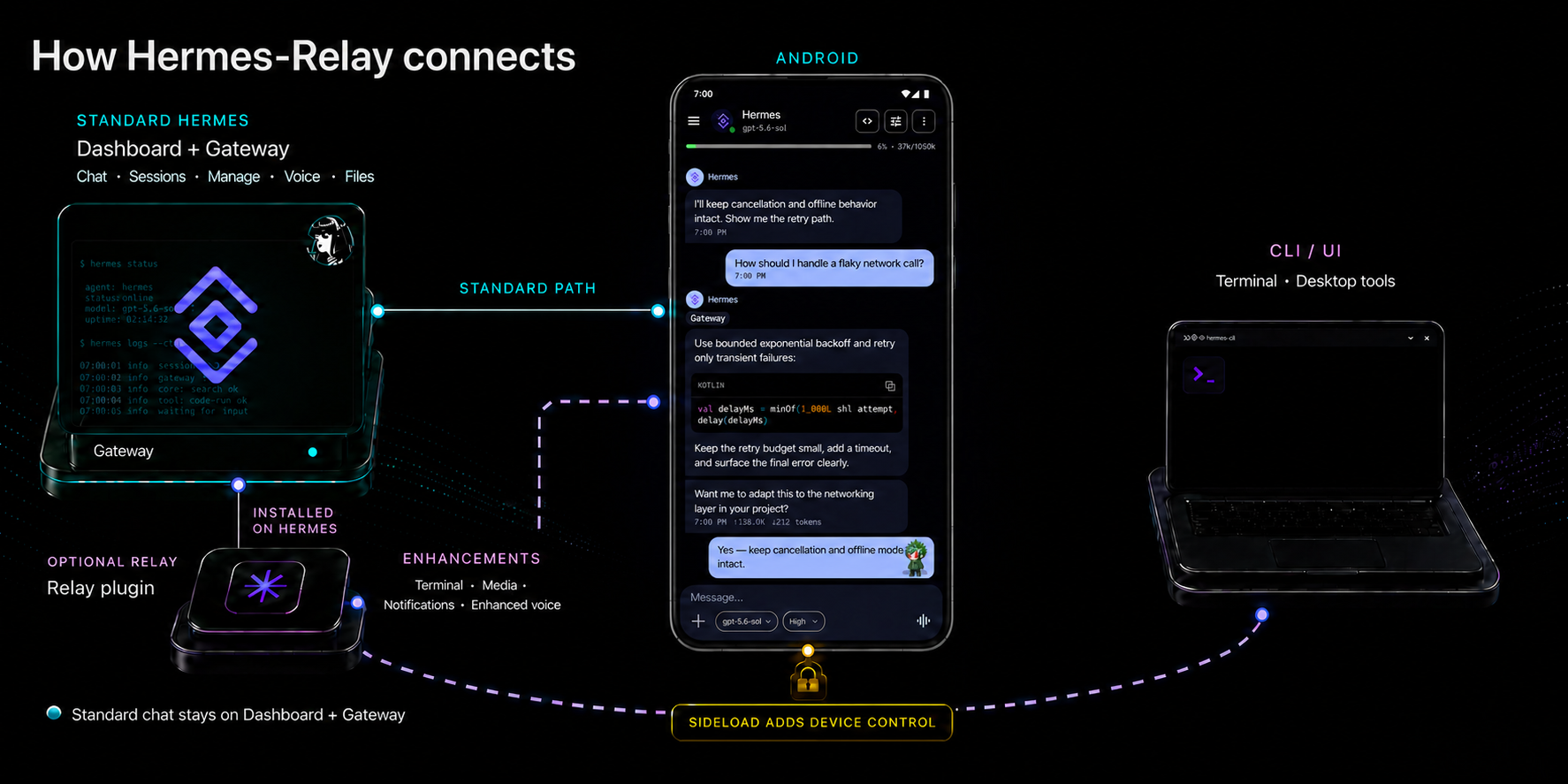
A vanilla hermes-agent install is enough for the upstream standard path: chat, management, voice, inbound files, Petdex, and ordinary installed-plugin pages. The Hermes-Relay plugin is optional for that base but encouraged for the complete current experience: Terminal/TUI, notifications, desktop tools, enhanced voice, Relay sessions, page drafts, optional Device Control, and media compatibility or metadata. Hermes-Relay prefers compatible upstream surfaces as they become available instead of keeping duplicate extension paths. Connect Hermes first, then grant Hermes-Relay separately; the same one-time invite contract pairs Android or the Desktop CLI.
Quick Start (Android)
Install → connect → talk, in about two minutes.
1 · Install the app
- Google Play (easiest — auto-updates) — install from Google Play. Chat, voice, sessions, Manage, and inbound files work with standard Hermes; pairing the Hermes-Relay plugin adds Terminal/TUI, notifications, Relay sessions, and media enhancements.
- APK (full phone-control feature set) — download the file ending in
-sideload-release.apkfrom the newestandroid-v*release on GitHub Releases and open it (allow your browser to install unknown apps the first time). Integrity verification, signing fingerprint, and per-build details are in the Sideload guide.
Sideload builds check GitHub for updates and show a one-tap banner when you're behind; Play builds update through the Store. See Release tracks for the capability matrix.
2 · Have the Hermes Dashboard running
The normal Android connection uses the upstream Hermes Dashboard/Gateway for chat, sign-in, sessions, Manage, voice, and inbound files. Installing Hermes and choosing a provider is vanilla Hermes setup:
hermes setup --portal   # install / log in / pick a provider — skip if already done
hermes dashboard       # start the standard Dashboard/Gateway surface
Make the dashboard reachable from your phone over a trusted LAN, Tailscale, or an HTTPS reverse proxy. The full walkthrough covers Windows, remote access, and dashboard authentication. You do not need to enable the separate API server or invent an API key for the standard path.
Start on a trusted LAN. For away-from-home access, Tailscale is the recommended path. Secure Link, public TLS, and experimental routing options are covered in the remote-access guide.
3 · Connect and talk
Use Find Hermes on LAN or enter the Dashboard address manually
(conventionally http://<host>:9119). Sign in through the
Dashboard's configured provider when prompted. The app probes the available
upstream capabilities and finishes with a connection summary.
If the Relay Dashboard page is already installed, Connect mobile app offers the same standard connection as a tokenless QR. It contains only the Dashboard address and does not install, enable, or pair Relay.
The separate API server can be discovered automatically or added later under Advanced as a chat fallback or for a headless compatibility setup. Its API key is requested only when that optional endpoint is configured. Existing API-first setup QRs remain importable.
The wizard probes everything and finishes with a capability card:
| Line | What it means |
|---|---|
| Chat | Dashboard/Gateway ready — you can talk |
| Manage | Models, keys, skills, and profiles are available from the phone |
| Voice | Speech ready via your server (or one Manage sign-in away) |
| Direct API | Optional API-only compatibility route available/unavailable |
| Relay | Recommended extensions paired/unpaired; never blocks the upstream path |
One dashboard sign-in unlocks Chat, Manage, sessions, and standard voice. That's the whole Vanilla Hermes setup.
Going places? Add the Dashboard's Tailscale address — for example
http://100.x.y.z:9119or a separately publishedhttps://host.ts.netURL — under Settings → Gateways → Routes. Android tests it as a Dashboard route; no API server or API key is required. The app uses LAN at home and switches routes automatically when you leave. See Remote access.
4 · Recommended: pair Relay for the complete experience
Install Relay for Terminal/TUI, notifications, desktop tools, enhanced voice, Relay sessions, approval-gated page drafts, optional Device Control, and media compatibility or sensitivity metadata:
hermes plugins install Codename-11/hermes-relay/plugin --enable
hermes relay doctor
hermes relay start --no-ssl
Use --no-ssl only on a trusted LAN or VPN. Use the
remote-access guide before
exposing any Hermes surface beyond that network.
Refresh or restart the Dashboard/Gateway, open Relay → Pair new device, and scan the one-time QR from Android Settings → Gateways → Access → Pair Relay. Leave mode on Auto for the recommended route discovery. The same dialog shows a copyable invite for Desktop CLI clients:
hermes-relay pair --pair-qr "hermes-relay://pair?payload=…" --grant-tools
As alternatives, hermes pair renders the same Android QR and pasteable invite
in a terminal, while URL + six-character code and --register-code remain
manual fallbacks when QR or clipboard transfer is unavailable.
Next: Android + Hermes-Relay Quick Start · Desktop CLI pairing · server, TLS, legacy install, and uninstall reference
Requirements: Android 8.0+ (SDK 26) · current upstream hermes-agent with the Dashboard/Gateway enabled · Python 3.11+ when installing the Hermes-Relay plugin. Direct API is optional; the Hermes-Relay plugin is encouraged for the complete experience.
Screenshots
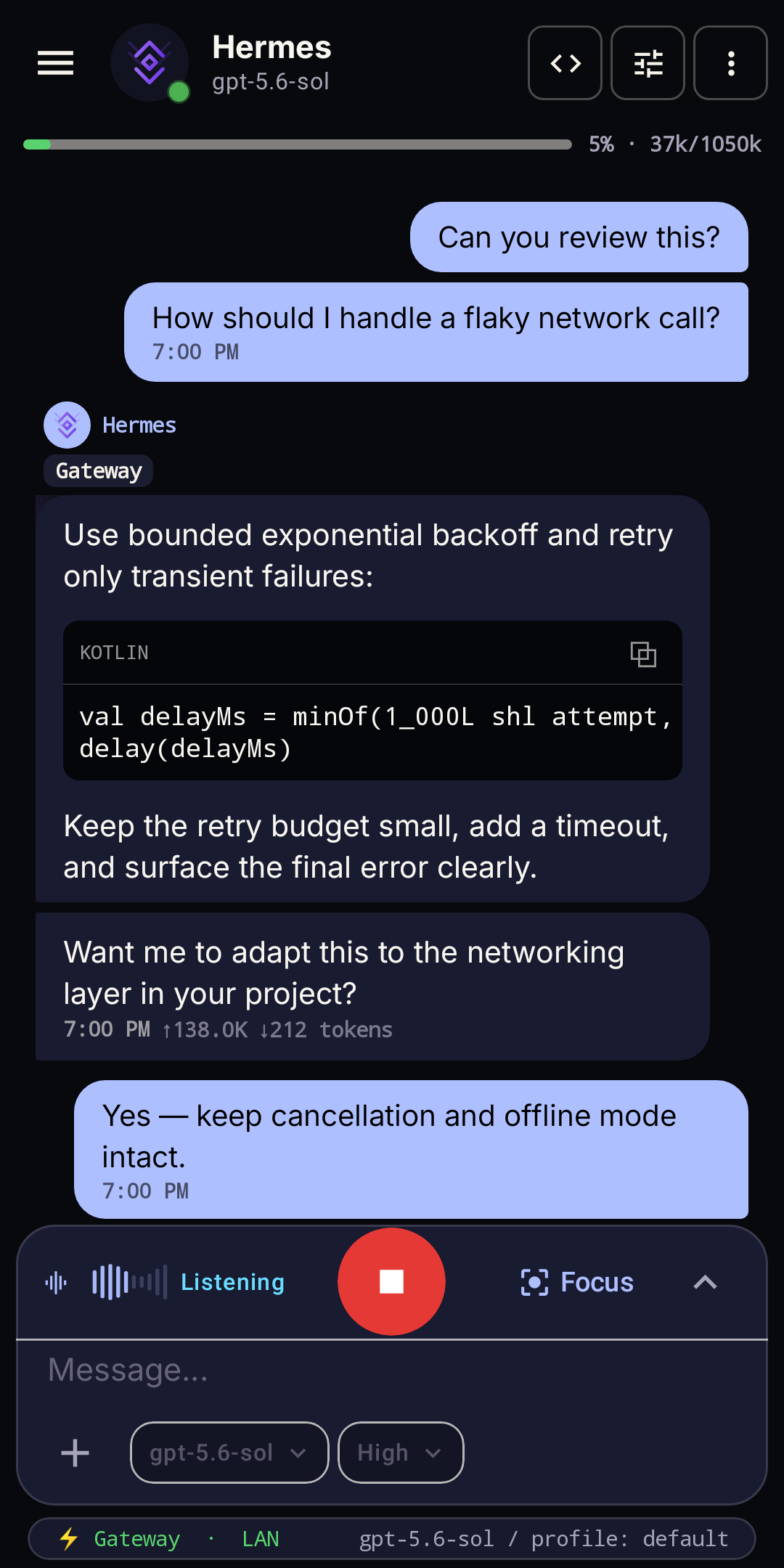 Voice in chat |
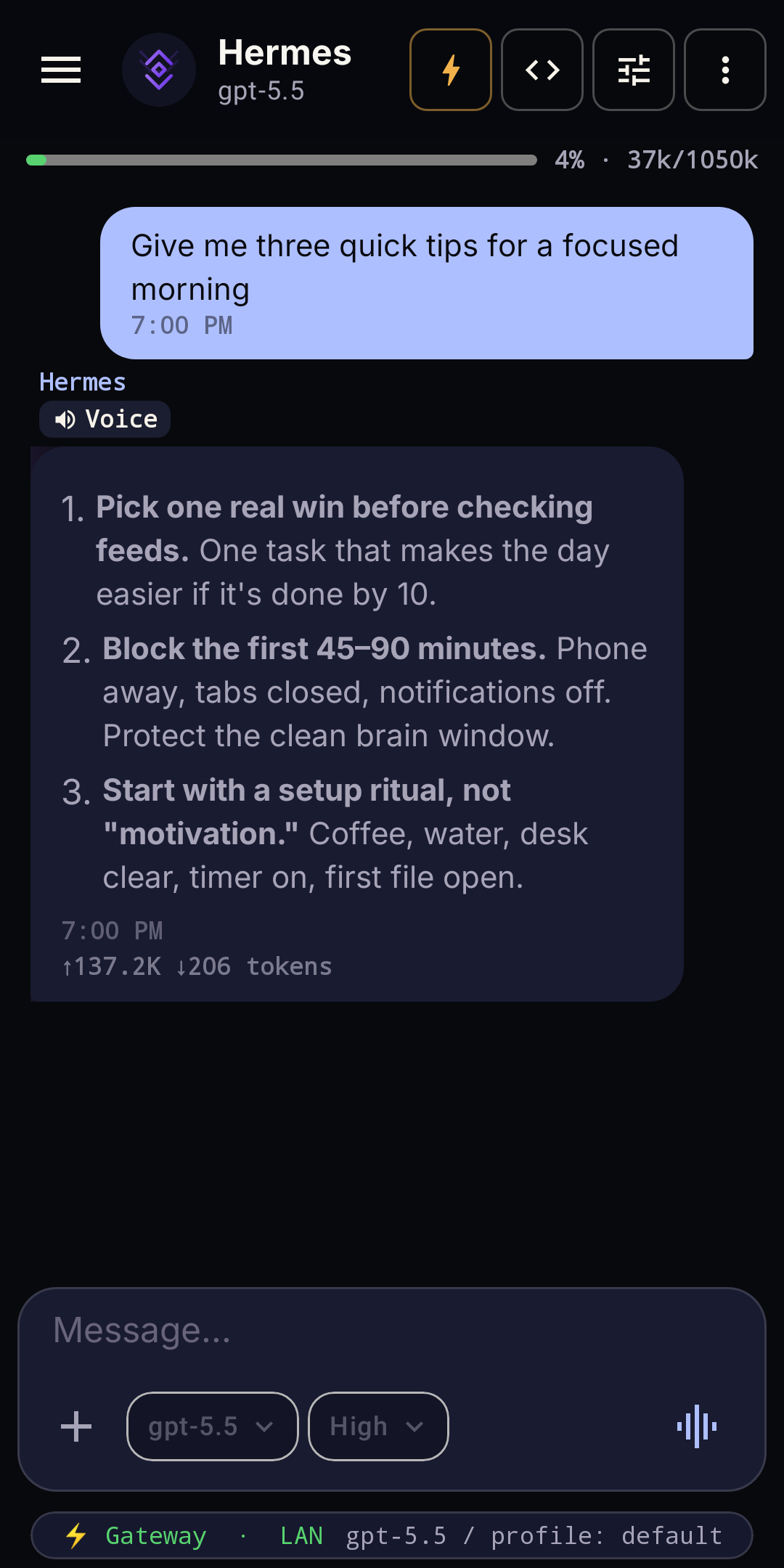 Streaming chat |
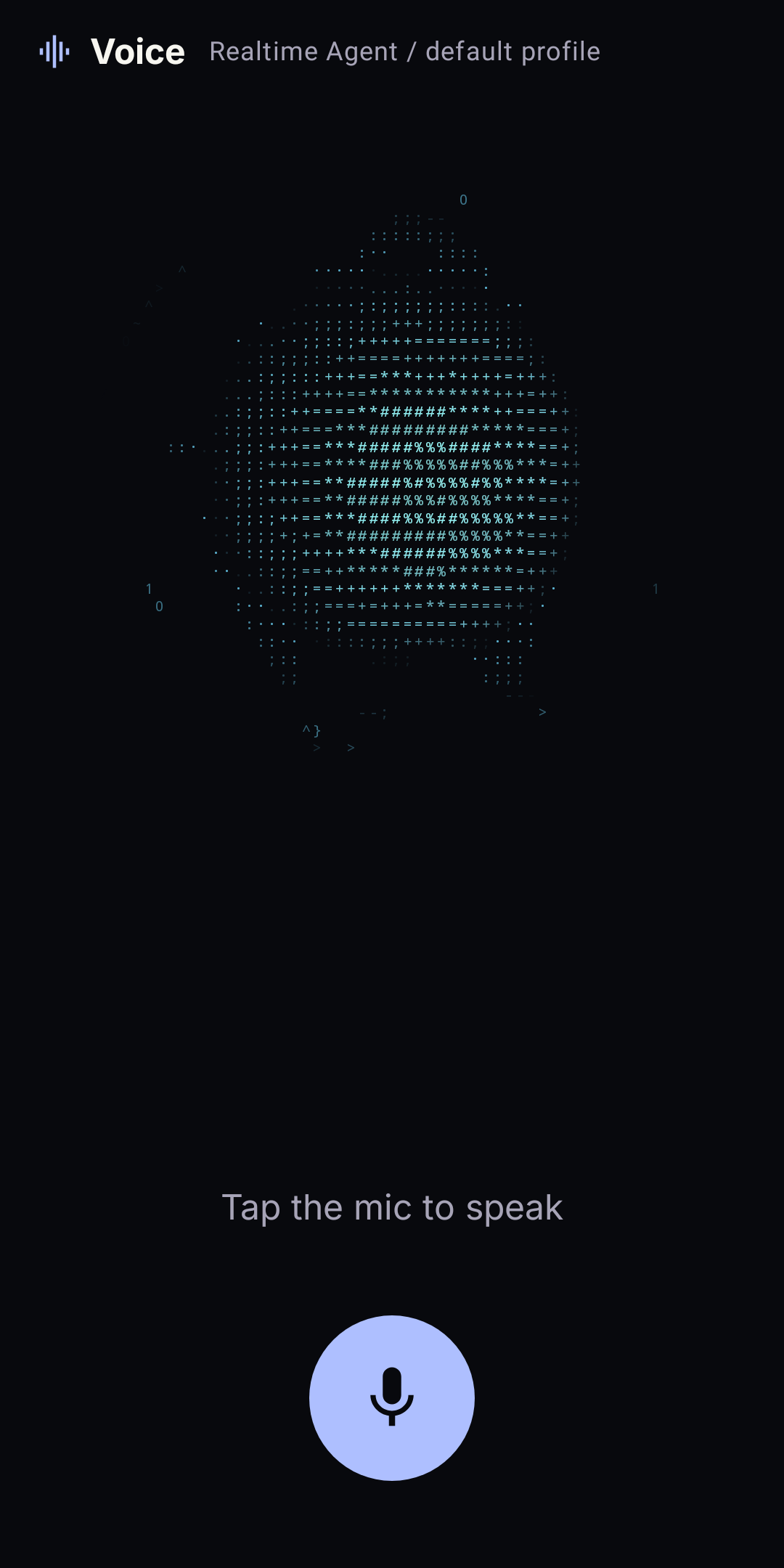 Hands-free voice |
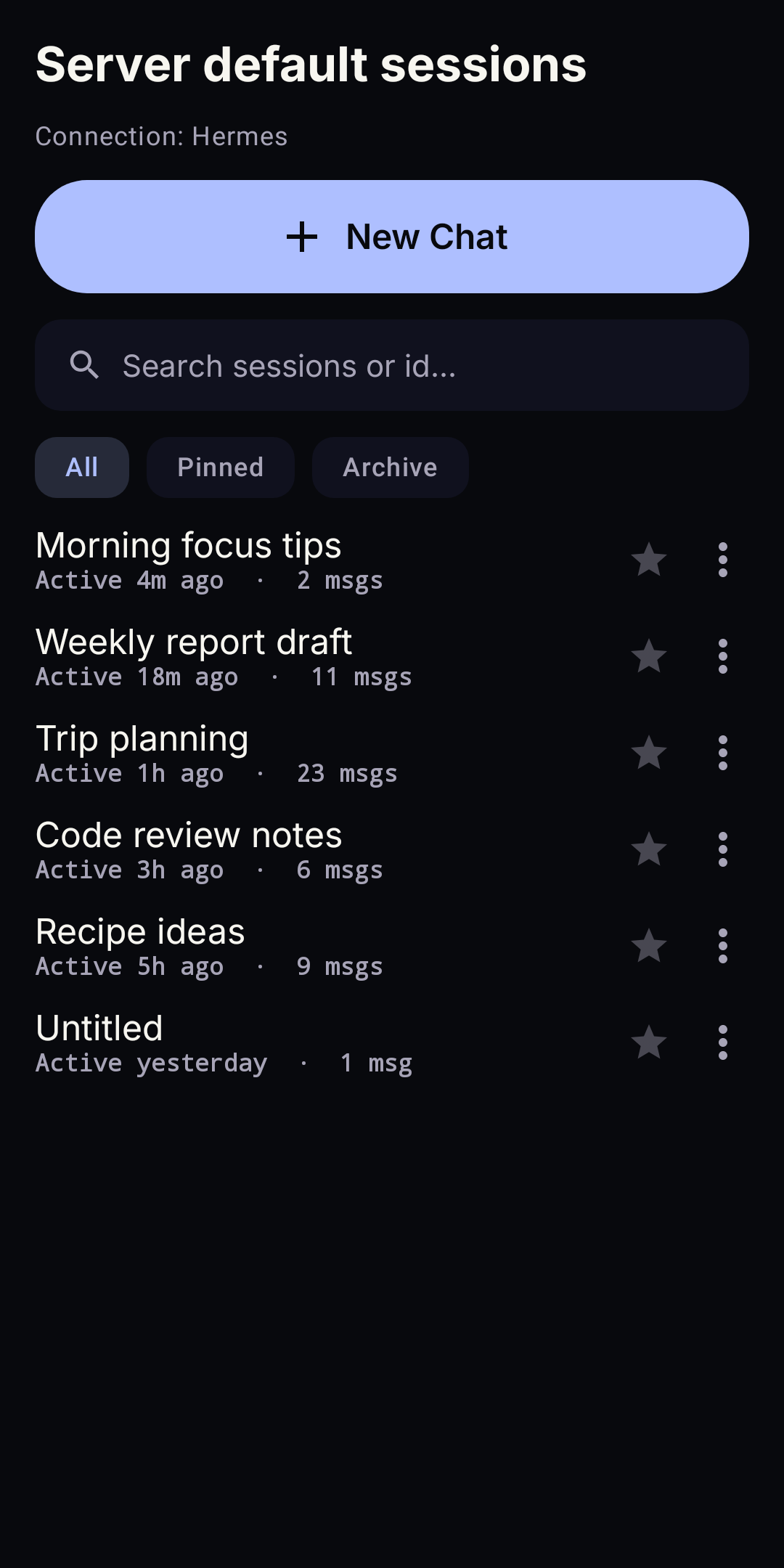 Session history |
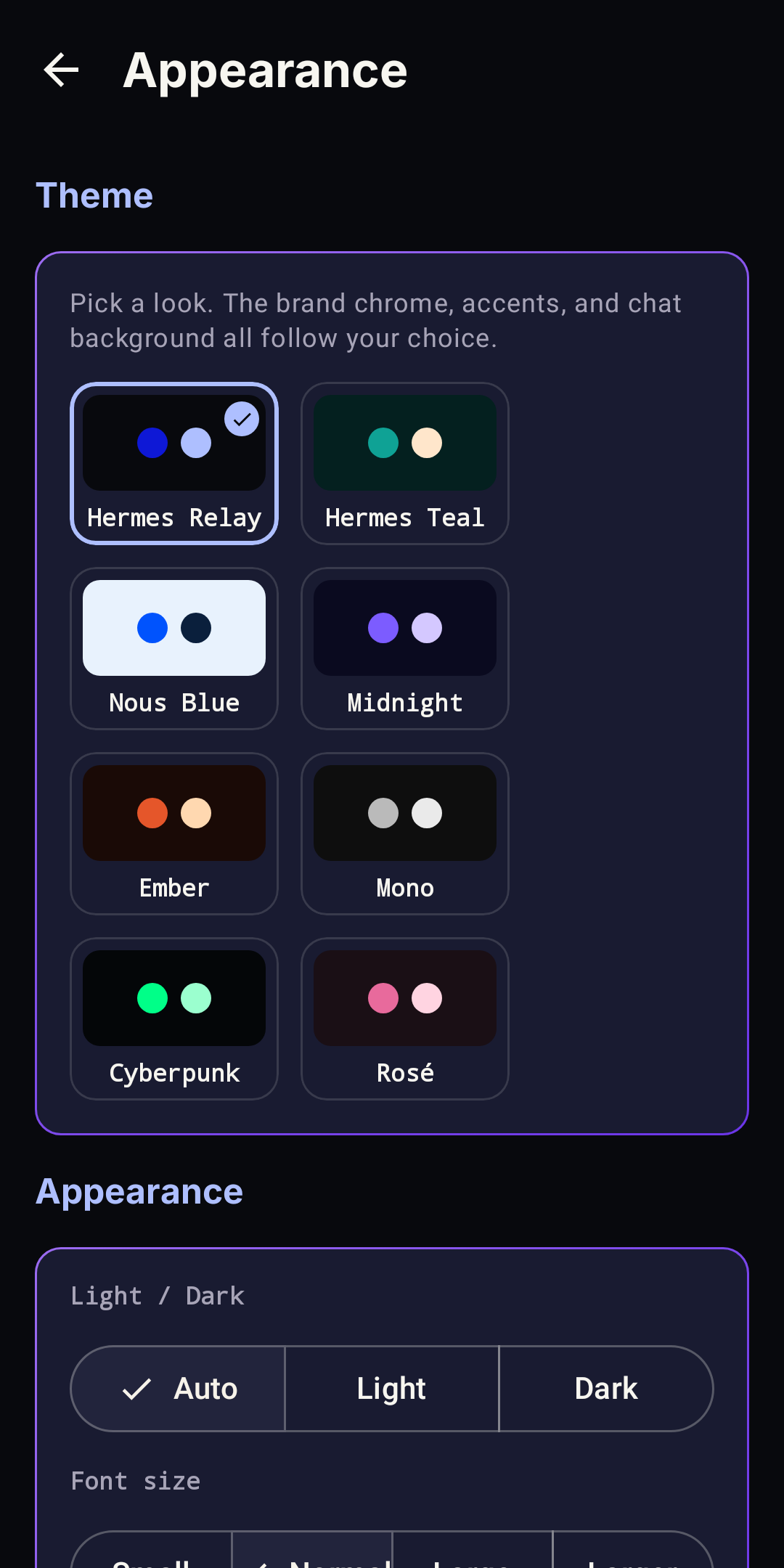 App themes |
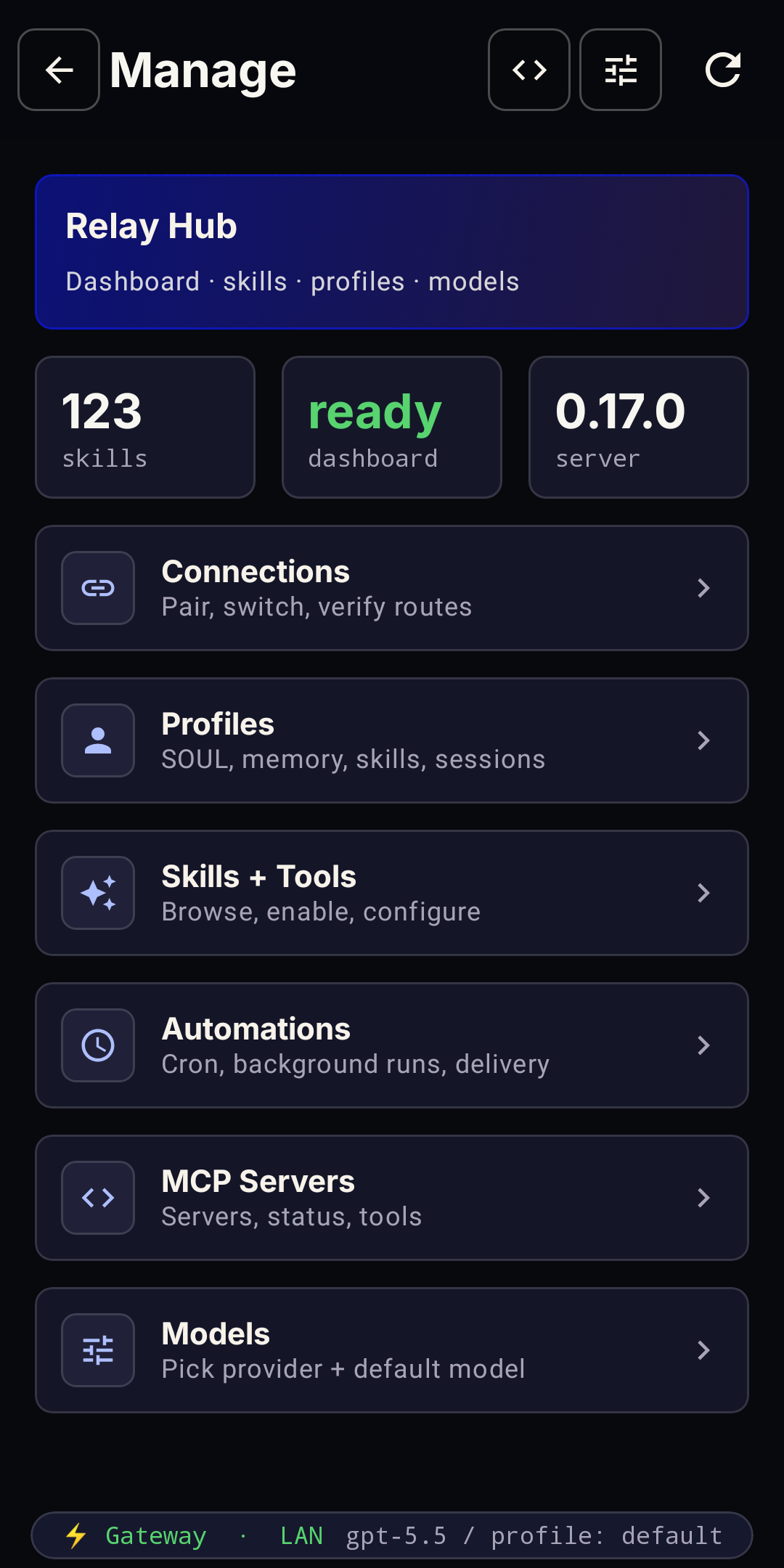 Manage your agent |
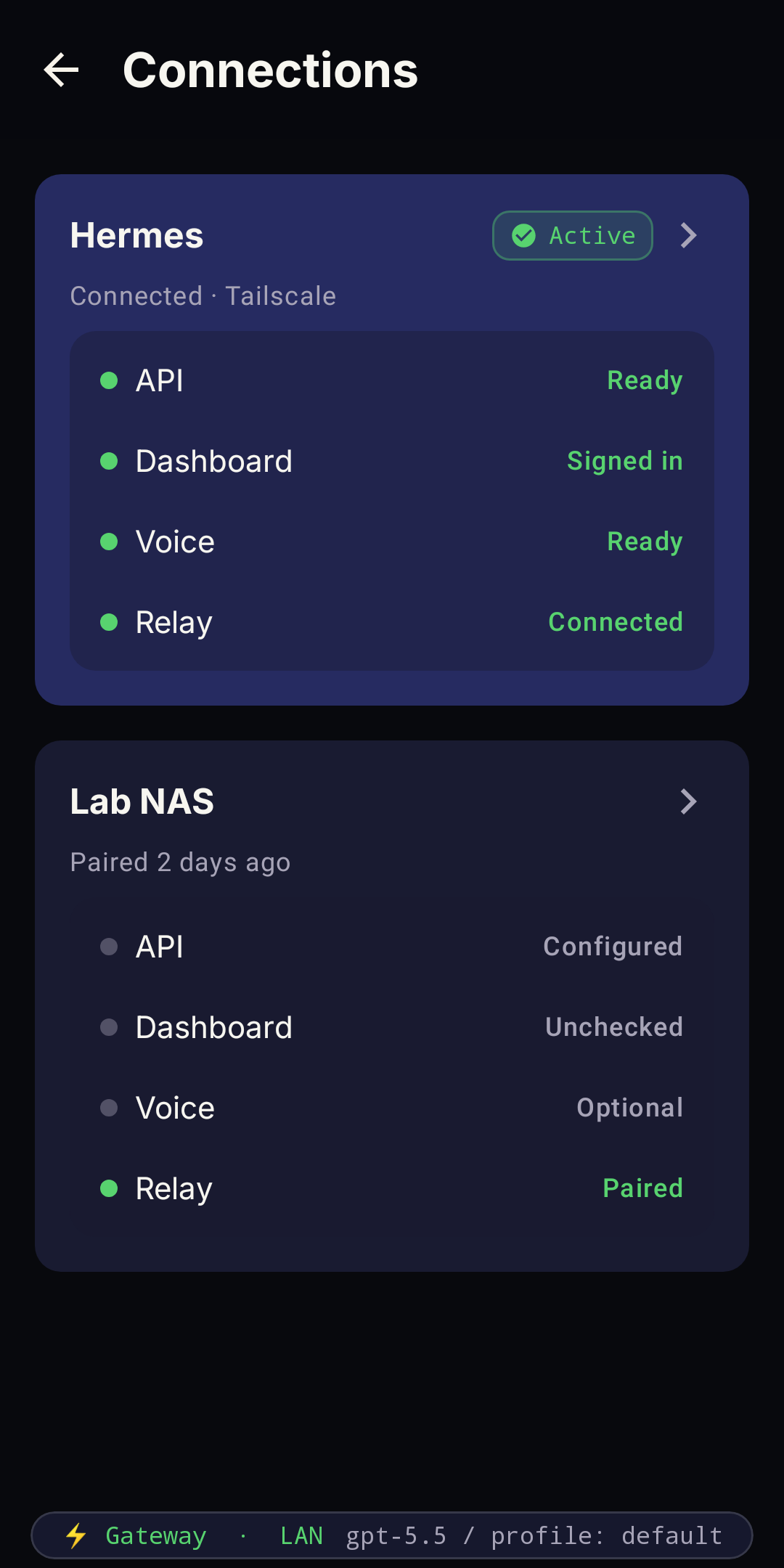 Gateways & routes |
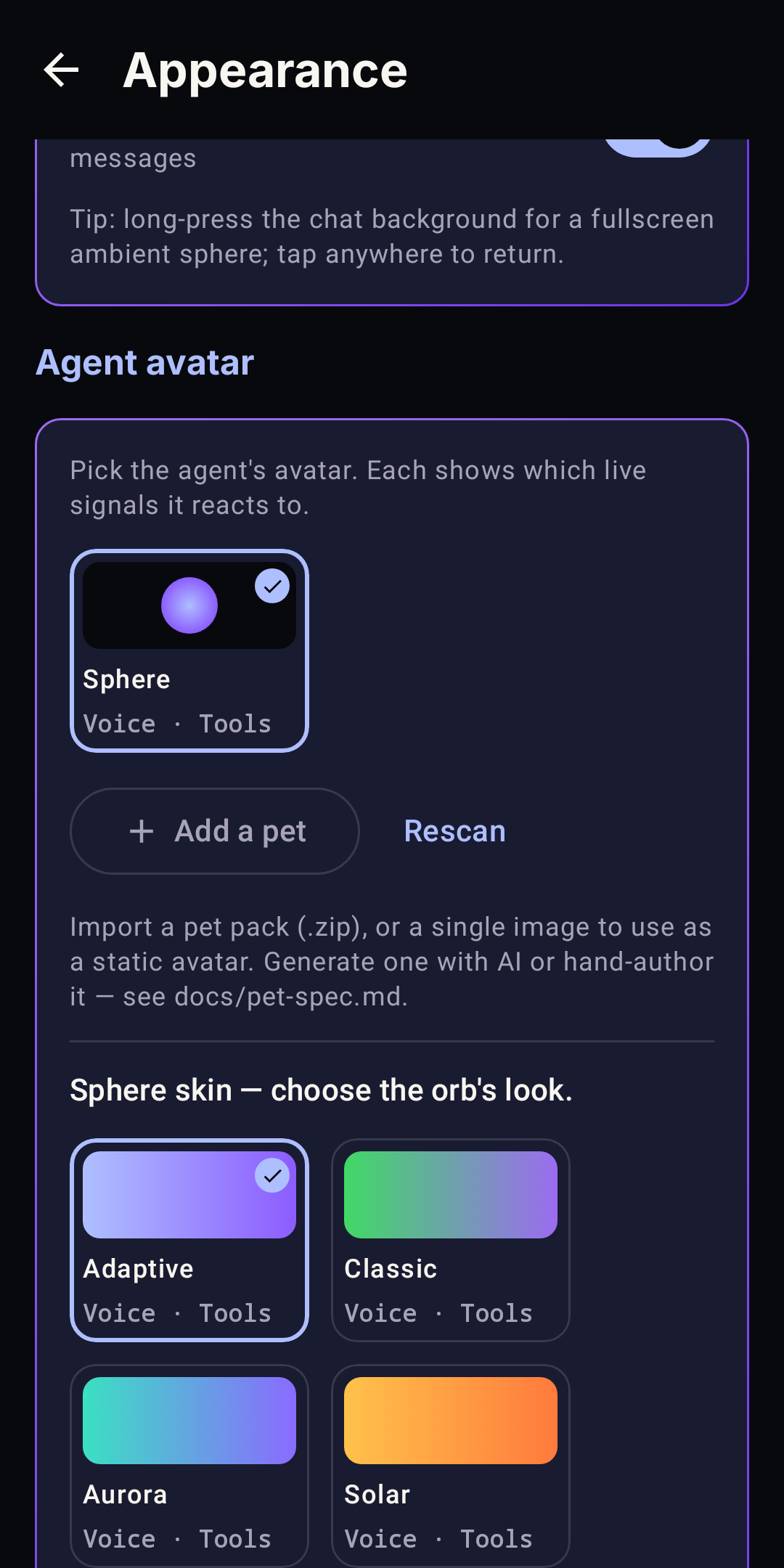 Avatars & skins |
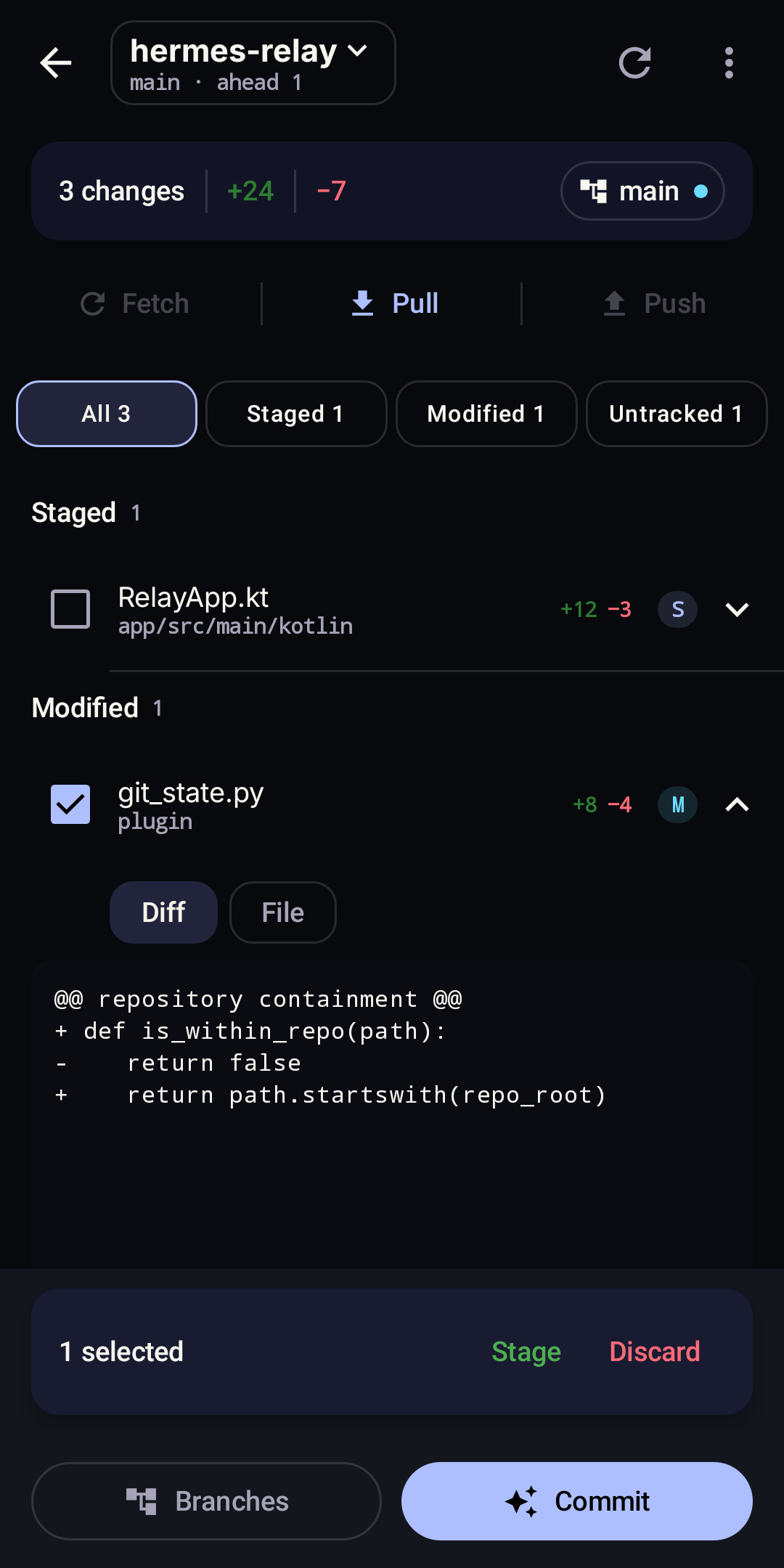
Native Git workspace — upstream session context with optional Relay discovery and operations
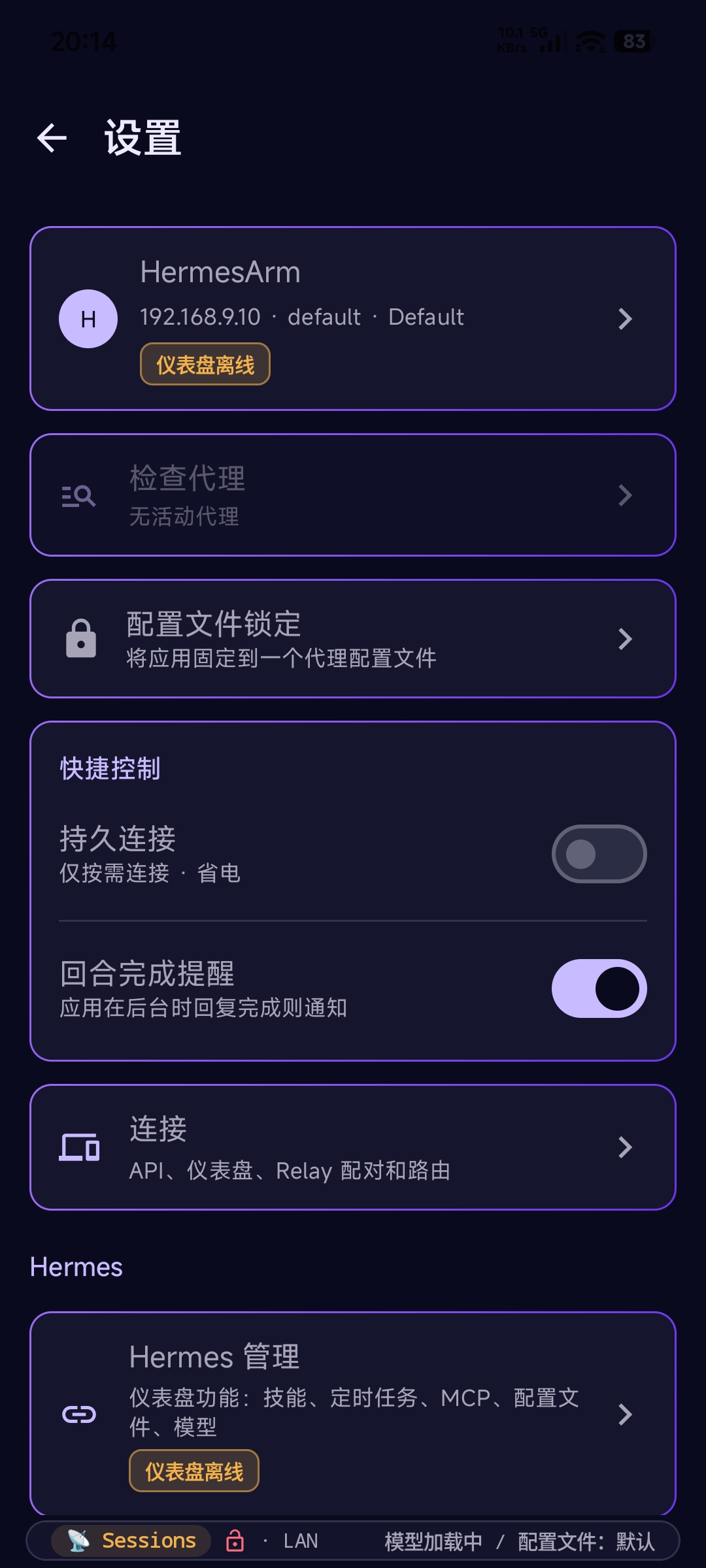
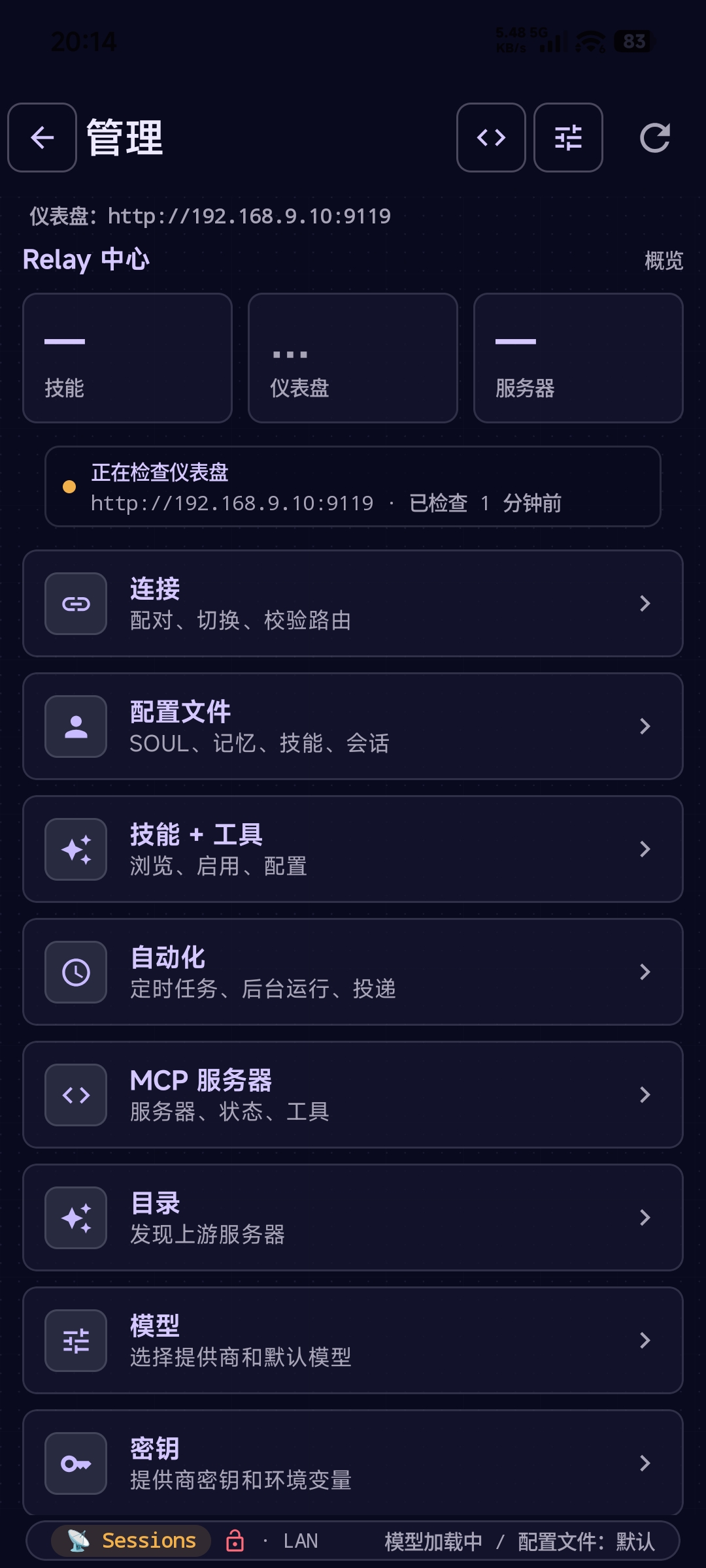
Simplified Chinese
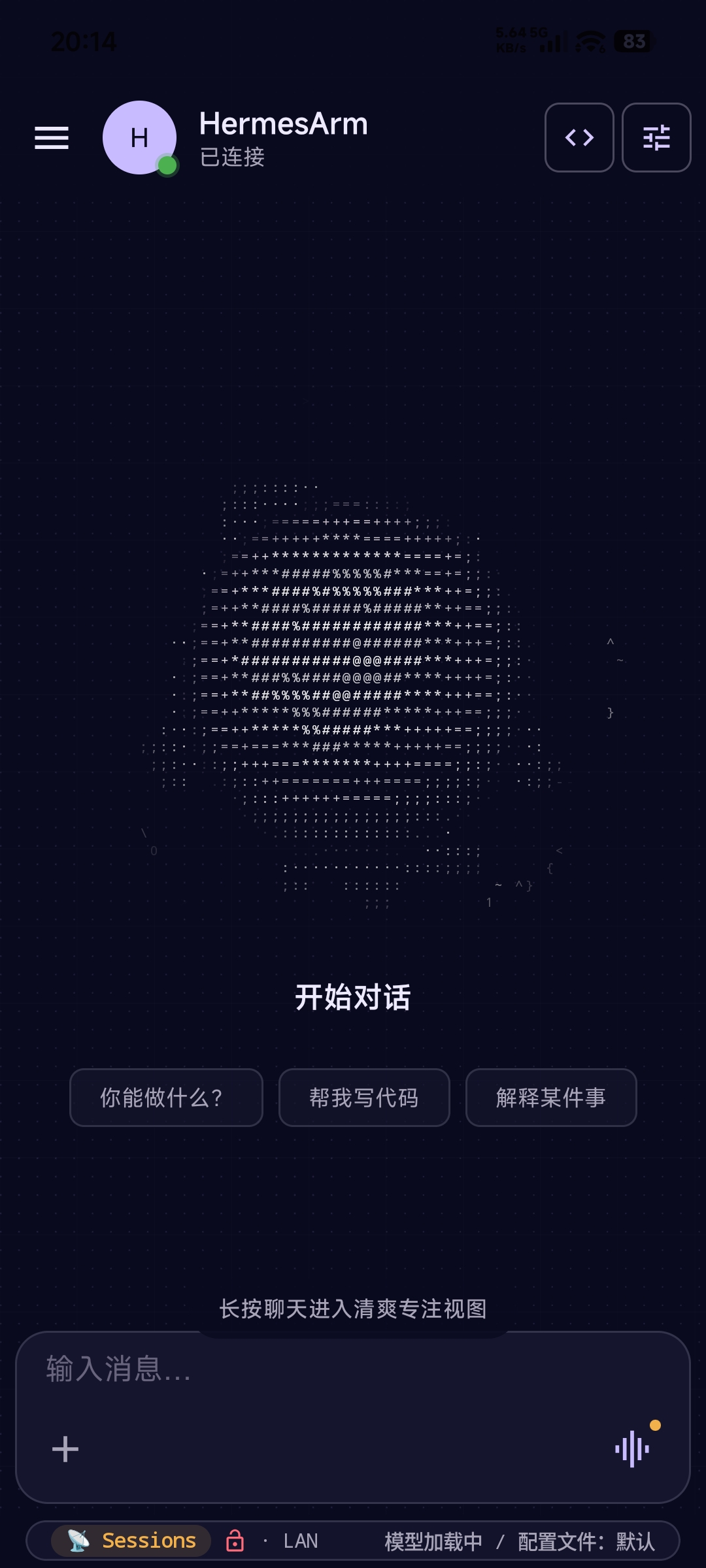 设置 — 全面汉化 |
 管理 — 仪表盘汉化 |
 导航菜单 — 简体中文 |
The Android app ships complete AI-assisted catalogs for Deutsch, Español, 日本語, Português (Brasil), Русский, and 简体中文. Choose a language from Settings → Appearance → Language; translation status and fluent review are tracked independently so community corrections remain easy to contribute.
▶ Watch the demo on the docs site
Features
Android
- Streaming chat — rides vanilla Hermes, preferring the dashboard gateway (
/api/ws, live thinking) when signed in to Manage and falling back to API-server SSE otherwise, with live markdown, tool-call cards, session history, a searchable command palette, file attachments, quote-in-reply, conversation share, and send-while-streaming queuing. - Manage your agent — the full Hermes dashboard, native: switch models from your provider catalog, manage keys (write-only, masked, rate-limited reveal), create and edit profiles including
SOUL.md, and browse/install/update skills. One dashboard sign-in covers it all. - Hands-free voice — talk on a vanilla install: speech rides your server's configured providers, unlocked by the same Manage sign-in. Relay-paired setups add per-profile voice and an opt-in provider-native Realtime Agent with background task handoff.
- Works away from home — add a Tailscale or public URL and the app roams automatically (LAN at home, fallback elsewhere). An unreachable server gets a diagnosis, not just a red dot.
- Multi-Connection + profiles — pair multiple Hermes servers (home + work, dev + prod) and switch in one tap; overlay a profile's model +
SOUL.mdper chat. - Device Control (Sideload + Hermes-Relay required) — the agent can read the screen and act: tap, type, swipe, scroll, screenshots, clipboard, media keys, and batched macros. This is not included in the Google Play build. It is guarded by a per-app blocklist (banking/2FA blocked by default), destructive-verb confirmation, idle auto-disable, and a full activity log.
- Notification companion — opt-in access so the agent can triage, summarize, and route incoming notifications.
- Security & pairing — QR pairing, Android Keystore session storage (StrongBox-preferred), TOFU cert pinning, per-channel time-bound grants, user-chosen session TTL.
- Stats for Nerds — local-only analytics: TTFT, token usage, stream health, peak-time charts.
Sideload builds add direct SMS, contact search, one-tap dialing, and location awareness — handy for fully hands-free intents like "text Sam I'll be 10 minutes late." See Release tracks.
Hands on any machine — the Hermes-Relay CLI (beta)
Beta. Self-contained CLI binaries ship for Windows x64, Linux x64/arm64, and macOS x64/arm64 — no Node required. Windows also has an optional compact management tray. Assets are unsigned during the experimental phase, so SmartScreen / Gatekeeper warnings are expected.
The agent's brain stays on the host; the CLI lets it call tools on your machine over the same WSS relay — read_file, write_file, terminal, search_files, screenshot, clipboard, open_in_editor, and more — behind a one-time consent gate, interactive diff approval for patches, and a --no-tools kill-switch.
irm https://raw.githubusercontent.com/Codename-11/hermes-relay/main/desktop/scripts/install.ps1 | iex
hermes-relay pair --remote ws://<host>:8767   # once
hermes-relay daemon start                      # background tool router — agent reaches you anytime
hermes-relay update                            # self-update via GitHub Releases
It pairs against the same relay and credential store as the Android app — pair once from either, both work. Tagged on the desktop-v* release track, with historical releases still visible under cli-v*.
On Windows, the default installer adds the optional compact Hermes-Relay CLI UI tray popup for host selection and pairing, connection and daemon state, per-host Ask/Trusted/Full Access, local grant dialogs, authorized-client revocation, activity, settings, and emergency stop. hermes-relay update detects this bundle and updates the CLI and UI together; explicit CLI-only installations stay headless and continue using the standalone binary updater. The UI is a management surface only—chat, TUI, plugins, voice, and agent sessions remain CLI/upstream concerns.
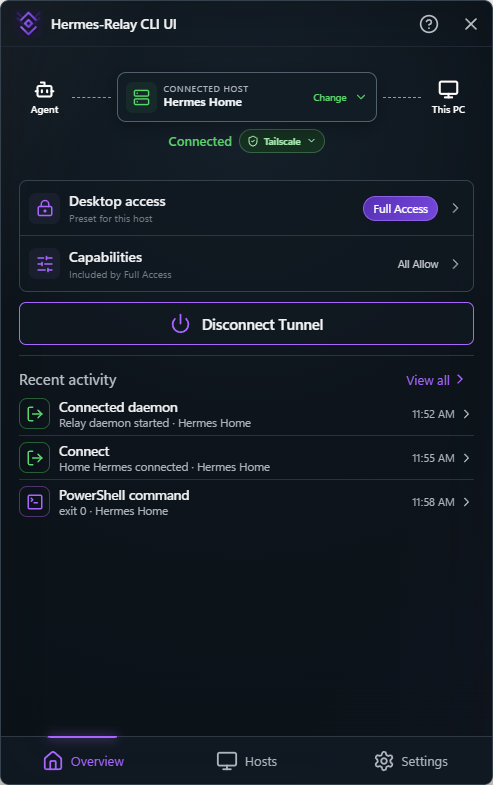 Connection & activity |
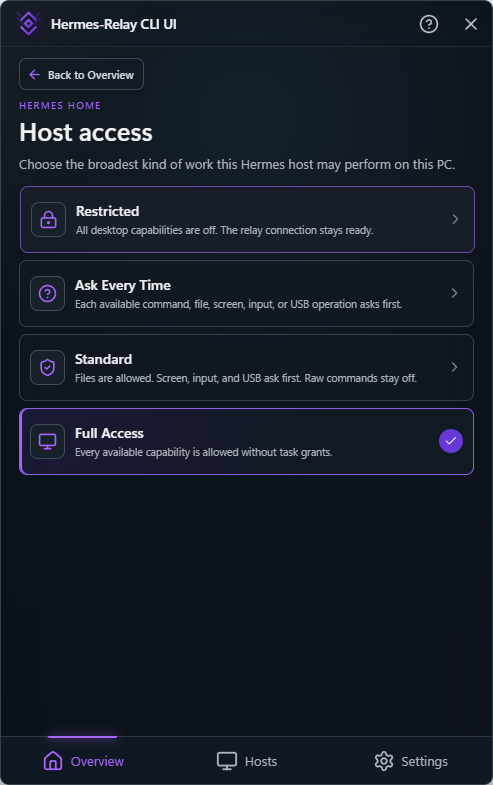 Per-host access |
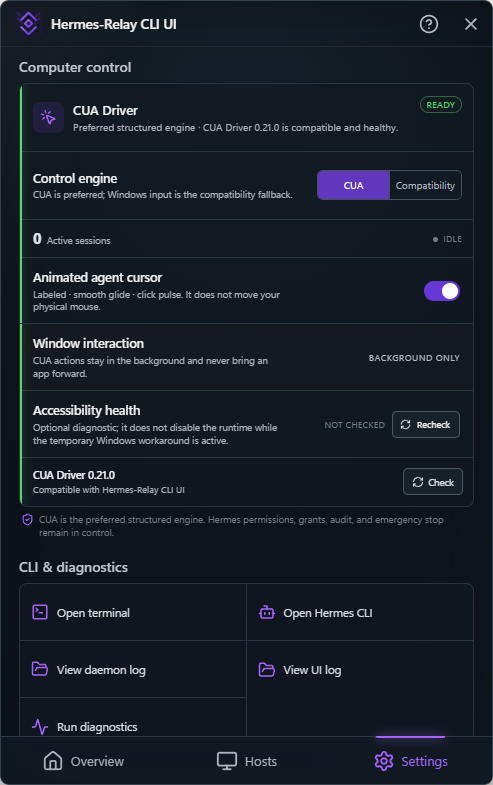 Control & maintenance |
Structured Windows computer control prefers a compatible local CUA Driver runtime for window-targeted background actions and virtual per-session agent cursors. It remains behind Hermes host policy, grants, targeting, audit, and emergency stop; Windows input is an explicit compatibility backend. CUA is not bundled or updated automatically, but the local CLI/UI can explicitly install, check, or update its verified canonical package. It is never exposed as a raw remote tool surface. See the desktop tools guide.
- Docs: CLI guide ·
desktop/README.md - AI-agent setup recipe:
/hermes-relay-desktop-setup
How It Works
Phone        (HTTP/WSS) --> Hermes Dashboard  (:9119)   [chat gateway, manage, vanilla voice, inbound files]
Phone        (HTTP/SSE) --> Hermes API Server (:8642)   [Direct API chat, sessions, runs]
Phone        (WSS/HTTP) --> Relay             (:8767)   [terminal, bridge, media enhancements, relay voice, sessions]
CLI          (WSS)      --> Relay             (:8767)   [machine tools, tui, terminal]
Standard connections keep Chat on the Hermes Dashboard/Gateway. Explicit API-only
connections use the upstream Direct API SSE path with an API key. Manage and Vanilla Hermes
voice ride the Hermes dashboard with its own one-time sign-in, so a vanilla
install needs no plugin for those surfaces or ordinary inbound files. The optional relay on :8767 adds
terminal, bridge phone control, media compatibility/metadata, machine tools, and
relay-side voice, which is preferred automatically when paired. One QR can
configure API, dashboard, and relay routes without merging their auth models.
Documentation
| User Guide | Quick start, features, configuration — start here |
| Android | Android install + setup + features |
| Hermes-Relay CLI | Pairing, subcommands, local tool routing |
| Architecture | How the system works under the hood |
| API Reference | Hermes API endpoints used by both surfaces |
| Specification | Full spec — protocol, UI, phases, dependencies |
| Architecture Decisions | ADRs — framework, channels, auth, terminal |
| Changelog | Release history (android-v*, server-v*, desktop-v*; historical prefixes remain immutable) |
Install with an AI agent — paste-ready prompt for Claude / GPT
If an AI assistant manages your server, paste this block into its chat and it will fetch the canonical setup recipe and walk you through install, pairing, and troubleshooting:
You are helping me install and maintain Hermes-Relay (https://github.com/Codename-11/hermes-relay) — a native Android client + a CLI + a Python plugin for the Hermes AI agent platform.

Read the canonical setup recipe before acting:
  https://raw.githubusercontent.com/Codename-11/hermes-relay/main/skills/devops/hermes-relay-self-setup/SKILL.md

Then guide me through:
- Verifying hermes-agent is already installed (it's a prerequisite — Hermes-Relay is a plugin, not standalone)
- Running the server-plugin install one-liner: `curl -fsSL https://raw.githubusercontent.com/Codename-11/hermes-relay/main/install.sh | bash`
- Connecting my phone by Vanilla Hermes API URL/key first, then optionally pairing Relay via `hermes pair` or `/hermes-relay-pair` for power tools; OR pairing my laptop via the Hermes-Relay CLI (`irm https://raw.githubusercontent.com/Codename-11/hermes-relay/main/desktop/scripts/install.ps1 | iex` on Windows, then `hermes-relay pair --remote ws://<host>:8767`)
- Verifying with `hermes-status` (server) or `hermes-relay doctor` (CLI)

Always confirm before running shell commands. Never restart hermes-gateway without asking. If any step fails, consult the Troubleshooting section in the SKILL.md and ask me for the exact error.
Already installed? The same recipe is auto-loaded as a Hermes skill — invoke /hermes-relay-self-setup from any chat for re-setup or "is everything wired correctly?" checks.
Development
# Android: open the repo root in Android Studio, wait for Gradle sync, Run (Shift+F10).
scripts/dev.bat build      # Build sideload debug APK
scripts/dev.bat compile    # Compile sideload Kotlin only
scripts/dev.bat test-one "com.hermesandroid.relay.SomeTest"  # Focused unit test
scripts/dev.bat install-fast  # arm64 phone build + install + launch
scripts/dev.bat release    # Build signed release APK
scripts/dev.bat bundle     # Build release AAB for Google Play
scripts/dev.bat run        # Build sideload + install + launch + logcat
scripts/dev.bat test       # Run sideload debug unit tests
scripts/dev.bat version    # Show current version
scripts/dev.bat relay      # Start the relay server (dev, no TLS)
Gateway, session, streaming, reconnect, or authoritative-history changes use the reusable, on-demand Gateway contract lab. It includes deterministic protocol scenarios, current-upstream conformance, Android instrumentation, and opt-in physical-device certification; none of those lanes is scheduled automatically.
Tech Stack
| Component | Stack |
|---|---|
| Android app | Kotlin 2.4, Jetpack Compose, Material 3, OkHttp |
| Hermes-Relay CLI | TypeScript, Bun-compiled native binary, Node ≥21 (source/dev), zero runtime deps |
| Server / plugin | Python 3.11+, aiohttp |
| Serialization | kotlinx.serialization (Android) |
| Build | AGP 9.3.1, Gradle 9.6.1, JVM toolchain 17 (Android); tsc + bun build --compile (CLI) |
| CI/CD | GitHub Actions — lint, build, test, APK artifact, CLI binaries per platform |
| Min SDK | 26 (Android 8.0) · Target SDK 36 |
Repository structure
hermes-relay/
├── app/                       # Android app (Kotlin + Jetpack Compose)
├── desktop/                   # Hermes-Relay CLI thin-client (TS + Bun-compiled binary)
├── relay_server/              # WSS server (Python + aiohttp; thin shim → plugin/relay)
├── plugin/                    # Hermes agent plugin
│   ├── relay/                 #   - canonical relay (server.py, channels/, media, voice, machine tools)
│   ├── tools/                 #   - android_* bridge + desktop_* tool handlers
│   └── pair.py                #   - QR pairing CLI + multi-endpoint payload builder
├── skills/devops/             # Hermes agent skills (pairing, self-setup, CLI setup recipes)
├── user-docs/                 # VitePress documentation site
├── docs/                      # Spec, decisions, security
├── scripts/                   # Dev helper scripts
├── .github/workflows/         # CI + release pipelines (ci-android / ci-plugin / ci-desktop)
└── gradle/                    # Wrapper (8.13) + version catalog
Running the server / plugin from a clone
End users should follow the recommended Hermes-Relay setup above. For local development:
hermes relay start --no-ssl          # if you installed the plugin
python -m plugin.relay --no-ssl      # or from a repo checkout

# Docker:
docker build -t hermes-relay relay_server/ && docker run -d --network host --name hermes-relay hermes-relay

# Live-edit the plugin against a local Hermes:
ln -s "$PWD/plugin" ~/.hermes/plugins/hermes-relay
Then restart hermes and run hermes pair to verify. The 35 android_* and 25 desktop_* tools register regardless of hermes-agent version. See docs/relay-server.md for TLS, systemd, and full setup.
Built for Hermes Agent
Hermes-Relay is built for Hermes Agent — an open-source AI agent platform by Nous Research. See the Hermes Agent docs for server setup, gateway configuration, and plugin development.
Questions, ideas, or bugs?
Use GitHub Discussions for setup questions, early ideas, broader conversation, and things you are building with Hermes-Relay. If something is reproducibly broken or you have a specific, actionable feature request, open an issue. This is an indie project and every report helps shape where it goes next.
Star History
License
MIT — Copyright (c) 2026 Axiom-Labs
Built with the help of Humans and AI Agents
